9.3
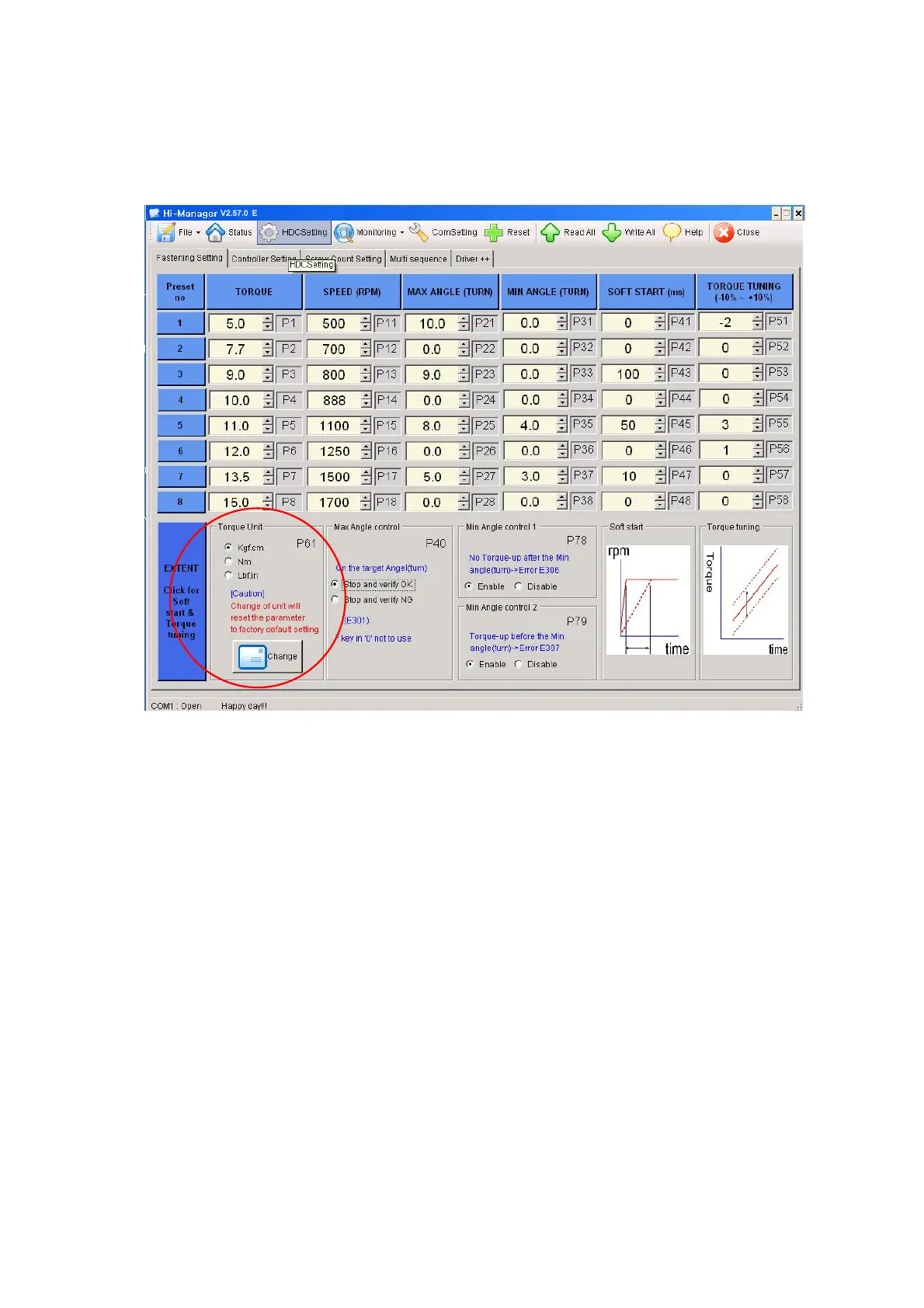
Parameter setting on
Hi-Manager
1)
Fastening Setting
(
HDC Setting
--> )
-
Select the torque unit before setting other parameters. Otherwise all parameters
changed to the factory setting after change of torque unit.
-
Change or select parameters, and Click
"
WRITE ALL" menu to write new settings
on the connected HDC controller.
-
To allow parameter change, be sure that it require
Manager Log-in
on File menu.
Ask to the distributor for the Log-in password
.
-
Monitoring is possible without Manager Log-in.
V2.57.0
E
Mountz Inc - The Torque Tools Specialists - www.mountztorque.com
1080 N 11th St - San Jose CA 95112
408.292.2214


 To Next Page
 Loading...