EasyManua.ls Logo

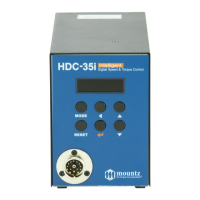
Mountz HDC-35i - User Manual

Default Icon
89 pages
Print Icon
To Next Page IconTo Next Page
Loading...
Feb 2016
Operation Manual
Hybrid Digital Screwdriver
HDC-40i, HDC-35i
1080 N 11th St San Jose CA 95112
www.mountztorque.com 408.292.2214
1

Other manuals for Mountz HDC-35i

Questions and Answers

Summary

Quick Setup and Hi-Manager Software Installation

Installation Guide and Software Setup

Steps for system installation and setting up the Hi-Manager software.

Safety, Specifications, and Layout

General and Specific Safety Rules

Comprehensive safety guidelines for operation, electrical hazards, and tool use.

Product Specifications and Layout

Details on key features, screwdriver/controller specs, layout, and dimensions.

Device Operation and Parameter Control

Front Panel Interface and Controls

Explanation of the controller's front panel, buttons, and display modes.

Detailed Parameter Configuration

Comprehensive guide to all operational parameters for torque, speed, count, and signals.

Communication Interfaces and Troubleshooting

Error Codes and Troubleshooting Procedures

Lists system, communication, and pattern error codes with troubleshooting steps.

I;O, USB, and RS-232 C Communication Setup

Guides for configuring I/O, sensor selection, USB, and RS-232C communication.

PC Software: Hi-Manager Usage Guide

Software Installation and Basic Operation

Steps for installing Hi-Manager software and initial connection procedures.

Advanced Parameter Setting and Monitoring

Instructions for setting parameters and monitoring data using Hi-Manager software.

Firmware Upgrade History

Mountz HDC-35i Specifications

General IconGeneral
BrandMountz
ModelHDC-35i
CategoryPower Screwdriver
LanguageEnglish

Related product manuals