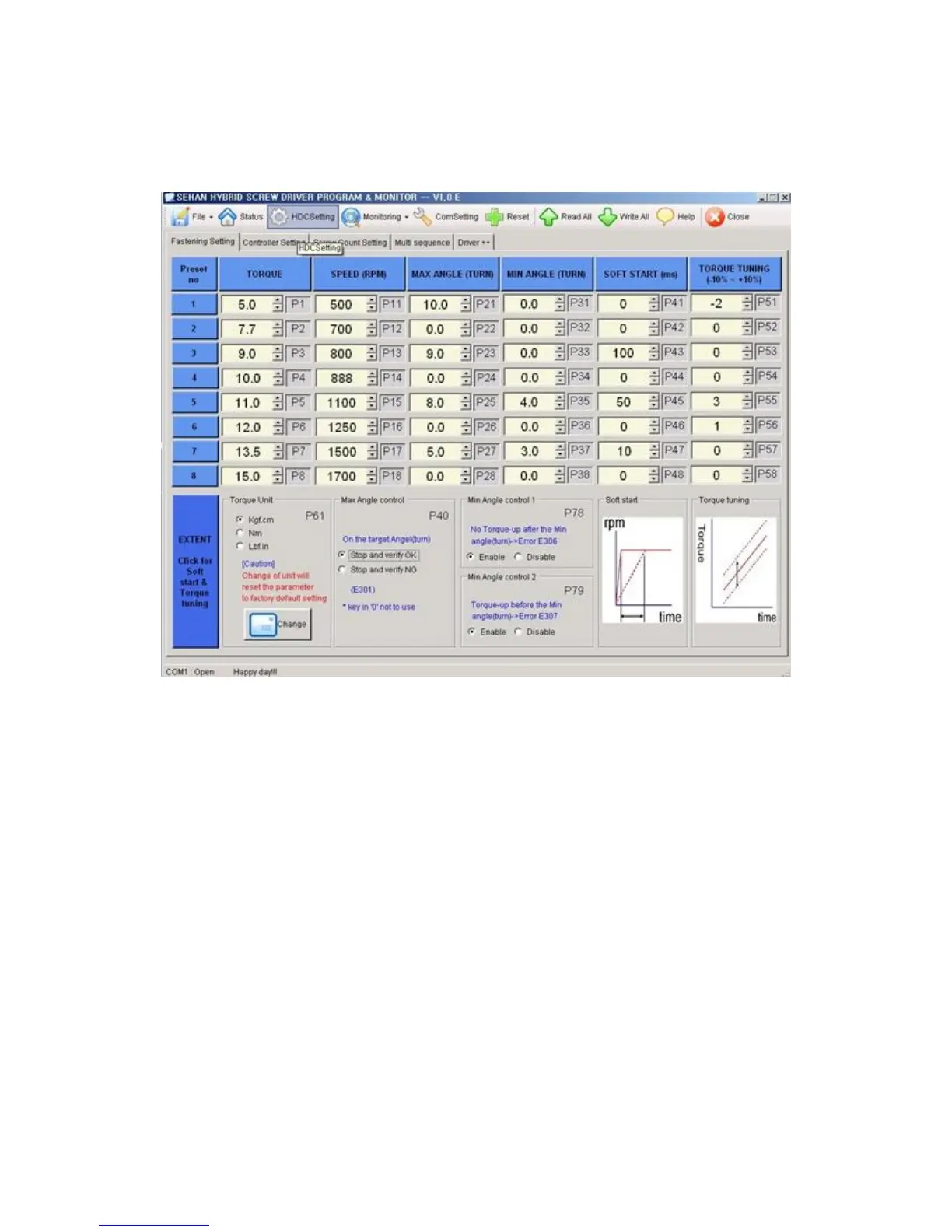
9.3 Parameter setting on Hi-Manager
1) Fastening Setting ( HDC Setting --> )
- Select the torque unit before setting other parameters. Otherwise all parameters
changed to the factory setting after change of torque unit.
- Change or select parameters, and Click " WRITE ALL" menu to write new settings
on the connected HDC controller.
- To allow parameter change, be sure that it require Manager Log-in on File menu.
Ask to the distributor for the Log-in password.
- Monitoring is possible without Manager Log-in.



 To Next Page