Hybrid Digital Screwdriver
HDC-40i, HDC-35i
Quick Set Up
Installation:
1.
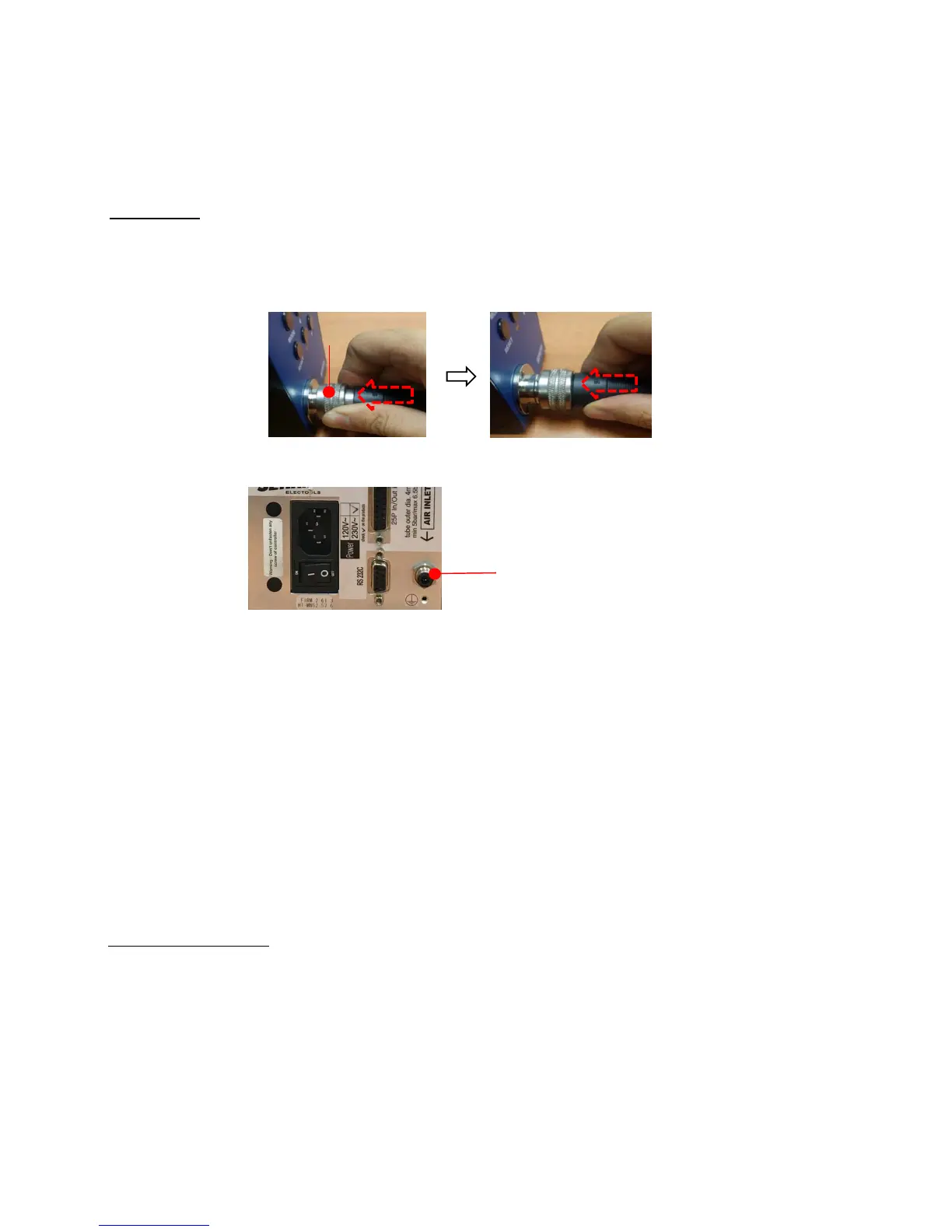
After unpacking system, please connect cable to driver and controller. Be aware that cable's ends are
indetified so one specific end goes to controller and other to driver. Cable must snap in completelly,
please verify both ends are fully connected.
2.
Connect Mini Compressor's air hose to the back of controller. Pull hose out to make sure it is correctly
installed.
3. Connect power cord to the back of controllers and plug it into the 110V outlet. Turn on unit.
4.
On Controller Keyboard, click on "mode" than click enter, than click "mode" again and than click enter.
Display will show "P 1".
5.
With the use of the arrows, select P169 and click enter. A number will show up. PLEASE WRITE THIS
NUMBER DOWN AS
THIS IS THE FIRMWARE VERSION OF YOUR SYSTEM. Click reset button and
6.
Please type in P59 and click enter. The display might show "0" or "1". Make sure "0" for USB
communication is selected.
If display showed "0" than click "reset" button. If "1" was shown, please change
it to "0" than click enter.
7
.
Type in P83 and click enter. A blinking "0" will b shown. Type in 77 and click enter. This will re-
initialize the system. Please turn system OFF, wait 5 seconds and turn it ON.
Hi Manager Software:
1.
Obtain firmware version of your system by Typing in 169 on the display of your controller.
Go to page 89 on this operation manual. Look at the chart and locate the corresponding Hi Manager
Software for the Firmware you have writen down for your system.
Ask your Sales Rep for a copy of the Hi Manager Software you need according to Firmware Version of
your System.
You can also request Hi Manager software on these email addresses below. (MAKE SURE YOU
INDICATE FIRMWARE VERSION OF YOUR SYSTEM OBTAINED ON P169 when sending a
request). john.brackmann@mountztorque.com, sergio.muratalla@mountztorque.com,
damian.valdiviezo@mountztorque.com



 To Next Page