4 5
ENEN
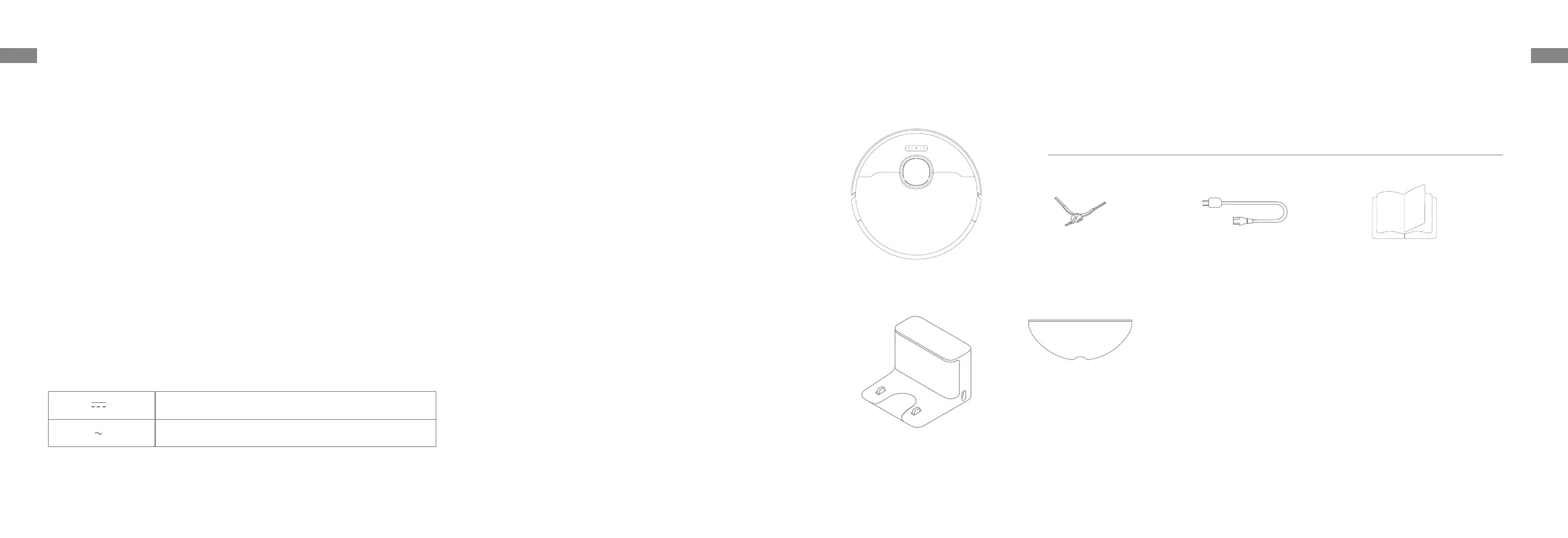
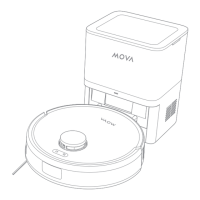
Package Contents
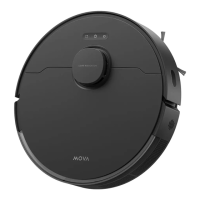
Robot
Charging Dock
Other Accessories
Product Overview
Side Brush Power Cord User Manual
Mop Pad
(pre-installed)
—Reorient or relocate the receiving antenna.
—Increase the separation between the equipment and receiver.
—Connect the equipment into an outlet on a circuit dierent from that to which the receiver is connected.
—Consult the dealer or an experienced radio/TV technician for help.
MPE Reminding
To satisfy FCC / IC RF exposure requirements, a separation distance of 8" (20 cm) or more should be maintained between the
antenna of this device and persons during device operation.
To ensure compliance, operations at closer than this distance is not recommended.
To disable Wi-Fi module on robot, power the robot ON. Place the robot on the charging dock. Ensure the Charging Contacts
on robot and the charging dock Pins make a connection.
Press and hold the Dock Button on the robot for 20 seconds until the Wi-Fi module is turned o.
When the Wi-Fi module is turned o, press any button on the robot to turn the Wi-Fi module on.
This Device Complies with DHHS Radiation Rules, 21CFR Chapter 1, Subchapter J.
Direct current
Alternating current
ThisequipmenthasbeentestedandfoundtocomplywiththelimitsforaClassBdigitaldevice,pursuanttopart15of
theFCCRules.Theselimitsaredesignedtoprovidereasonableprotectionagainstharmfulinterferenceinaresidential
installation.Thisequipmentgeneratesusesandcanradiateradiofrequencyenergyand,ifnotinstalledandused
inaccordancewiththeinstructions,maycauseharmfulinterferencetoradiocommunications.However,thereisno
guaranteethatinterferencewillnotoccurinaparticularinstallation.Ifthisequipmentdoescauseharmfulinterference
toradioortelevisionreception,whichcanbedeterminedbyturningtheequipmentoandon,theuserisencouraged
totrytocorrecttheinterferencebyoneormoreofthefollowingmeasures:
Safety Information


 To Next Page