12
MOVADO BOLD MOTION USER GUIDE
Reconnecting the watch to your phone
If your phone and your watch are out of range of each
other for more than an hour, the Bluetooth connection is
dropped and must be reconnected.
1. Ensure that the phone and watch are within range of
each other.
2. Press the watch button.
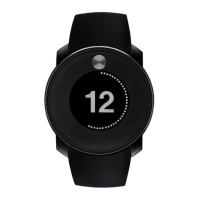
In pairing mode, two lights on opposite sides of the dial
illuminate and cycle clockwise until a connection is made,
pairing mode is cancelled, or pairing mode times out.
When the watch connects to a phone, the 12 o’clock
light pulses twice.
3. If the phone and watch do not reconnect, open the
app on your phone.
4. If the phone and watch still do not reconnect, close
and restart your phone app. See the manufacturer’s
instructions for your phone.
SETTING YOUR PHONE TO AIRPLANE MODE
When airplane mode is on, the watch still receives
progress tracker and device notifications. General
notifications, such as calendar meetings, are disabled.
To turn airplane mode on, press and hold the watch
button until all twelve lights illuminate and then dim on
both sides, from bottom to top. Release the watch button.
To turn airplane mode off, press and hold the watch
button until all twelve lights illuminate and then dim on
both sides, from top to bottom. Release the watch button.
NOTE: You can enable or disable this feature only in
ANALOG VIEW.
PAIRING THE WATCH TO A DIFFERENT PHONE
You might want to use the watch with a different phone or
transfer ownership of the watch.
1. In the phone app, select PREFERENCES, and then tap
SIGN OUT.
NOTE: Your locally stored user data might be deleted.
2. Select OK to confirm that you want to sign out. When
finished, the phone app returns to the login screen.
3. A prompt to FORGET WATCH appears. If you select
OK, the watch automatically resets to factory settings.
If you select Skip, you must press and hold the watch
button for 22 seconds to manually reset the watch to
factory settings.
4. If prompted, select OK.
5. If you are using Android, you can now pair the
watch to a different phone. If you are using iOS,
open your phone Settings, and then select Bluetooth.
Tap the I icon next to Movado, and then tap
FORGET THIS DEVICE. You can now pair the watch to
a different phone.
PAIRING THE PHONE TO A DIFFERENT WATCH
You can only pair one watch to the phone at a time.
1. In the phone app, select PREFERENCES.
2. Tap FORGET WATCH.
3. Select OK to confirm that you want to forget the watch.
4. If prompted, select OK.
5. Pair the new watch to the phone.
REINSTALLING THE PHONE APP
You might need to uninstall and reinstall the phone
app. You must reconnect the watch to your phone after
reinstalling the phone app.
If you are using Android, you should be able to reconnect
the watch to the phone. If you are using iOS, open your
phone Settings, and then select Bluetooth. Tap the I icon
next to Movado, and then tap FORGET THIS DEVICE.
You can now pair the watch to the phone again.
UPDATING YOUR WATCH
When a software update is available, a notification is
displayed at the bottom of the phone app home screen.
1. Select INSTALL NOW and then START INSTALLATION
to install the update.
NOTE: Do not press the watch button or close the phone
app until the update is complete.
2. When the update is complete, select DONE.
If you receive an error message, tap RETRY.









 To Next Page