5
MOVADO BOLD MOTION USER GUIDE
Bluetooth view
From ANALOG VIEW, press the watch button four times
to see BLUETOOTH VIEW. In BLUETOOTH VIEW, the
lights show the Bluetooth connection status between your
watch and your phone.
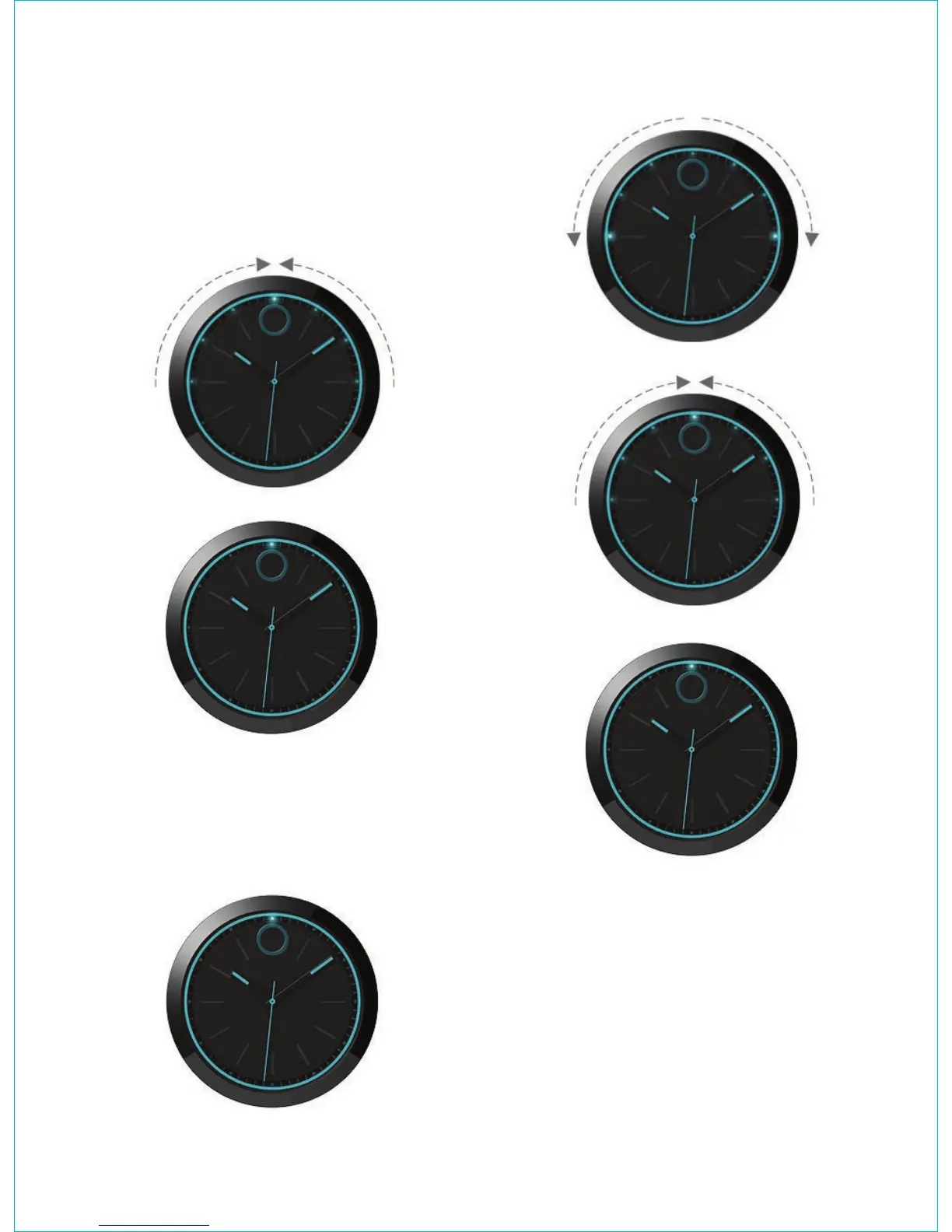
If the watch is connected to a phone, the lights from 9
o’clock and from 3 o’clock illuminate and converge at 12
o’clock. Then, the 12 o’clock light illuminates.
If the watch is not connected to a phone, the 12 o’clock
light illuminates, and then the lights illuminate from 12
o’clock to 9 o’clock and 3 o’clock. After the 9 o’clock
and 3 o’clock lights illuminate, the lights from 9 o’clock
and from 3 o’clock illuminate and converge at 12 o’clock.
Then, the 12 o’clock light illuminates.









 To Next Page