Moxee Tablet User Manual 11
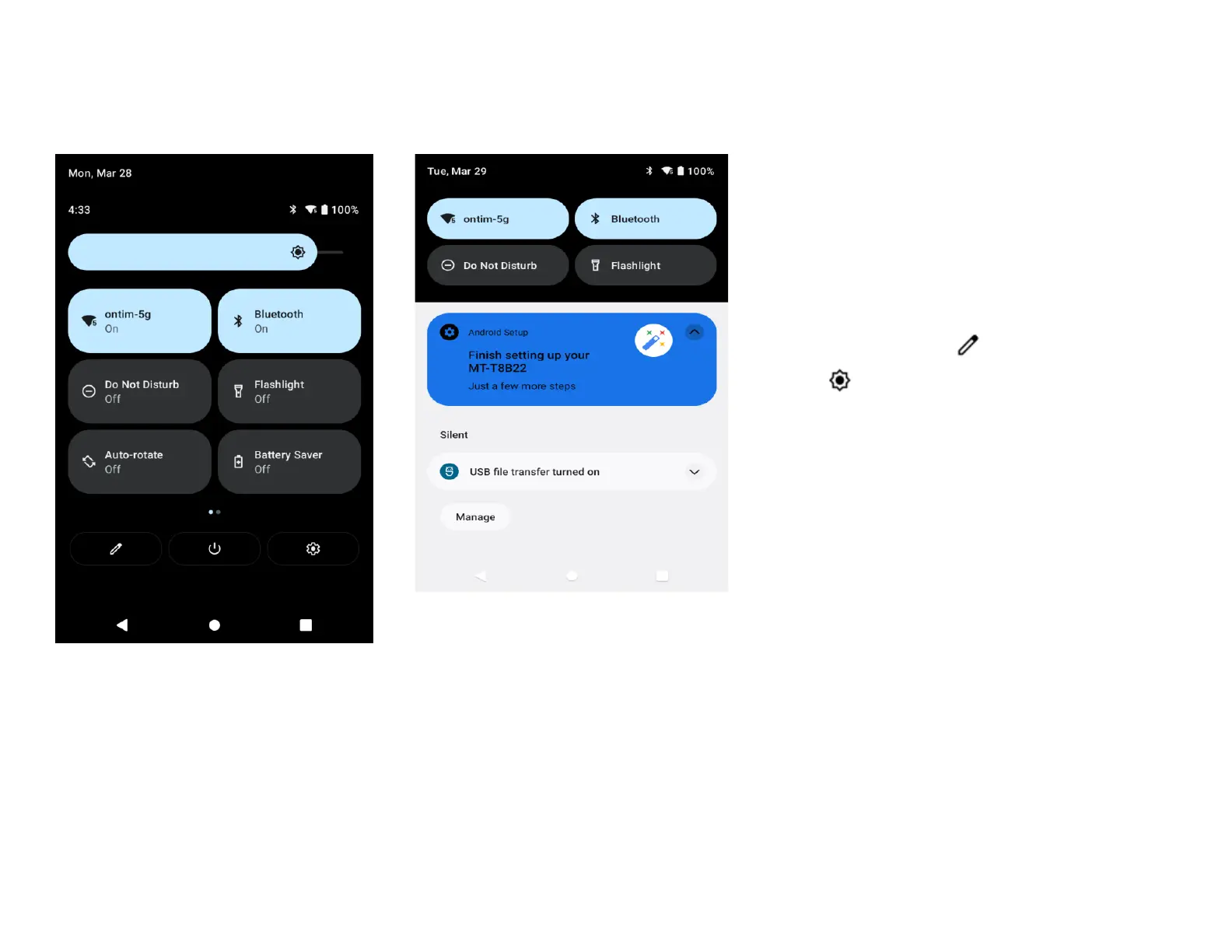
Quick settings
You can open the Quick settings by
dragging the status bar downward from
any screen.
1. Touch and hold the icon,
the Settings screen for the
corresponding function appears
2. To rearrange, add or
remove icon, tap
3. Tap to adjust the screen brightness.
Do not disturb
To turn o some or all sounds, tap Do Not
Disturb in the Quick settings.


 To Next Page