Moxee Tablet User Manual 17
Camera
Using Camera app to take photos, seles
and video to keep all of your memorable
moments.
Zoom in or out
You can use zoom in or out on the camera
screen while taking a photo or recording a
video.
On the camera screen, pinch or spread two
ngers to zoom in or out.
Taking pictures
1. Tap Camera on the Home
screen, tap screen to adjust focus
for the different subject.
2. When ready to take picture, tap .
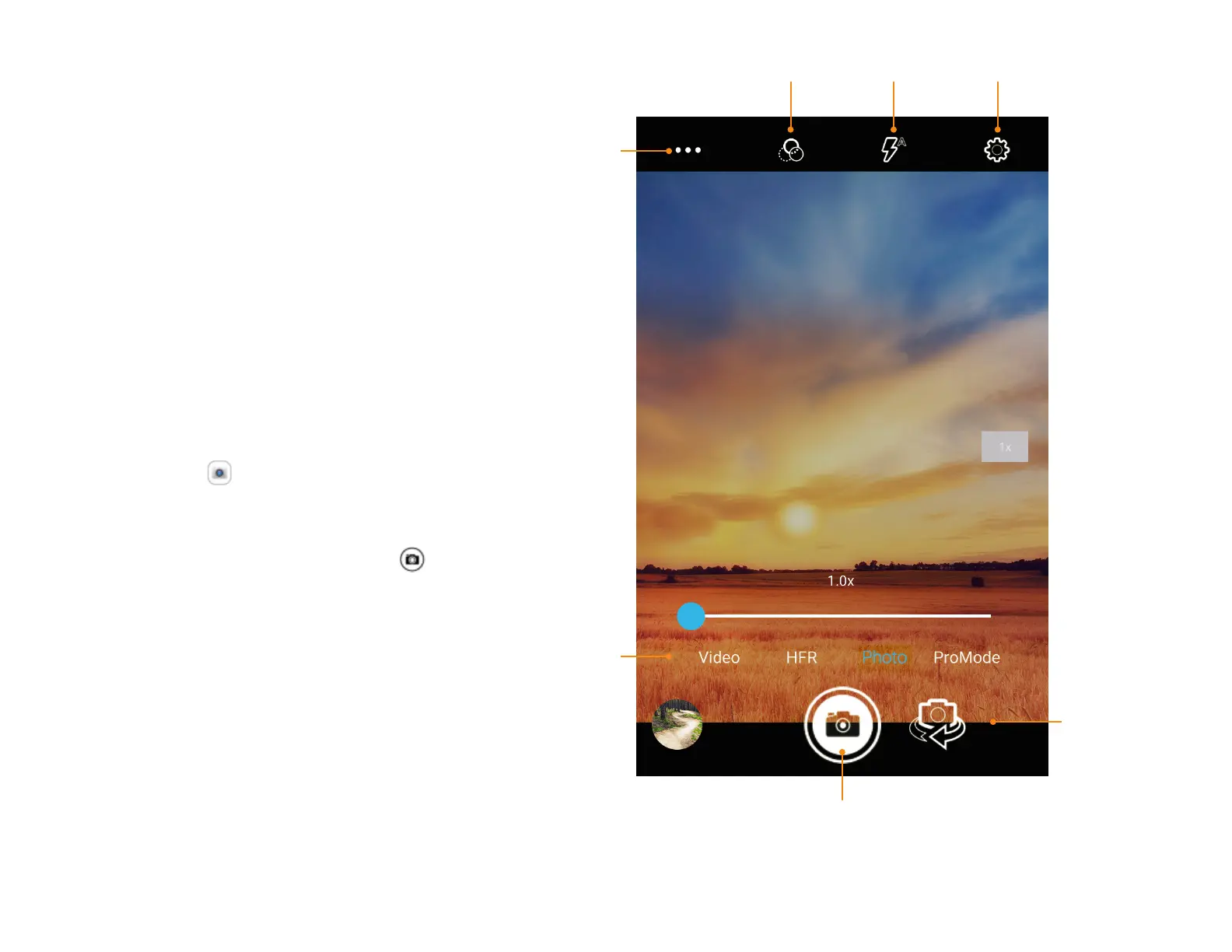
Scene
mode
Filter effect
To take
video
Take a picture
Switch
between
Front/Rear
cameras
Flash Settings


 To Next Page