Moxee Tablet User Manual 18
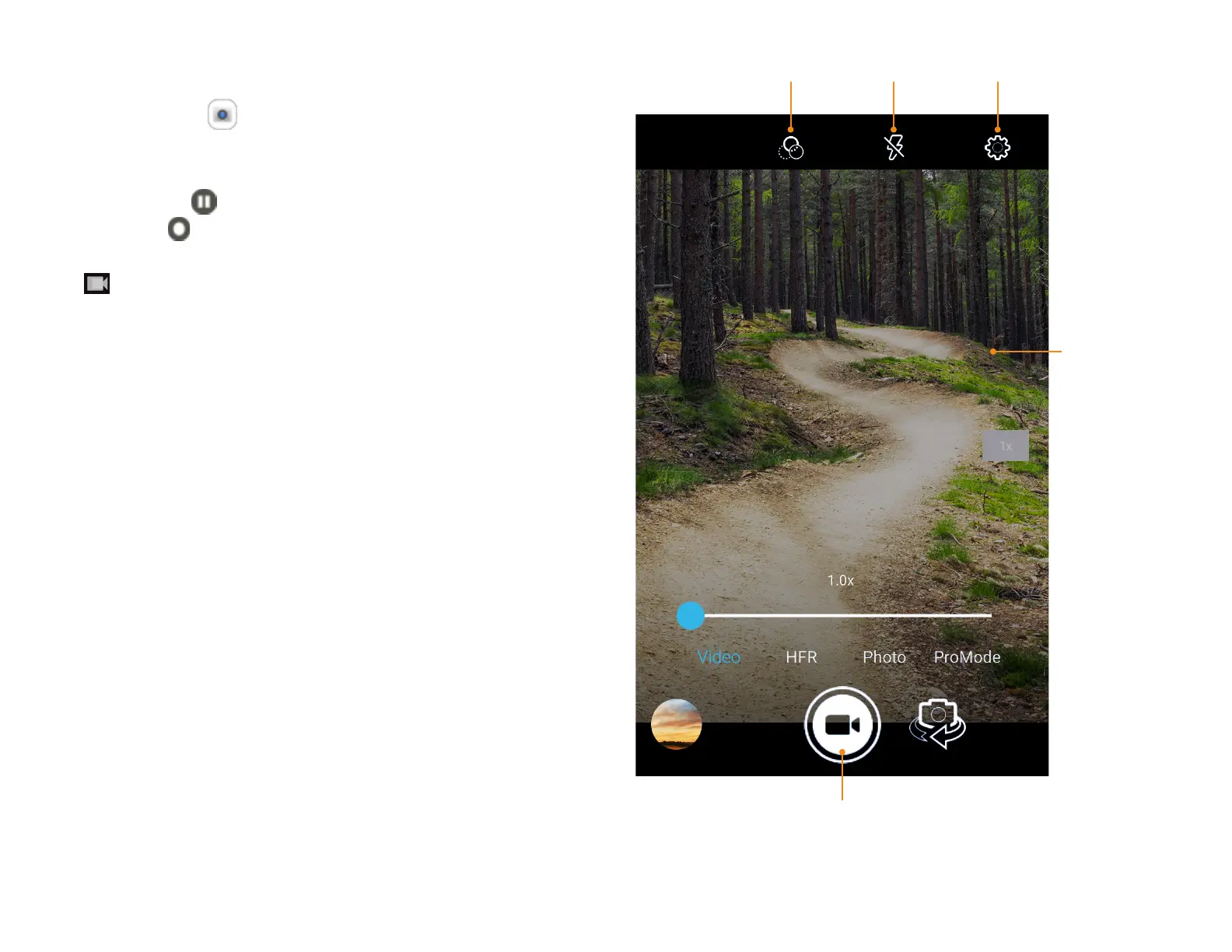
Taking video
1. Tap Camera on the Home
screen, tap Video icon to enter
video mode and start recording.
2. Tap Pause to temporarily stop and
Resume to continue recording.
3. When finished recording, tap
to exit video mode.
Tap the
screen
to take a
picture
during
recording
Filter effect Flash Settings
Exit video mode


 To Next Page