17
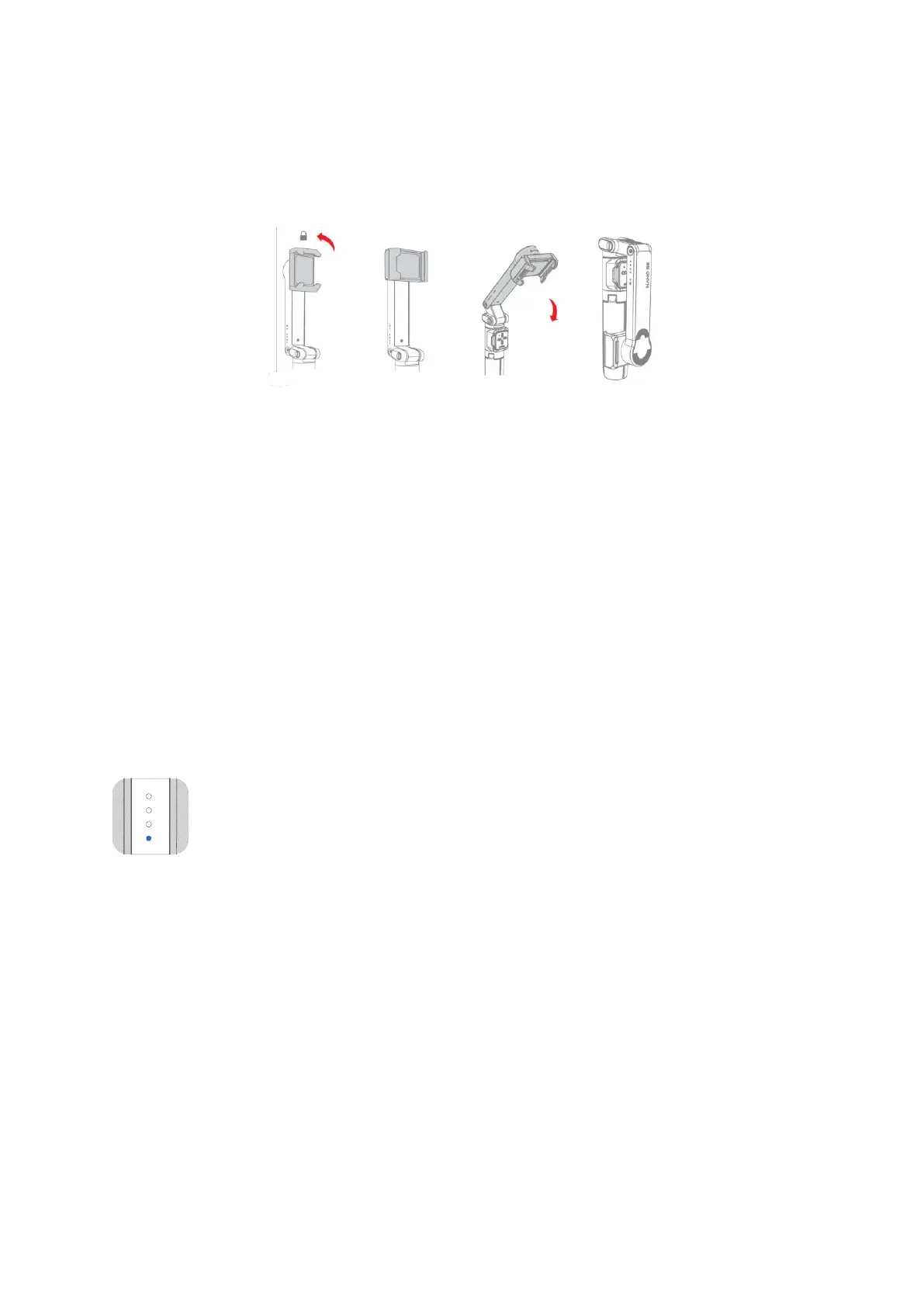
Storage
Turn off the NANO SE and remove the smartphone, follow the instructions below to
store the NANO SE.
FAQs
Pairing of remote controller and NANO SE
NANO SE has been paired with the remote controller before leaving the factory, the
following operations are not required unless there is an issue during use.
Please contact MOZA after-sales service and complete the following steps to re-pair the
remote controller and NANO SE, if none of the NANO SE buttons works after connecting
with MOZA Genie App:
Press the menu button (top button) and record button (down button) at the same time
until the remote controller indicator flashes, After the remote controller indicator
flashes, all the battery indicator lights will flash. When the blinking stops, pairing is
complete.
The battery indicator flashes:
If the first battery light indicator (the light closest to the power button)
flashes after powering on and NANO SE motor is weak, attempt to upgrade
the firmware. If the issue persists, contact MOZA after-sales service.


 To Next Page