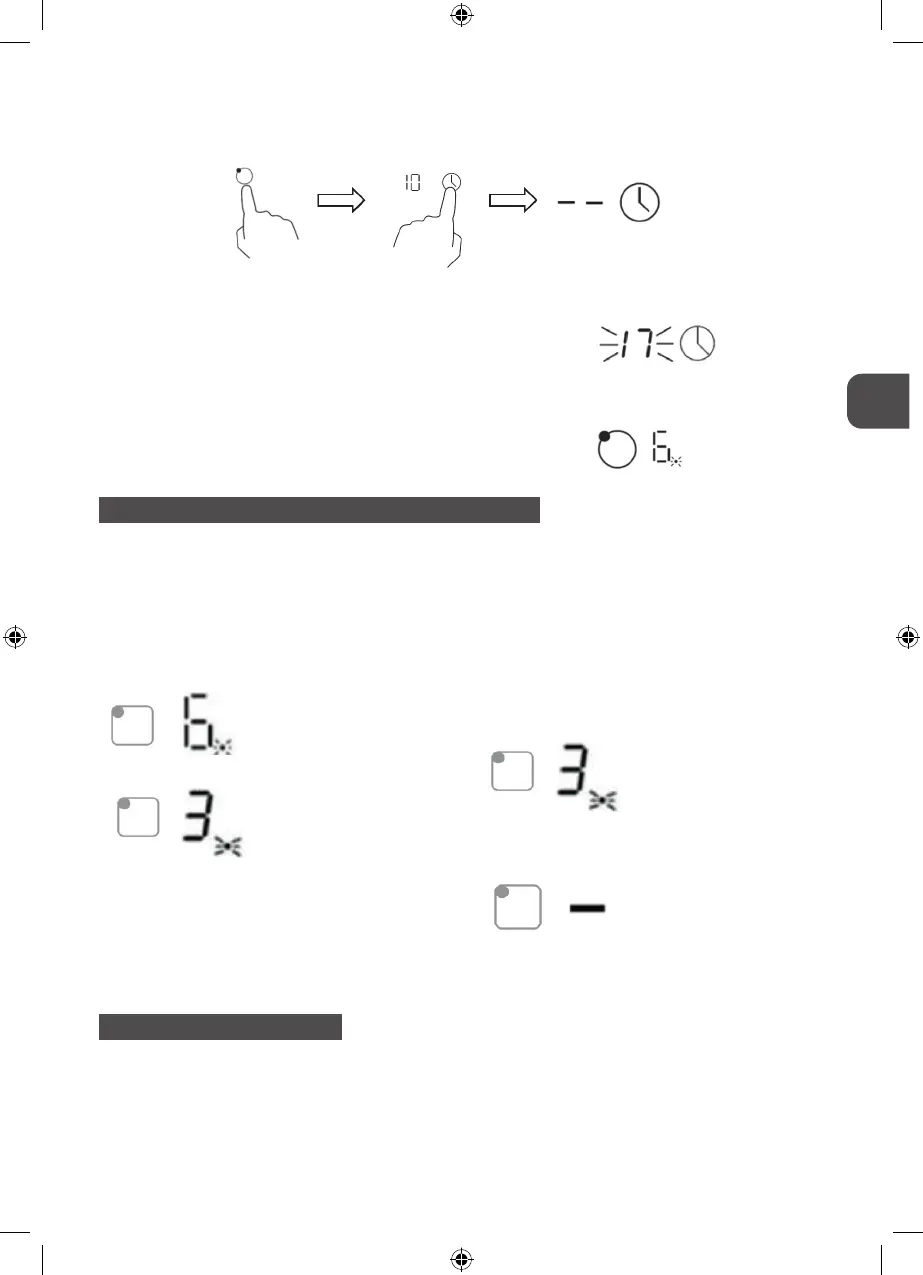
4. Touching the heating zone selection control, and then touch the ‘Timer’, the timer is
cancelled, and the” --“will show in the minute display.
5. When the time is set, it will begin to count down immediately. The display will show the
remaining time and the timer indicator flash for 5 seconds.
NOTE: The red dot next to power level indicator
will illuminate indicating that zone is selected.
SETTING THE TIMER TO TURN MORE THAN ONE COOKING ZONE OFF
1. If more than one heating zone use this function, the timer indicator will show the lowest
time.
(e.g. zone 1# setting time of 3 minutes, zone 2# setting time of 6 minutes, the timer indicator
shows “3”.)
NOTE: The red dot next to power level indicator will flash.
(set to 6 minutes)
(set to 3 minutes)
2. When cooking timer expires, the corresponding
cooking zone will be switch off automatically.
NOTE: If you want to change the time after the timer is set, you have to start from step 1
OVERTEMPERATURE PROTECTION
A temperature sensor equipped can monitor the temperature inside the ceramic hob. When
an excessive temperature is monitored, the ceramic hob will stop operation automatically.
43
MPM-45-IM-07, MPM-60-IM-04, MPM-60-IM-05_instrukcja_v03.indd 43MPM-45-IM-07, MPM-60-IM-04, MPM-60-IM-05_instrukcja_v03.indd 43 30.03.2020 10:1930.03.2020 10:19


 To Next Page