EasyManua.ls Logo

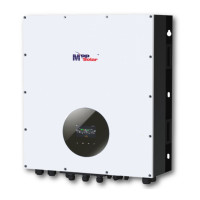
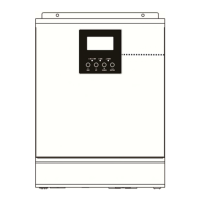
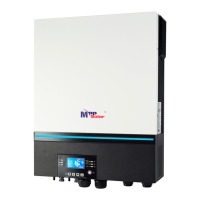
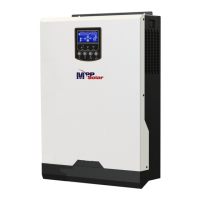
MPP Solar 1KVA-5KVA - User Manual

MPP Solar 1KVA-5KVA
35 pages
Print Icon
To Next Page IconTo Next Page
Loading...
1KVA-5KVA
INVERTER / CHARGER
Version: 1.7
User Manual

Questions and Answers

  • E
    Erin KellerAug 6, 2025
    How to fix MPP Solar 1KVA-5KVA Inverter that shuts down during startup?
    • C
      Crystal HintonAug 6, 2025
      If your MPP Solar Inverter shuts down automatically during the startup process, it's likely due to one of the following reasons: * The battery voltage is too low (below 1.91V/Cell). Re-charge the battery. * If recharging doesn't resolve the issue, the battery might need replacement.
  • D
    david78Aug 11, 2025
    What to do if MPP Solar 1KVA-5KVA relay switches on and off repeatedly?
    • B
      brittany92Aug 12, 2025
      If the internal relay of your MPP Solar Inverter switches on and off repeatedly when you turn it on, the battery might be disconnected. Check if the battery wires are properly connected.
  • E
    eevansAug 18, 2025
    What to do if my MPP Solar 1KVA-5KVA Inverter buzzer beeps continuously?
    • P
      pgreenAug 18, 2025
      If your MPP Solar Inverter's buzzer beeps continuously and the red LED is on, it could indicate several issues: * The inverter is overloaded (over 110%). Try reducing the load by switching off some equipment. * There's a short circuit in the output. Check the wiring and remove any abnormal loads. * The temperature of an internal converter component is too high. Ensure the unit's airflow isn't blocked and the ambient temperature isn't too high. * The output voltage is abnormal (below 190Vac or above 260Vac). Reduce the connected load. Other potential causes require professional attention. Return to the repair center if the battery is over-charged, there is over current or surge, the battery is not connected well or the fuse is burnt.
  • C
    Chase MaynardAug 25, 2025
    Why is my MPP Solar Inverter working in battery mode when mains exist?
    • S
      Stephanie PetersonAug 25, 2025
      If your MPP Solar Inverter continues to operate in battery mode even when mains power is available, there are several possible reasons: * The input protector has tripped. Check if the AC breaker has tripped and ensure the AC wiring is properly connected. * The AC power quality is insufficient (especially with shore or generator power). Verify that the AC wires aren't too thin or too long. * If using a generator, ensure it's functioning correctly and that the input voltage range setting is correct (for UPS Appliance models). * The output source priority might be set incorrectly. Change the output source priority to 'Utility first'.
  • J
    Jeffrey WarrenAug 30, 2025
    What to do if my MPP Solar 1KVA-5KVA has no response after power on?
    • B
      Brittney BrooksAug 30, 2025
      If your MPP Solar Inverter doesn't respond after you power it on, here's what to check: * The battery voltage may be too low (below 1.4V/Cell). Check the batteries and wiring to ensure they are well connected and re-charge battery. * The battery polarity might be reversed. Re-charge battery. * If the issue persists, the battery may need to be replaced.

Summary

About This Manual

Purpose

Describes the assembly, installation, operation and troubleshooting of this unit.

Scope

Provides safety and installation guidelines as well as information on tools and wiring.

Safety Instructions

Introduction

Features

Lists the key capabilities and functionalities of the inverter/charger.

Basic System Architecture

Illustrates the basic application of the inverter/charger with connected devices.

Product Overview

Installation

Unpacking and Inspection

Instructions for checking the unit and package contents before installation.

Preparation

Steps to prepare the unit for installation, including removing the bottom cover.

Mounting the Unit

Guidelines and considerations for selecting an appropriate installation location.

Battery Connection

Detailed instructions and specifications for connecting the battery to the inverter.

AC Input;Output Connection

Procedure for connecting the AC input and output power sources to the unit.

PV Connection

Steps for connecting the PV modules to the inverter for solar charging.

Final Assembly

Final steps to reassemble the unit after wiring connections are made.

Communication Connection

Instructions for connecting the unit to a PC for monitoring software.

Dry Contact Signal

Explanation of the dry contact feature for external device signaling.

Operation

Power ON;OFF

Procedure for turning the inverter unit on and off.

Operation and Display Panel

Overview of the front panel controls, indicators, and LCD display.

LCD Display Icons

Description of various icons and their meanings displayed on the LCD screen.

LCD Setting

Guide on how to navigate and configure program settings via the LCD interface.

Display Setting

How to cycle through and view different operational information on the LCD display.

Operating Mode Description

Explanation of different operating modes and their corresponding LCD display indicators.

Fault Reference Code

List of fault codes, their events, and corresponding icons for troubleshooting.

Warning Indicator

Details on warning codes, audible alarms, and icon flashing for system status.

Specifications

Table 1 Line Mode Specifications

Technical specifications for the inverter in Line Mode.

Table 2 Inverter Mode Specifications

Technical specifications for the inverter when operating in Inverter Mode.

Table 3 Charge Mode Specifications

Technical specifications for both Utility and Solar Charging Modes.

Table 4 General Specifications

General specifications including safety, temperature, dimensions, and weight.

Trouble Shooting

Appendix: Approximate Back-up Time Table

MPP Solar 1KVA-5KVA Specifications

General IconGeneral
CategoryInverter
WaveformPure Sine Wave
Model1KVA-5KVA
Output Power1KVA to 5KVA
Output Voltage220VAC / 230VAC / 240VAC (selectable, depending on the model)
Output Frequency50Hz/60Hz
Transfer Time<10ms
ProtectionOverload, short circuit, over temperature, battery over/under voltage
CoolingFan Cooling
Humidity5% to 95% (Non-condensing)
Storage Temperature-15°C to 50°C

Related product manuals