User Guide
MP2672 Evaluation Kit (EVKT-MP2672)
MP2672 Evaluation Kit User Guide rev 1.0 MonolithicPower.com 5
10/15/2019 MPS Proprietary Information. Patent Protected. Unauthorized Photocopy and Duplication Prohibited.
© 2019 MPS. All Rights Reserved.
Section 2. Software Requirements
2.1 Software Installation Procedure
Programming occurs through the MPS I
2
C GUI. Follow the instructions below to install the software:
Note: This software can be downloaded from the MPS website. Search for the MP2672 to find the
download link.
1. Download and extract the zip package titled “I2C evaluation kit software for MP2672”.
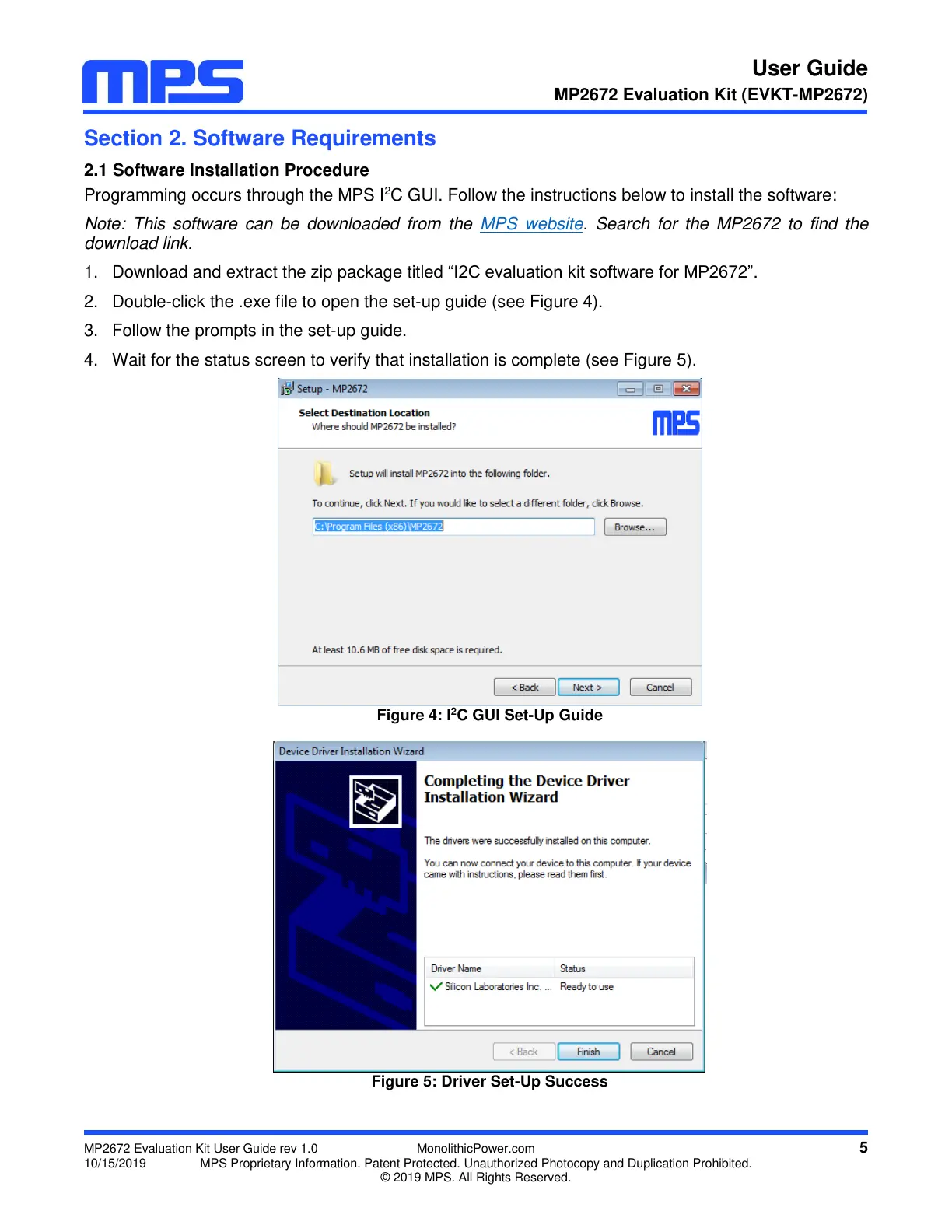
2. Double-click the .exe file to open the set-up guide (see Figure 4).
3. Follow the prompts in the set-up guide.
4. Wait for the status screen to verify that installation is complete (see Figure 5).
Figure 4: I
2
C GUI Set-Up Guide
Figure 5: Driver Set-Up Success


 To Next Page