User Guide
MP2672 Evaluation Kit (EVKT-MP2672)
MP2672 Evaluation Kit User Guide rev 1.0 MonolithicPower.com 7
10/15/2019 MPS Proprietary Information. Patent Protected. Unauthorized Photocopy and Duplication Prohibited.
© 2019 MPS. All Rights Reserved.
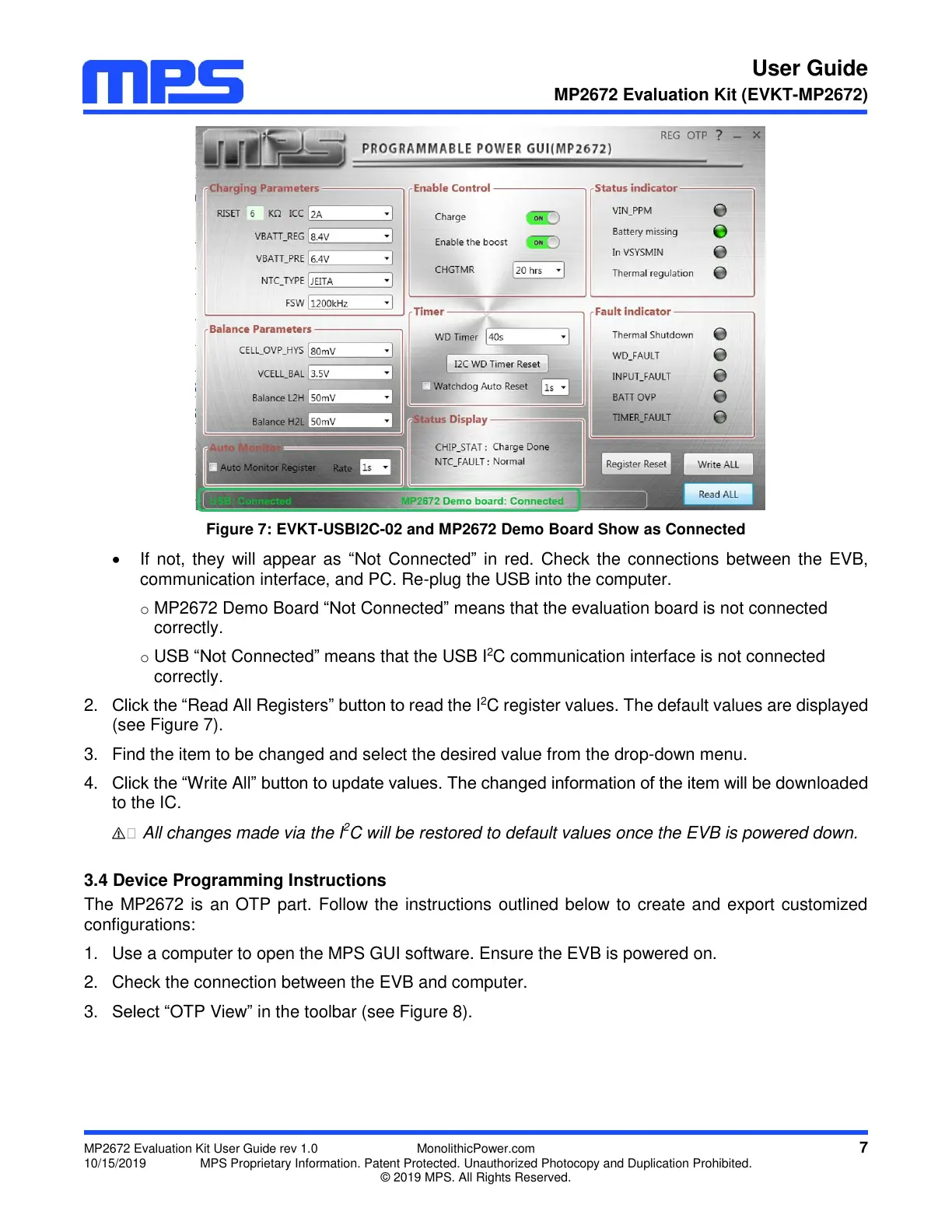
Figure 7: EVKT-USBI2C-02 and MP2672 Demo Board Show as Connected
If not, they will appear as “Not Connected” in red. Check the connections between the EVB,
communication interface, and PC. Re-plug the USB into the computer.
o MP2672 Demo Board “Not Connected” means that the evaluation board is not connected
correctly.
o USB “Not Connected” means that the USB I
2
C communication interface is not connected
correctly.
2. Click the “Read All Registers” button to read the I
2
C register values. The default values are displayed
(see Figure 7).
3. Find the item to be changed and select the desired value from the drop-down menu.
4. Click the “Write All” button to update values. The changed information of the item will be downloaded
to the IC.
⚠️ All changes made via the I
2
C will be restored to default values once the EVB is powered down.
3.4 Device Programming Instructions
The MP2672 is an OTP part. Follow the instructions outlined below to create and export customized
configurations:
1. Use a computer to open the MPS GUI software. Ensure the EVB is powered on.
2. Check the connection between the EVB and computer.
3. Select “OTP View” in the toolbar (see Figure 8).


 To Next Page