GB - 22
3. DIALING FROM THE PHONEBOOK
YoucandialanumberfromthephonebookstoredintheBlueCompactmemory.
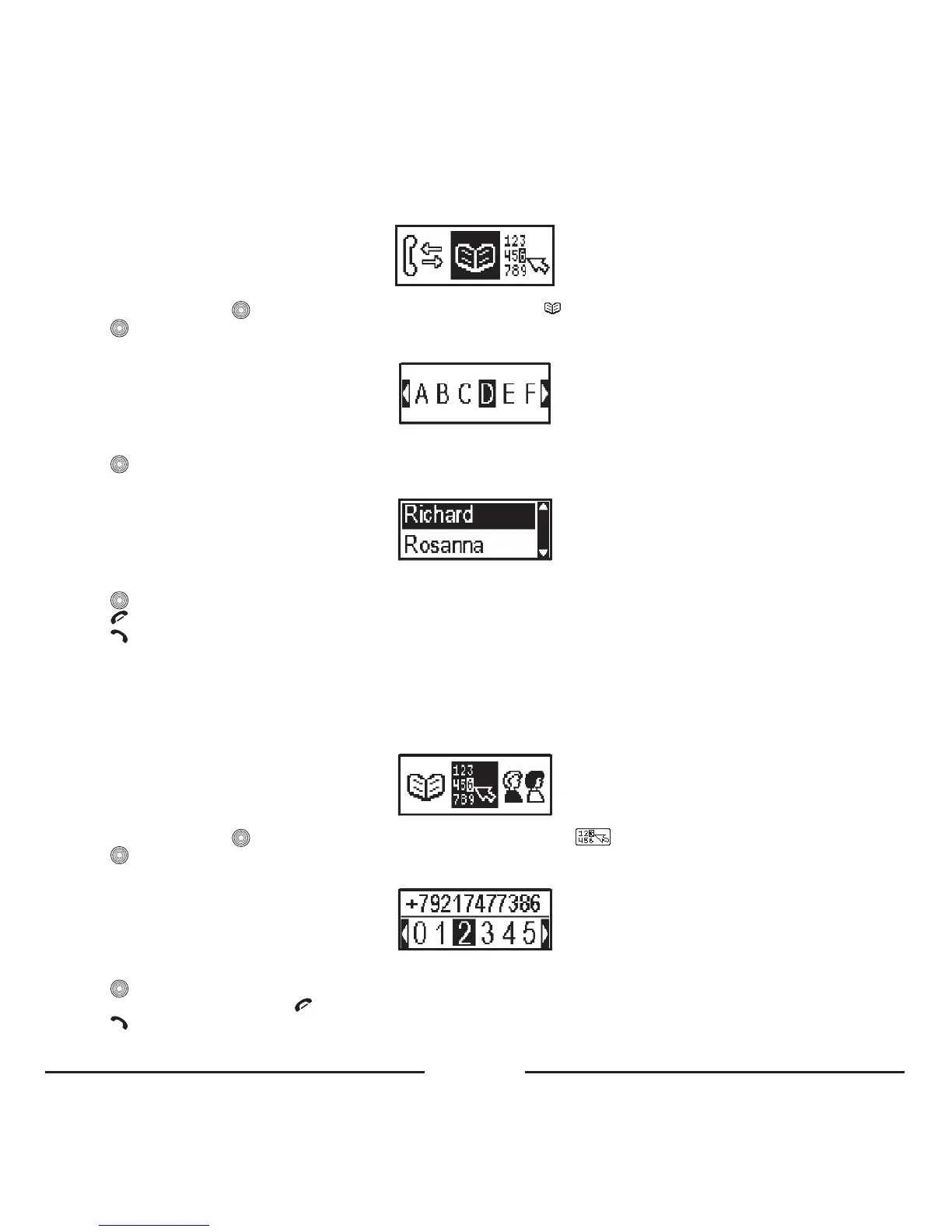
• InStandbymode,press toenterthemenuandselect“Phonebook” .
• Press .
• Thebelowpicturewillappearonthedisplay.
• Turnthecentralbuttontotheleftortherighttoscrollthroughthealphabetandselectthefirstletterofthedesiredname.
• Press .
• Thebelowpicturewillappear.
• Turnthecentralbuttontotheleftortherighttoscrollthroughthephonebooklist.
• Press toviewdetailedinformationoftherecord(nameandphonenumber).
• Press toreturntothephonebook.
• Press fordialing.
Note:
The line with the letters only contains the letters corresponding to the phonebook records.
4. DIALING FROM THE LCD KEYPAD
YoucanusetheLCDkeypadtoenteranumber.
• InStandbymode,press toenterthemenuandselecttheitem“Keypad” .
• Press
.
• Thefollowingkeypadwillappearonthedisplay:
• Turnthecentralbuttontotheleftortherighttoselectdigits.
• Press
toconfirmthechoice.Theselecteddigitswillappearonthetoppartofthedisplay.
• Todeleteanincorrectdigit,press
.
• Press
todialthenumber.









 To Next Page