GB - 3
16. Screwdriver
17. button
18. Centralbutton
19. button
DESCRIPTION
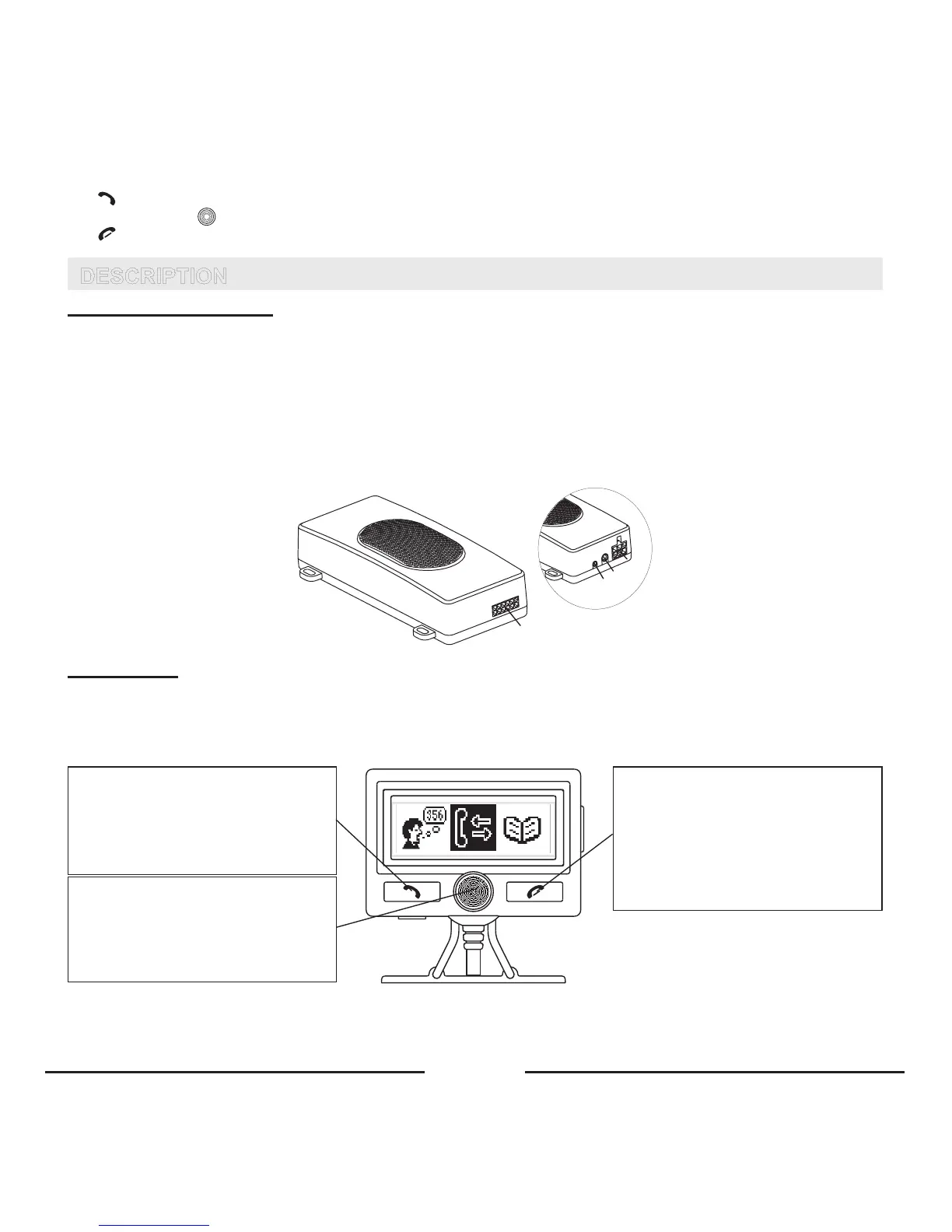
HANDSFREE UNIT (SM2)
Thehandsfreeunitincludesbuilt-inspeaker,echocanceller,noisesuppressorandBluetooth
®
wirelesstechnology,which
providesawirelessconnectionwithBluetooth
®
mobilephones.
Thehandsfreeunithasthefollowingjacksforconnectingexternalunits:
1. Socketforscreen(D2)cable.
2. MicrophonesocketM1.
3. Socketforexternalspeakerconnection(3-6W,min8Ohm).Whentheexternalspeakerisconnectedtosocket3,the
built-inspeakerisswitchedoffautomatically.
4. SocketforSC2,SC3,MB1orProMusic100cableconnection.
1
2
3
4
SCREEN (D2)
Thescreenunitincludes:
1. LCDwithbigsymbolsandicons.
2. Convenientadjustablefixationsystem,whichallowsyoutochoosethebestviewingpositionoftheLCD.
3. Backlightwithvariablelightcolorsanddayandnightmode.
If press:
- Receivingacall.
- ConnectingwithpairedphoneinHandsfree
orHeadsetprofile.
If press and hold:
-Switchingonpairingmode.
If turn Central button to the right or to
the left:
- Navigationinthemenu.
If press Central button:
- OKbutton.
- Openingthemenu.
If press:
- Endingacall.
- Rejectinganincomingcall.
- Returningtothepreviouslevelofthemenu.
- Deletinginputdata.
If press and hold:
- ReturningtoStandbymode.









 To Next Page