GB - 24
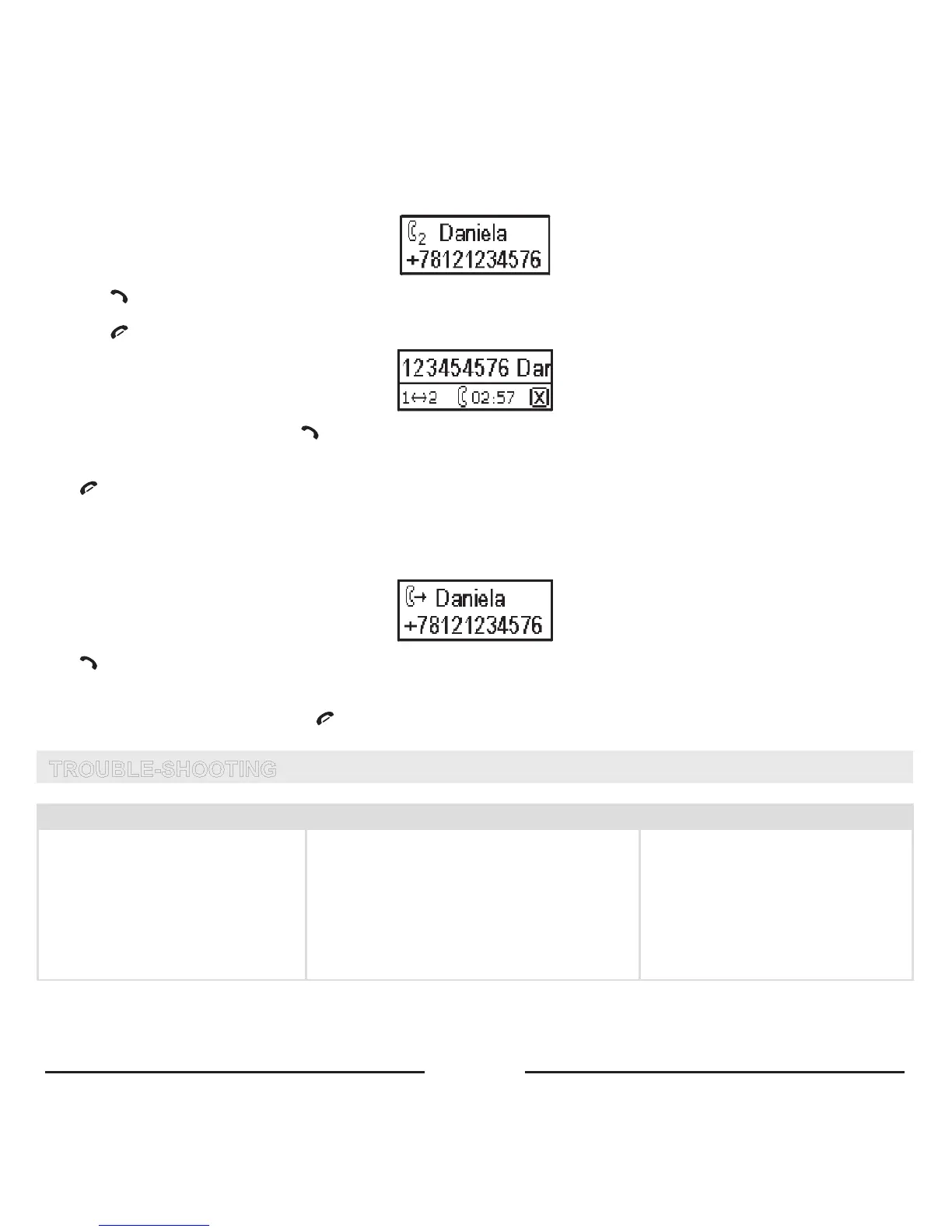
Second incoming call
• Thecallerinformationappearsonthedisplay.
• Press toreceivethesecondincomingcall.
• Thefirstcallwillbeputonhold.
• Press toendthecurrentcall.
• Toswitchbetweenthecalls,press .
7. ENDING A CALL
Press toendacall.
8. ANSWERING A CALL
Ifthereisanincomingcall,thenumberofthecallerwillappearonthedisplay.
IfthenameandnumberarestoredinthephonebookoftheBlueCompact,thenamewillappearonthedisplayaswell.
Press toansweracall.
9. REJECTING A CALL
Ifyoudonotwanttoreceiveacall,press .
TROUBLE-SHOOTING
Problem Reason Elimination
Thedevicedoesnotwork.Thegreen
LEDofthepoweradapterisoff.
1. Thecigarettelighterjackisdamaged.
2. No contact between the power adapter
andthecigarettelighterjack.
3. 1.5 A fuse in the power adapter is
burned.
4. Thepoweradapterisdamaged.
1. Check if the cigarette lighter func
-
tionsnormally.
2. Clean the contact of the cigarette
lighterjackandthepoweradapter.
3. Changethefuse.
4. Ifitems1-3didnothelp,applyto
aservicecenter.









 To Next Page