5 Installation and commissioning
39BA5831400-00 EN
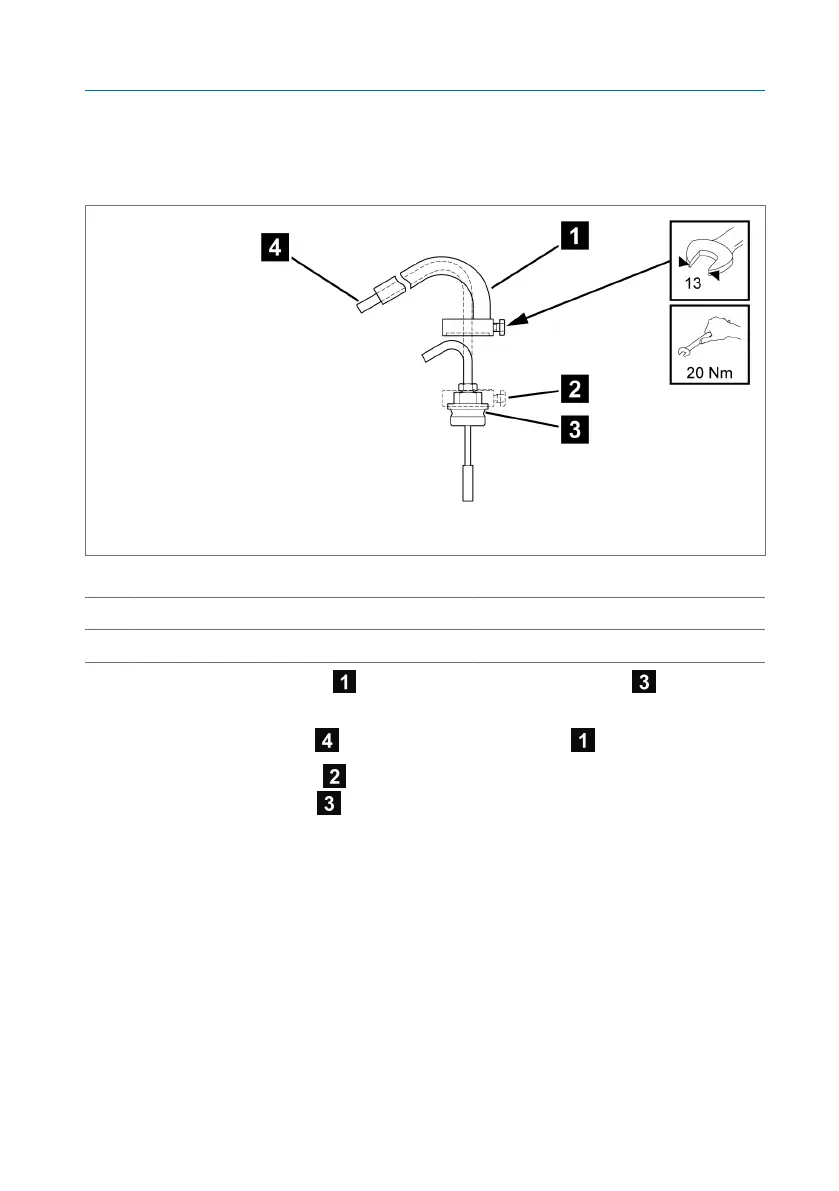
5.3.5 Attaching the step protection (optional)
You can equip the capillary line for No.6 VA and No.7 sensors [►Section
10.3, Page 85] with step protection.
Figure20: Step protection
1 Step protection 2 Fixing screw
3 Large screw connection 4 Capillary line
1. Place the step protection on the large screw connection of the tem-
perature sensor.
2. Route the capillary line inside the step protection .
3. Tighten the fixing screw of the step protection to the wrench flat of the
large screw connection .



 To Next Page