5 Installation and commissioning
61BA5831400-00 EN
5.5 Checking micro-switches
NOTICE
Damage to the device!
If you move the micro-switches on the colored indicator points, they can
bend or break.
► Only move micro-switches on the retaining bridges of the indicator
points.
NOTICE
Damage to the device!
Turning the pointer counter-clockwise can damage the device.
► Only turn the pointer clockwise.
5.5.1 Micro-switch to the right of the pointer
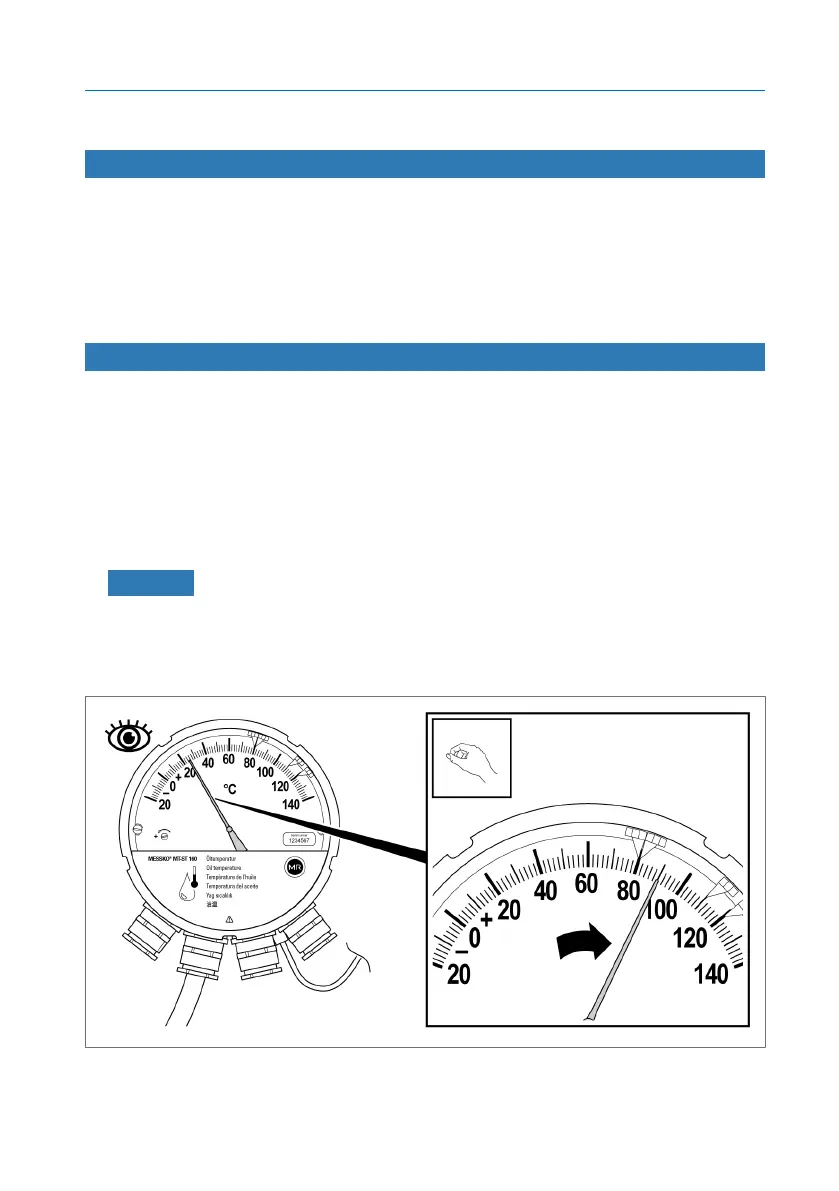
If the micro-switch is to the right of the pointer, proceed as follows:
1. NOTICE! Damage to the device! If the pointer jumps back to the starting
position, the micro-switches can be damaged. Turn the pointer clockwise
past the micro-switches by hand and do not let go. Check the function
here and, if necessary, connect a continuity tester to the terminal strip to
do so.
Figure45: Moving the pointer past the micro-switches



 To Next Page