5 Installation and commissioning
47BA5831400-00 EN
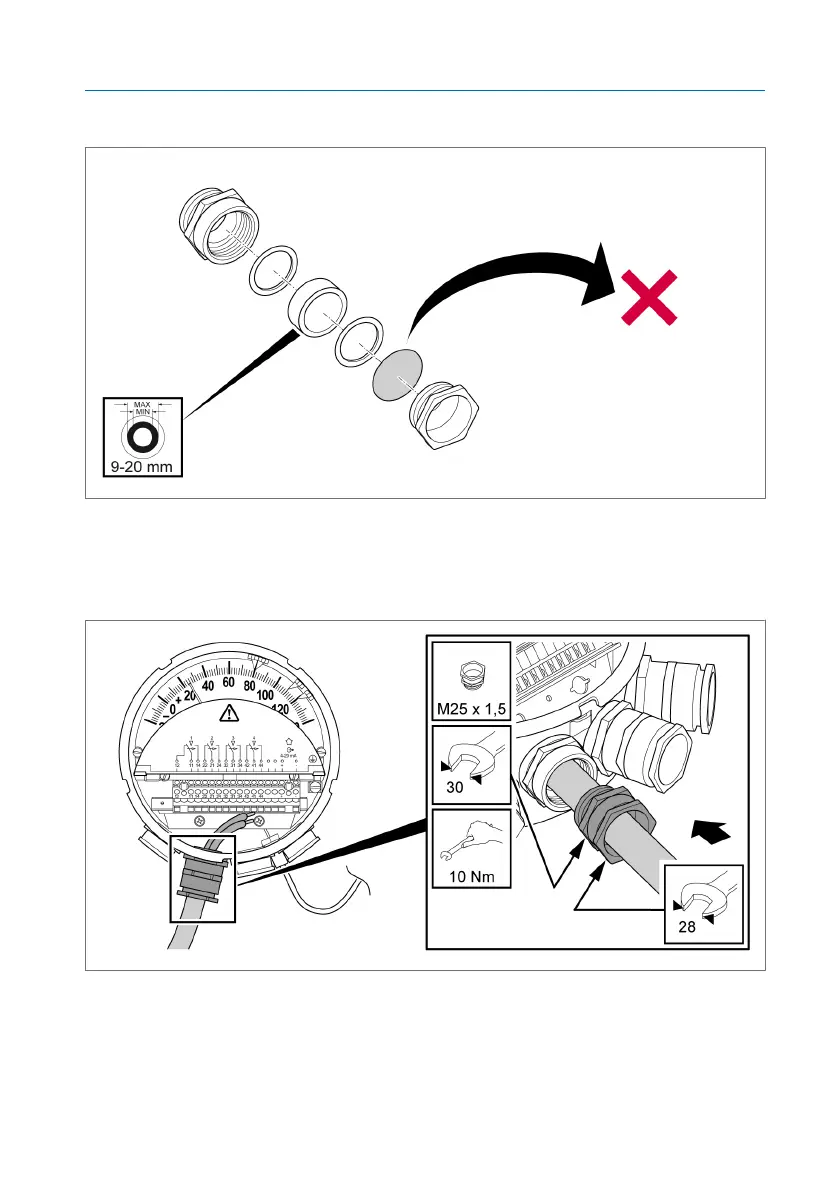
3. Unscrew the provided cable gland and remove the dust protection disk.
Figure26: Removing the dust protection disk
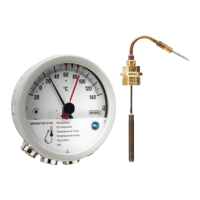
4. Route a sufficient length of connection cable through the cable gland and
adapter and tighten the cable gland (see Cable gland dimensions
[►Section 10.6, Page 88]).
Figure27: Cable gland
Also refer to
2 Cable gland dimensions [►88]



 To Next Page