INTERSECTOR Microwave Motion and
Presence Sensor Installation Instructions
MS Sedco INTERSECTOR Installation Instructions Page Addendum-6 INTERSECTOR-1.9Uv092717
EXPLANATION OF CHANGES (CONTINUED)
Google Chrome
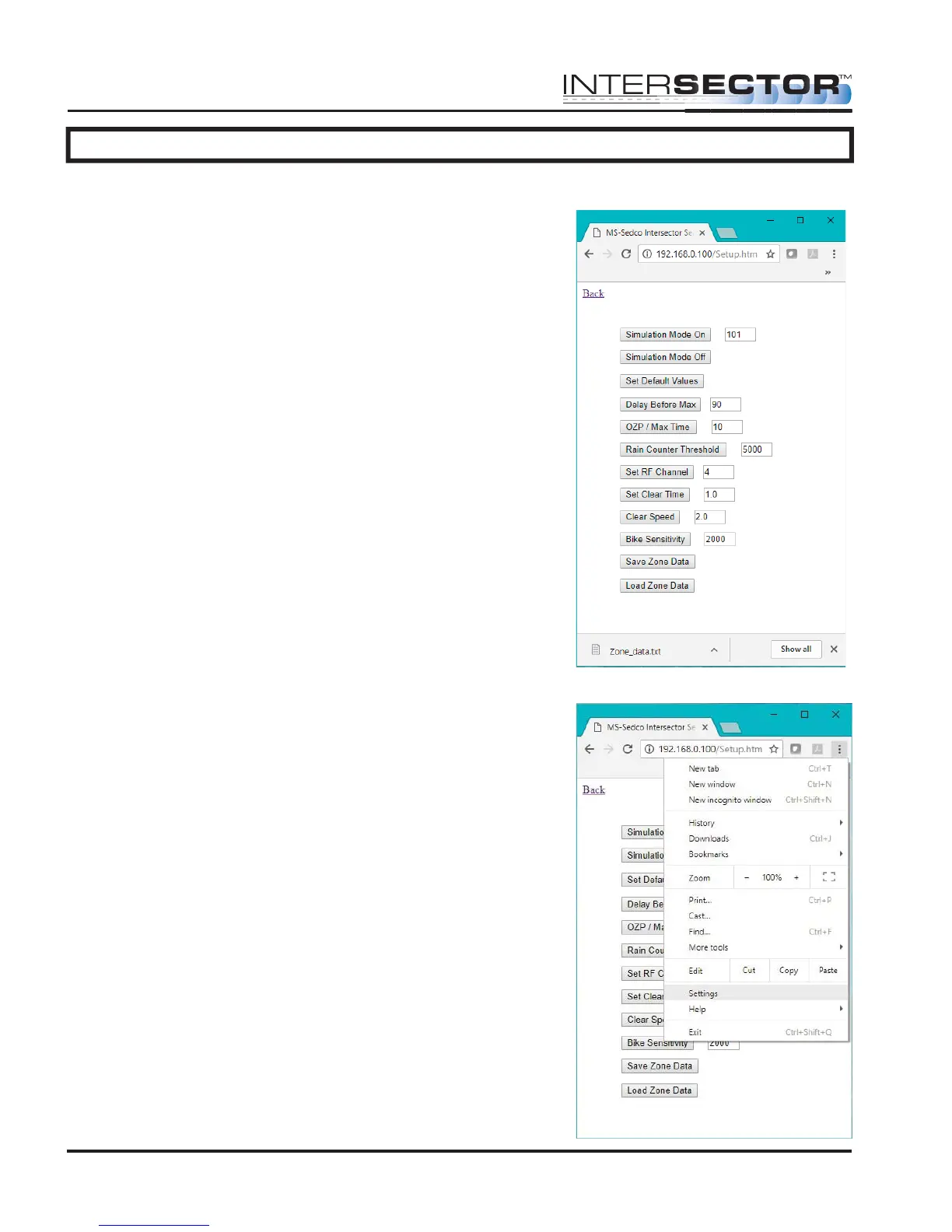
When using Google Chrome, anything downloaded by
selecting “Save Zone Data” will be automatically saved
to the “Downloads” folder. Without changing any
Chrome settings, saved data will be represented as
shown in Figure 8.
To customize file name and save locations, click on the
“Customize and control Google Chrome” menu, and
click “Settings” as shown in Figure 9.
Figure 8
Figure 9



 To Next Page