22 Lochinvar ProtoNode FPC-N54 Guide US
7 Troubleshooting
7 Troubleshooting
7.1 Lost or Incorrect IP Address
• Ensure that FieldServer Toolbox is loaded onto the local PC. Otherwise, download the FieldServer-Toolbox.zip via
the MSA Safety website.
• Extract the executable file and complete the installation.
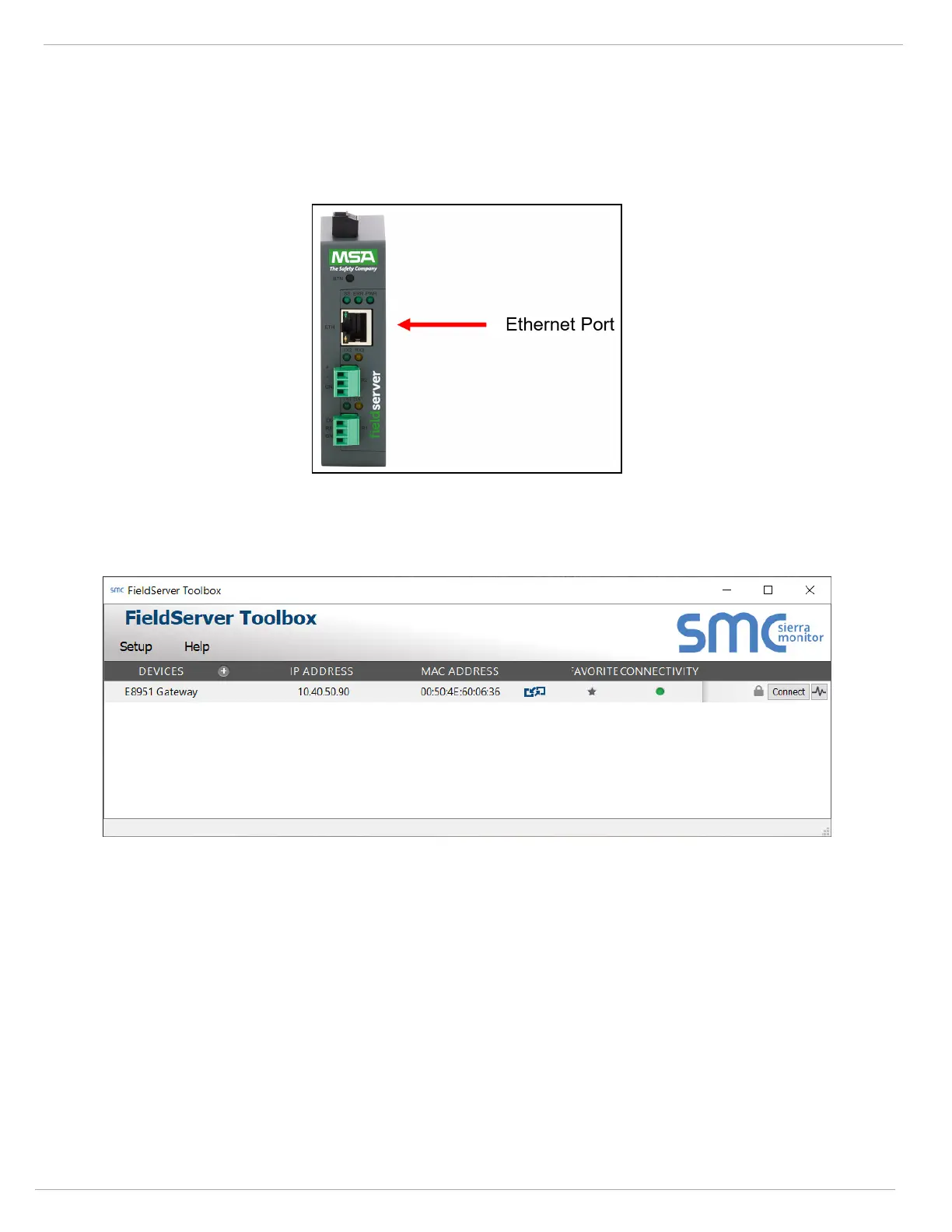
• Connect a standard Cat-5 Ethernet cable between the user’s PC and ProtoNode.
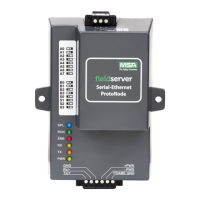
• Double click on the FS Toolbox Utility and click Discover Now on the splash page.
• Check for the IP Address of the desired gateway.


 To Next Page