8 Additional Information
US Lochinvar ProtoNode FPC-N54 Guide 33
8.7.1 Create Users
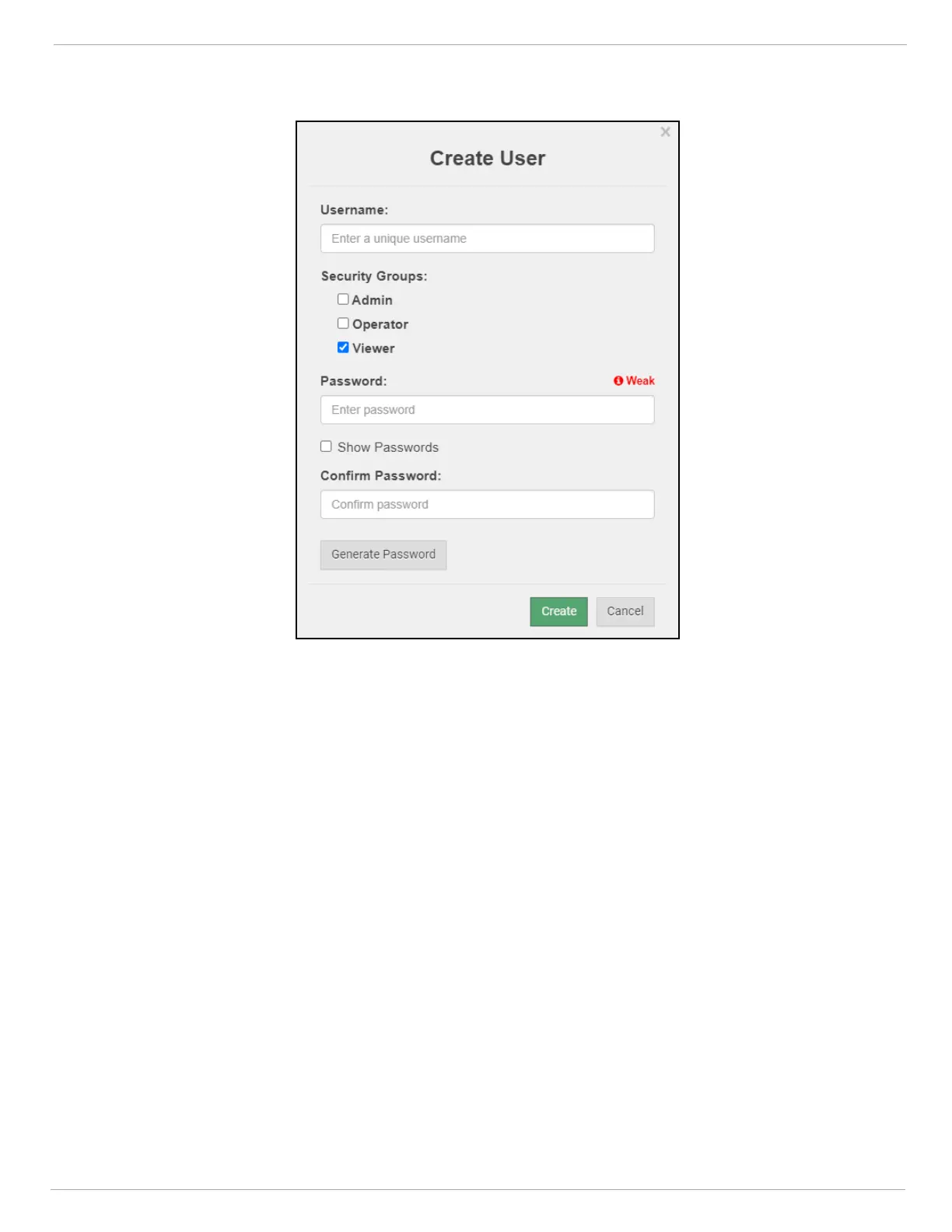
• Click the Create User button.
• Enter the new User fields: Name, Security Group and Password.
◦ User details are hashed and salted
NOTE:The password must meet the minimum complexity requirements. An algorithm automatically checks
the password entered and notes the level of strength on the top right of the Password text field.
• Click the Create button.
• Once the Success message appears, click OK.


 To Next Page