43
3103-1001 Rev. 0
intended to center around this screen being inside the secure access area of the MultiGard 5000
System. It should not be necessary to go outside the secure access area until the operator is finished
making setup changes.
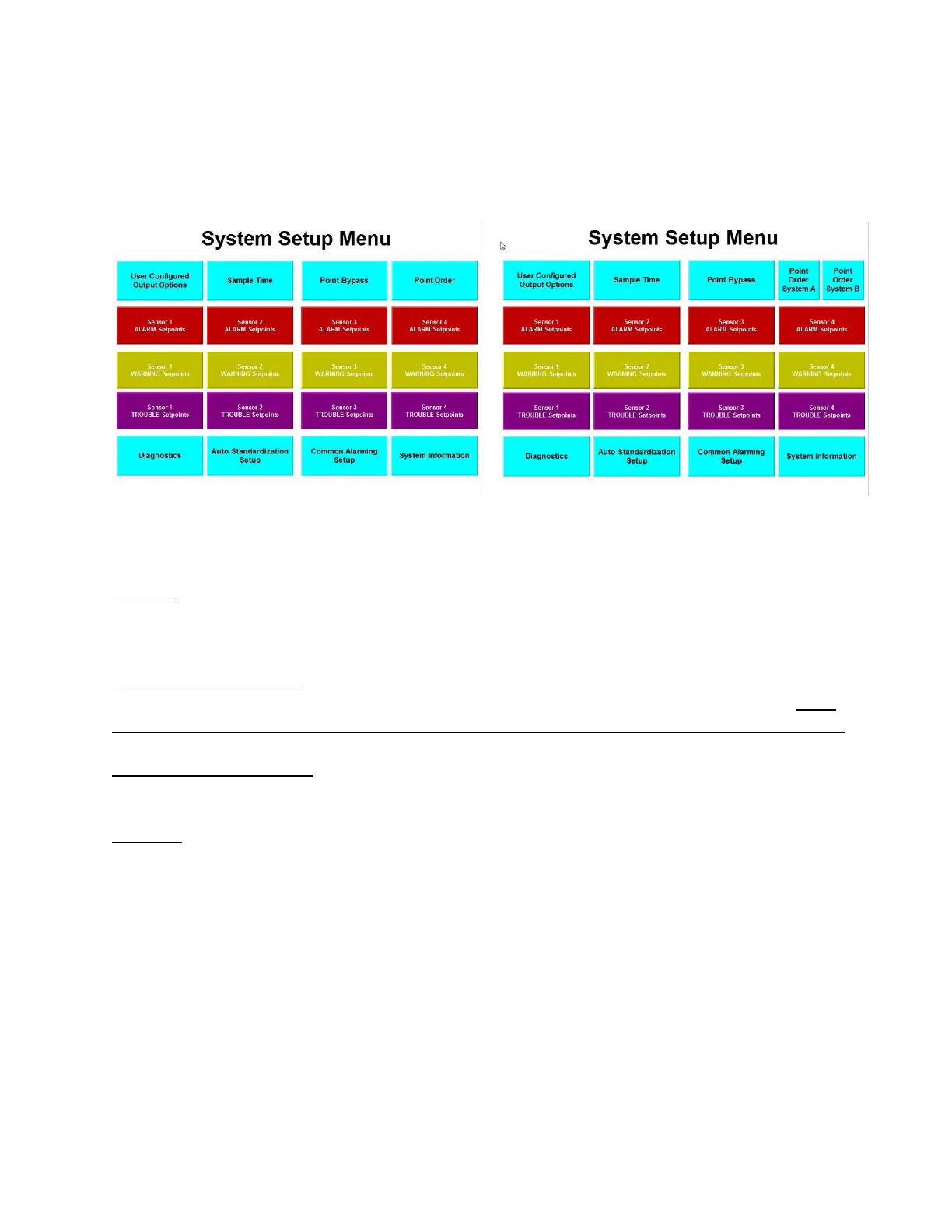
Figure 21: System Setup Menu Figure 22: System Setup Menu (Dual)
The System Setup Menu consists of the following:
First row - These are four HMI navigation buttons which change the screen to the User Configured
Output (UCO) Option, the Sample Time, the Point Bypass, and the Point Order screens, respectively.
The Sample Time screen also handles the extended analysis related parameters.
Dual MultiGard 5000 Systems__________________________________________________________
The Point Order touch-button shown in the figure has been replaced with 2 touch-buttons; “Point
Order System A” and “Point Order System B__”._______________________________________
Second through fourth row - These are an array of push buttons which changes the screen to enter
Trouble, Warning, and Alarm Setpoints for each sensor.
Fifth row - These are five HMI navigation buttons which change the screen to the Diagnostics, Auto
standardization Setup, Common Alarming and System Setup screens, respectively. The " System
Information" button is the exit from this portion of the MultiGard 5000 unit. It goes back to the
security check screen.



 To Next Page