76
3103-1001 Rev. 0
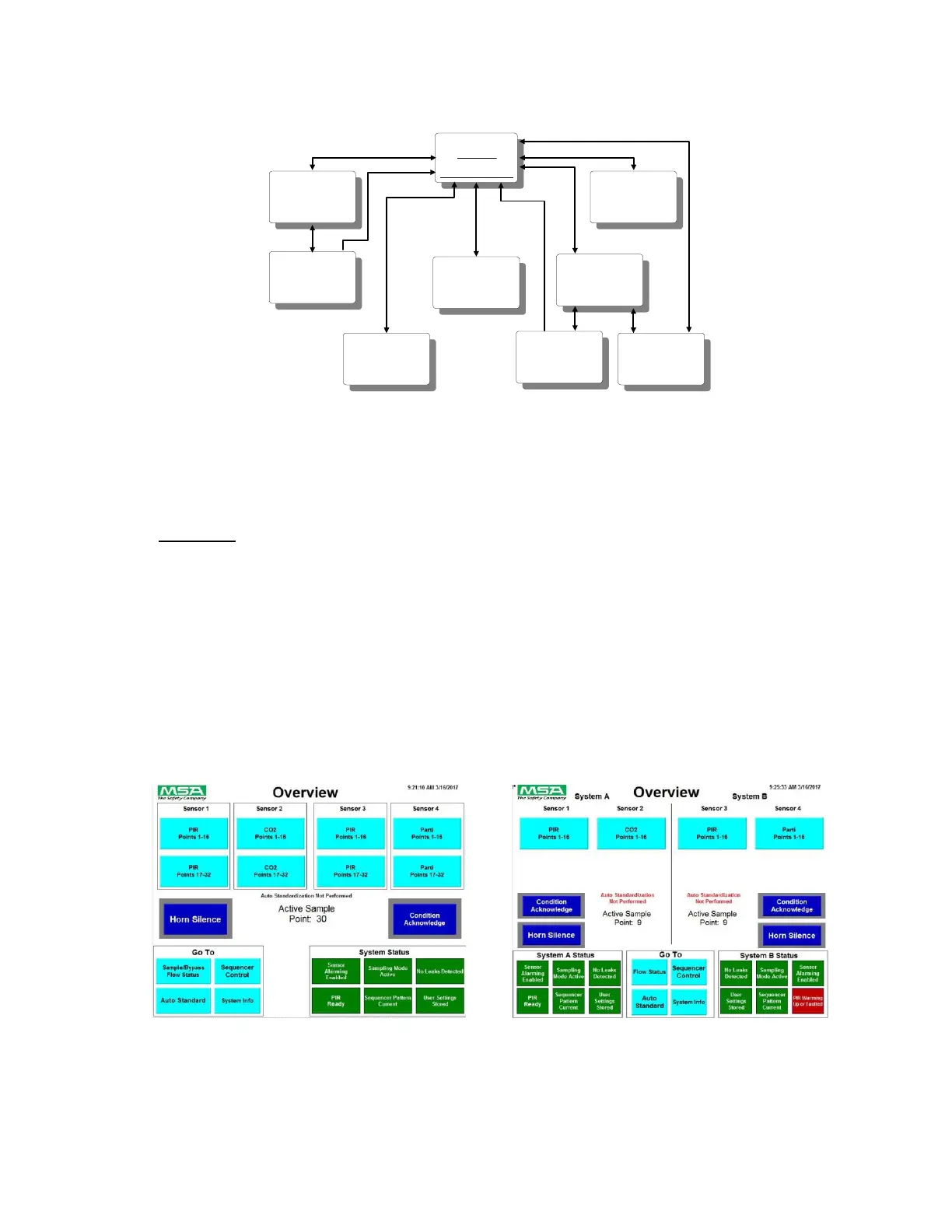
Figure 42: RDD Screen Hierarchy – Dual Systems
9.3.1 Overview
The RDD Overview screen, shown below, provides a single place to see what is happening within
the MultiGard 5000 System. In a summary format, gas alarming and internal system conditions are
depicted. Visual attributes will indicate the subject area where a condition exists and act as "off-
page" indicators to lead the operator to other screens for the details.
NOTE: It is intended that this screen be visible most of the time during normal system operation.
Any time the local horn sounds, the operator should return to observe the Overview screen to
determine what occurred. The operator should then proceed to gather details by selecting other
appropriate screens as flagged on the Overview screen.
Figure 43: Overview Screen (Single 32 Point) Figure 44: Overview Screen (Dual 16 Point)



 To Next Page