5 Removing the Respirator
Turn the unit OFF by holding the ON/OFF button down for three to four seconds.
5.1 Decontamination
WARNING!
DO NOT remove respirator until respirator and protective clothing are decontaminated; otherwise, exposure to contaminants
may result. Follow decontamination and disposal procedures established by appropriate authorities.
Failure to follow this warning can result in serious personal injury or death.
Once the protective equipment has been decontaminated, proper disposal of affected equipment must be performed. Disposal
is to be performed as required by federal, state, and/or local laws.
When conditions are safe to remove and handle the respirator, the hood or facepiece may be removed and the unit can be
turned off. Accessories/components (belt, cartridges, etc.) can be removed at that time.
WARNING!
DO NOT reuse the cartridges. Cartridges are considered to be in service when they are removed from their packaging.
Cartridges are intended for one time use only and must be disposed of upon termination of use.
Failure to follow this warning can result in serious personal injury or death.
5.2 Removing the Battery
WARNING!
DO NOT remove, replace or install the battery pack where there are explosive concentrations of combustible gases, vapors, or
mists. An explosion or fire can result.
Failure to follow this warning can result in serious personal injury or death.
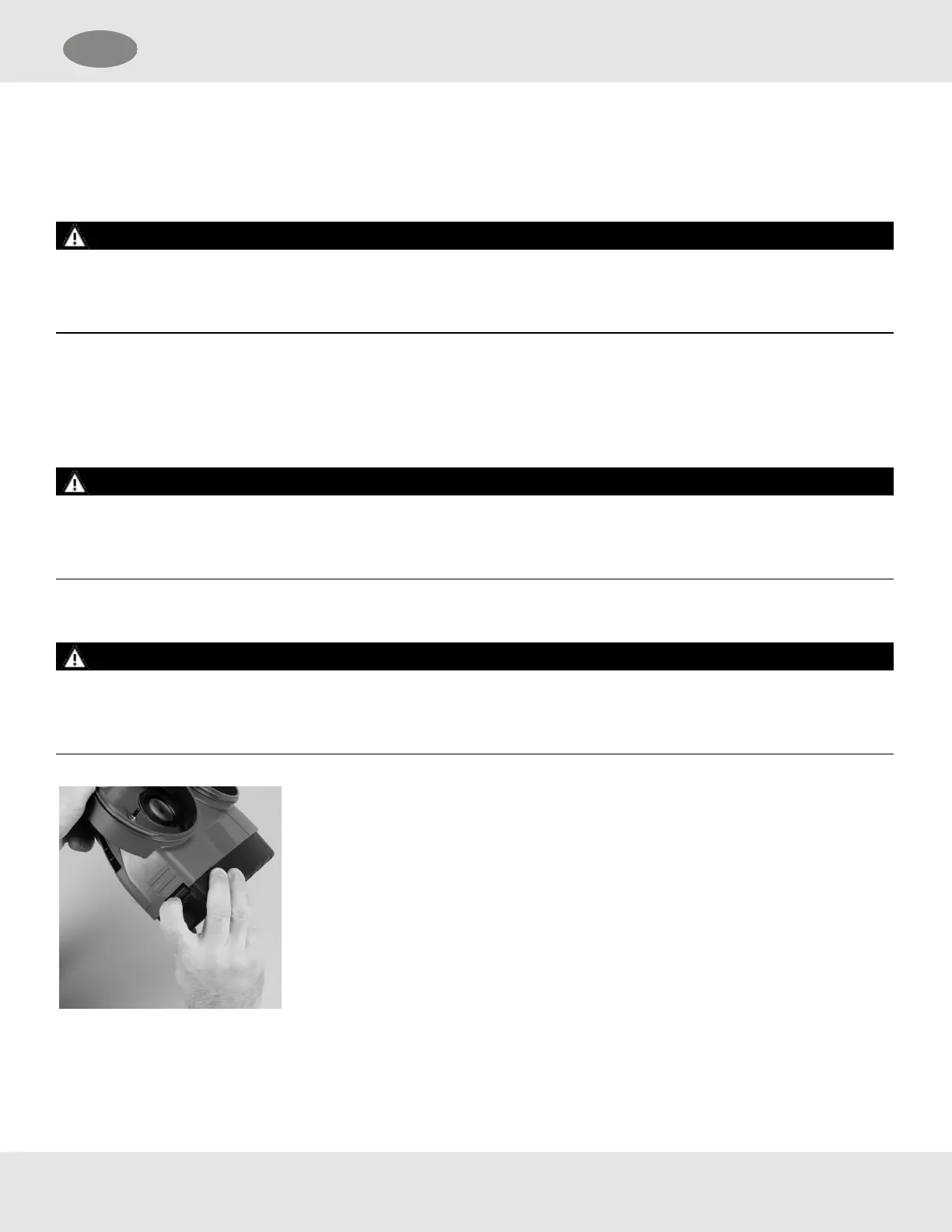
(1) Press the lock button on the side of the battery and lift the battery out of its slot.
(2) Rechargeable batteries can be recharged according to the instructions on the
battery label and the Charging the Battery Pack section of these user instructions.
OptimAir TL PAPR 32
US 5 Removing the Respirator


 To Next Page