2-7
Hardware Setup
Memory
DIMM Module Combination
Install at least one DIMM module on the slots. Each DIMM slot supports up to a
maximum size of 1GB. Users can install either single- or double-sided modules to
meet their own needs. Users may install memory modules of different type and
density on different-channel DDR DIMMs. However, memory modules of the same
type and density are required while using dual-channel DDR, or instability may
happen.
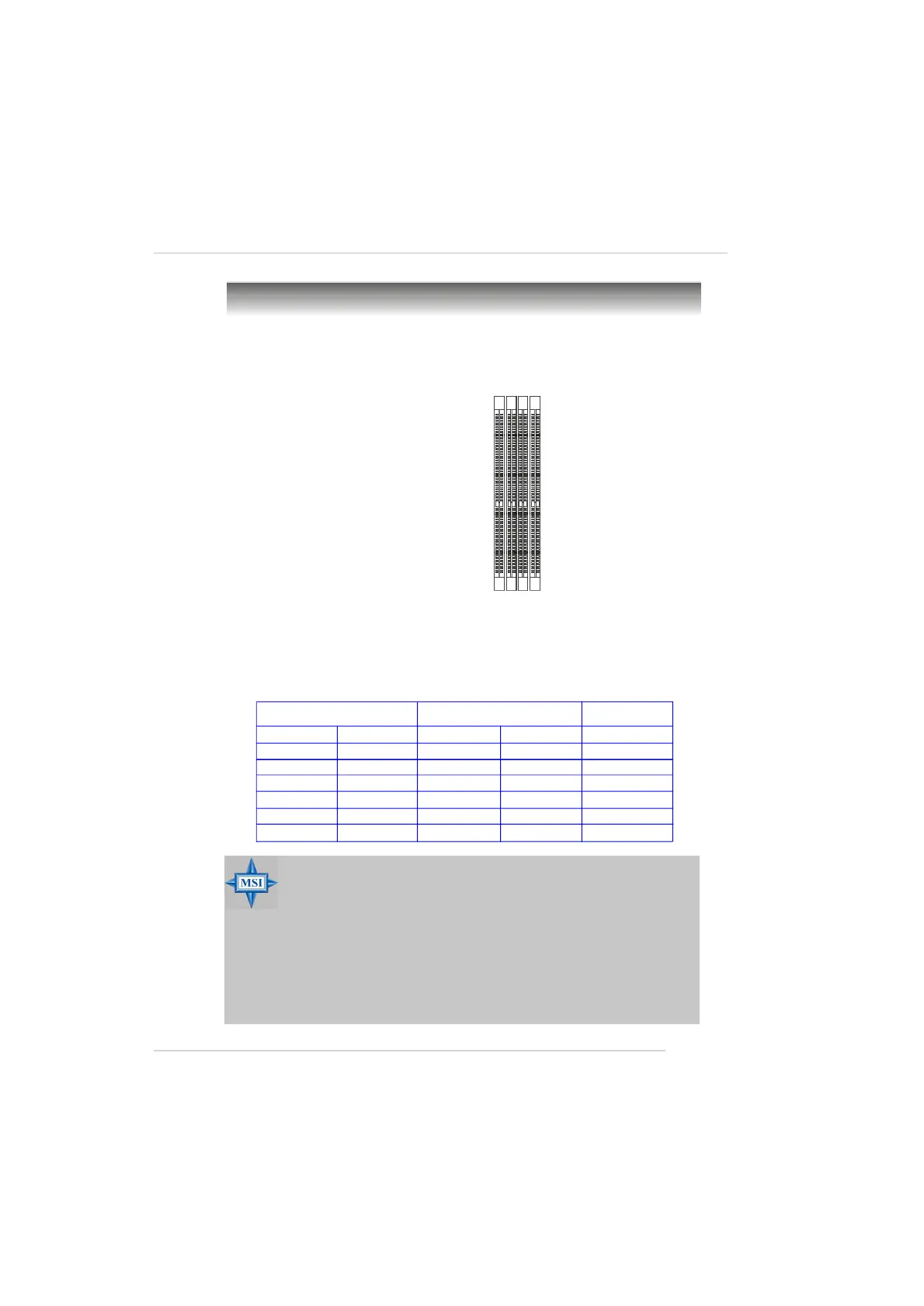
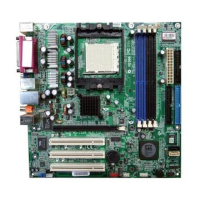
The mainboard provides 4 slots for 184-pin DDR DIMM (Double In-Line Memory
Module) modules and supports the memory size up to 4GB. You can install DDR 333/
400 modules on the DDR DIMM slots (DIMM 1~4).
DIMM1~DIMM4
(from left to right)
DIMM1 (CH A) DIMM2 (CH B) DIMM3 (CH A)DIMM4 (CH B) Mode
128MB~1GB Single Channel
128MB~1GB Single Channel
128MB~1GB 128MB~1GB Single Channel
128MB~1GB 128MB~1GB Dual Channel
128MB~1GB 128MB~1GB Dual Channel
128MB~1GB 128MB~1GB 128MB~1GB 128MB~1GB Dual Channel
BLUE Slots BLACK Slots
MSI Reminds You...
- The system operates ONLY when the DDR modules are installed in
accordance with the above-mentioned memory population rules.
- In dual-channel mode, make sure that you install memory modules
of the same type and density on DDR DIMMs.
- To enable successful system boot-up, always insert the memory
modules into the Channel A slots (DIMM1 or DIMM3) first.
- This mainboard DO NOT support the memory module installed
with more than 18 pieces of IC (integrated circuit).
- Do not support three memory modules.


 To Next Page