10
3.2.8 Game
Select Game in the main MENU and press
key to enter.
Start and Pause
Short press “
”to play and pause.
Playing Game
Press“Volume +”or“Volume+”to move the square for right and left, press
to adjust
the direction, press“
”to make the square down quickly.
Exit
Long press“MENU”to exit the game and back the main menu.
3.3 System Settings
Under the main MENU ,select “Settings”item,short press to enter。In the setting menu,
press“Volume +”or “Volume -”to select the items, short press
to enter,press “ ”
to back to the last directory, long press“MENU”back to the main MENU.
Music
There are four selections in the setting: Repeat Mode, play mode. EQ select and User EQ set.
There are seven modes in Repeat Mode: Once, Repeat 1, Folder once, Folder repeat, All
once, All repeat and Intro. There are two Play Modes: Order and Shuffle. There are eight EQ
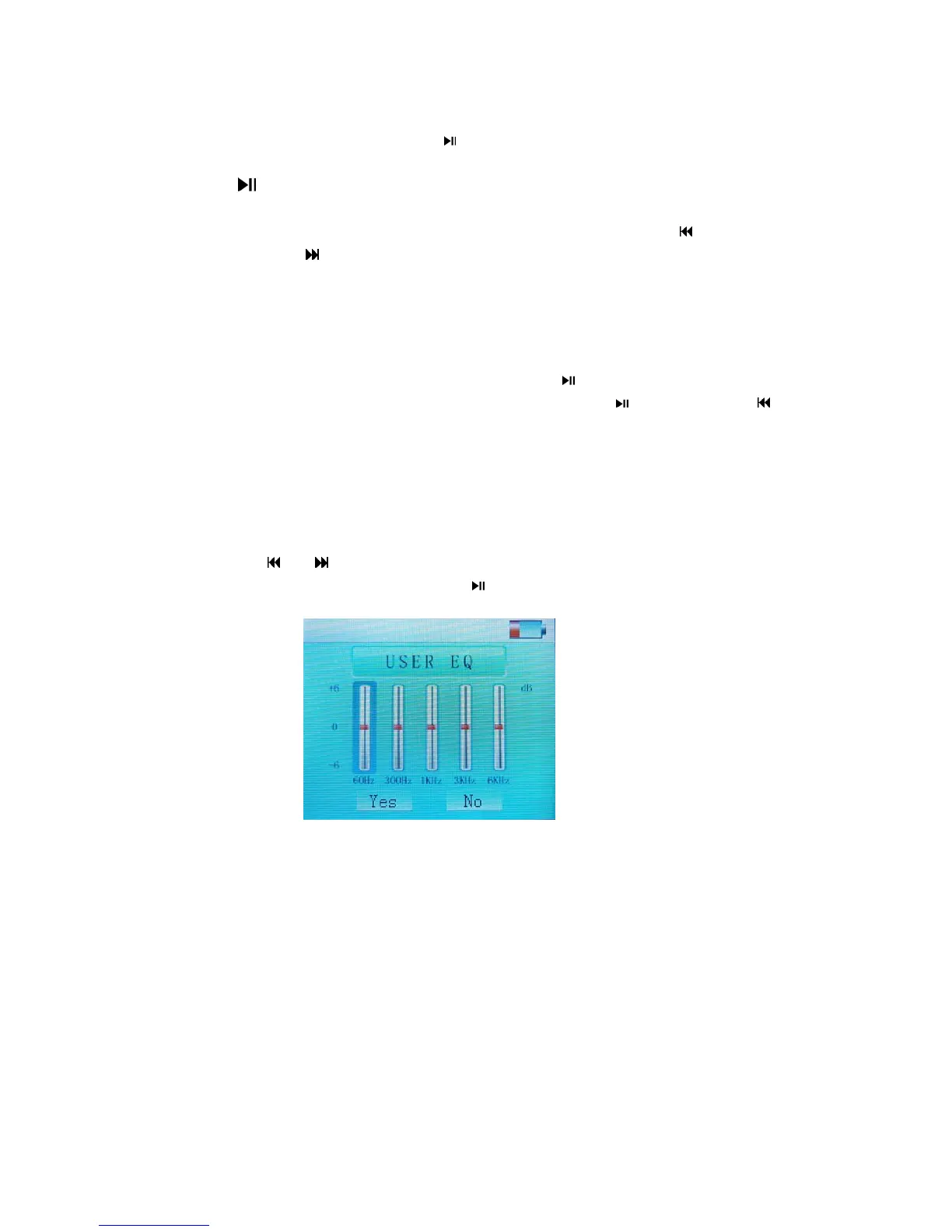
mode, including Normal, 3D, Rock, Pop, Classic, Bass, Jazz and User EQ. Under the “User
EQ Set”, press
or select the item and short press Volume + and Volume - to
adjust. Press“YES”after finished,short press
to exit..(If user sets EQ, please set the EQ
under the ”User EQ”.)
FM
There are two selections in FM setting, including Stereo SW and FM Region. In the Stereo
SW,
User can select On and Off. In the FM Region, user can select China, Europe, Japan and
America.
Record
There are two selections in Record Setting, including REC Quality and REC Volume. There
are two selections in the quality including High and General Quality. There are five selections
from +1~+5 for REC volume.
Display
There are three items, including Blight Time, Lum and Blight Mode. There are following time
selections, 5 seconds,10 seconds,15seconds,20seconds,30seconds and Always on. There
are 1~5 to adjust the lum and there are two selections of the Blight Mode, including Normal



 To Next Page