5
3 . Basic Operation
3.1 The menus
Enter menus:Long press MENU key to enter main menu,short press"
" key to enter every
mode.
Exit menus :In every mode, short press "" to return to last directory, long press “MENU”
to return to main menu.
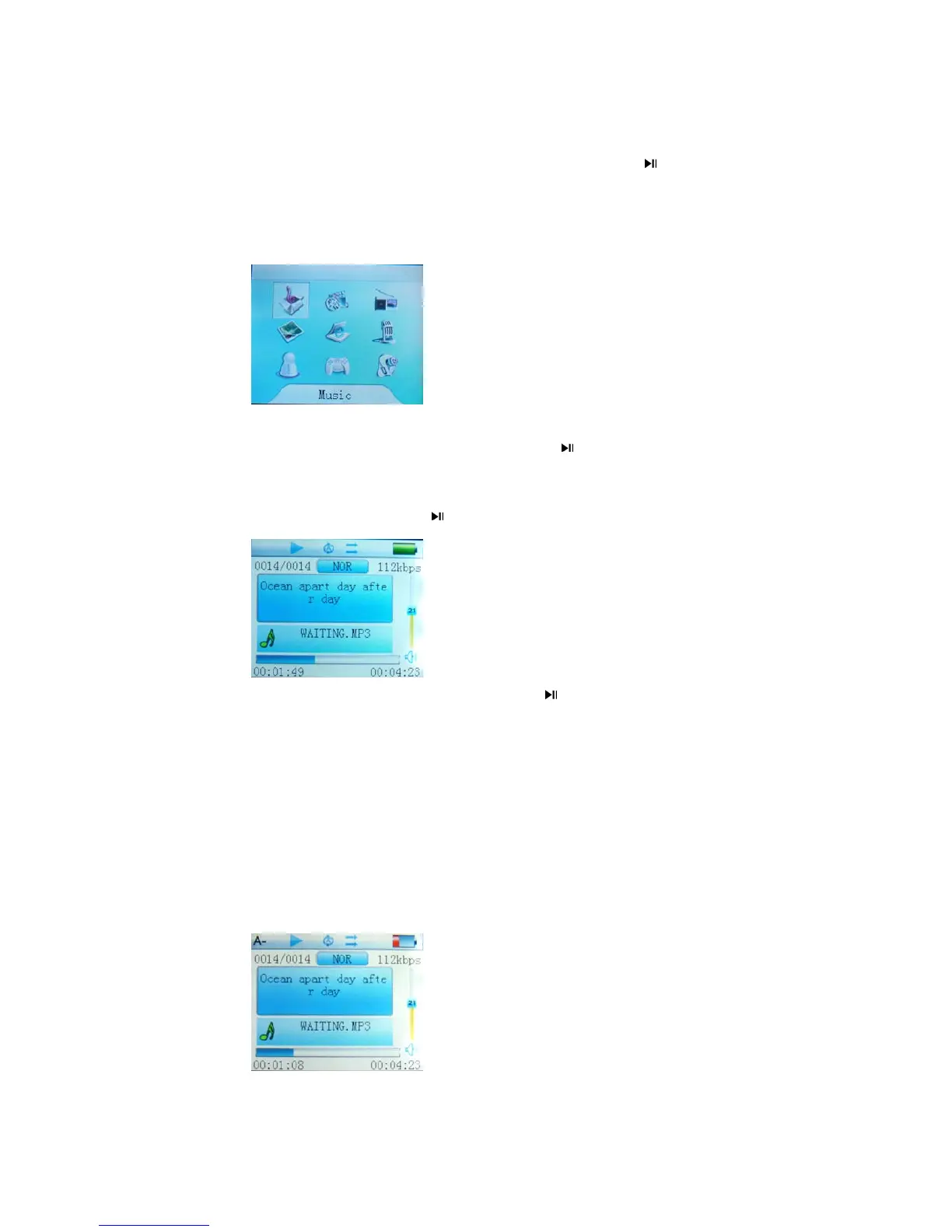
Below is the main menu:
3.2.1 Music Mode
Music play:Enter the main menu to select “ Music” , short press "
" to enter in, short press”MENU”
key to return to files list, long press “MENU” key to return to main menu.
a. Play back: In music mode short press "
" key to play music, short press/ key to select
songs.
b. Pause:under the status of playing music, short press " " key to pause.
c.Adjust volume:Short press”+” or “-” to add or reduce the volume. Long press”+” or “-”
to turn on or shut off speaker.
e. Fast play forward / backward:Under the status of playing music, long press “
” and “”
to fast play forward / backward.
A-B Repeat:Under the status of playing music, short press "A-B/REC" key and show "A-",
then select the beginning point ”A”
Short press “A-B/REC”again to select the point “B”, then it repeat from point “A” to “B”. Press



 To Next Page