6
“A-B/REC” again to cancel repeat.
Lyric Display
This player support
“*.LRC” lyric file, the lyric file’s name have to be same with the song file. Under
the status of playing music, long press “
A-B/REC” key to display lyric along with music, long press
“
A-B/REC” to cancel the display of lyric.
3.2.2 Video Mode
Video Play:short Press
or to select “Video” under the main MENU, press to
enter. Press volume+ or Volume- to select the video file, press
to play. Long press
or
to play forward or play backward; short press the or to back to last file or skip
to next file. During the playing, short press MENU key to the list.
Change the Format:
The player can support the format “AVI” ,user have to converted other formats into “AVI” by
conversion tool, the operation as below:
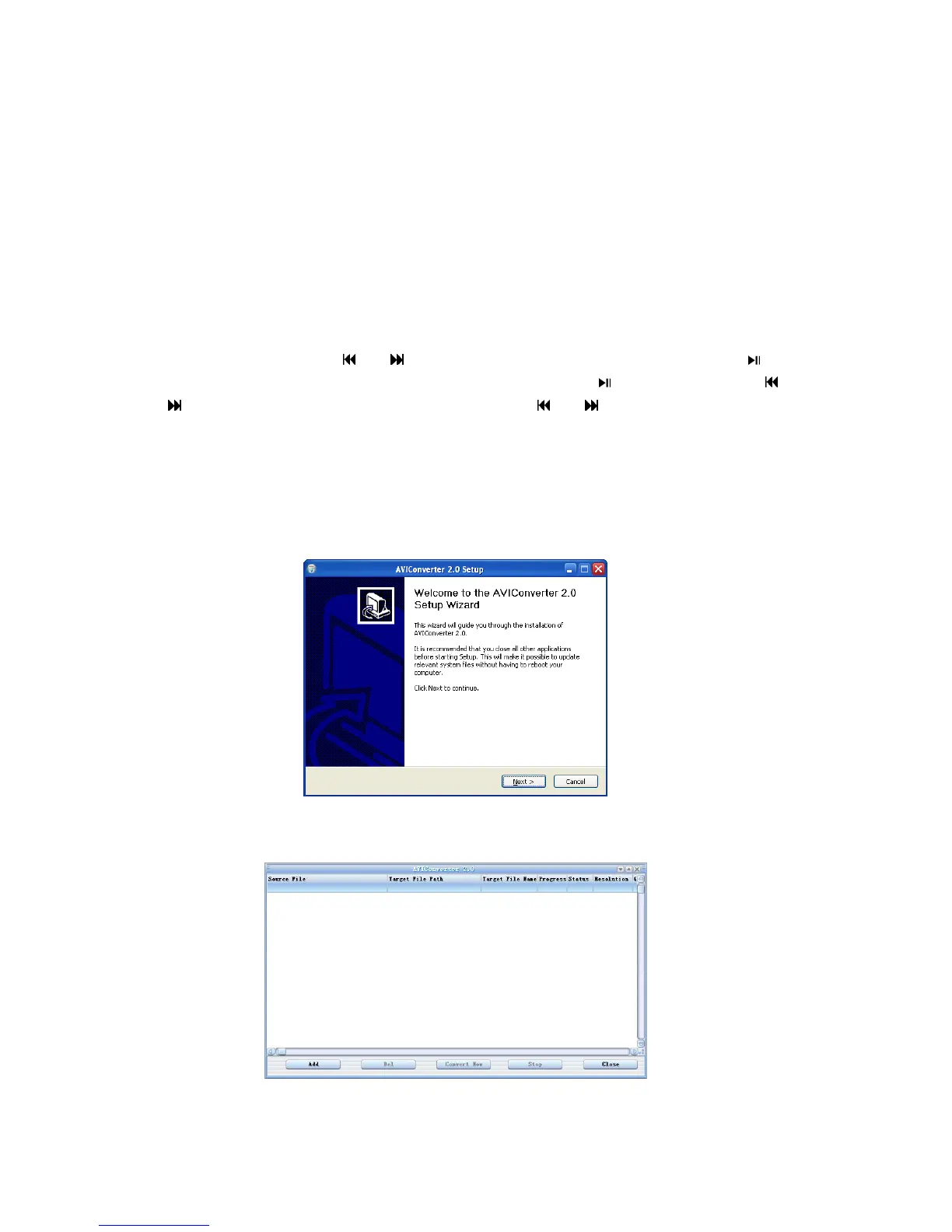
1) Put the CD into your PC driver, double click the program “setup.exe” of the conversion tool,
(or directly click “video conversion tool” on the auto run main interface) picture as below:
Click “Next”- >“Install”- >“Finish” to accomplish the installation of conversion tool,then
click the “AVIConverter.exe” on the tabletop,the picture as below:
2) Click “increase conversion file”,the picture as below



 To Next Page