8
3.2.3 FM Radio (it is optional to the model with FM function)
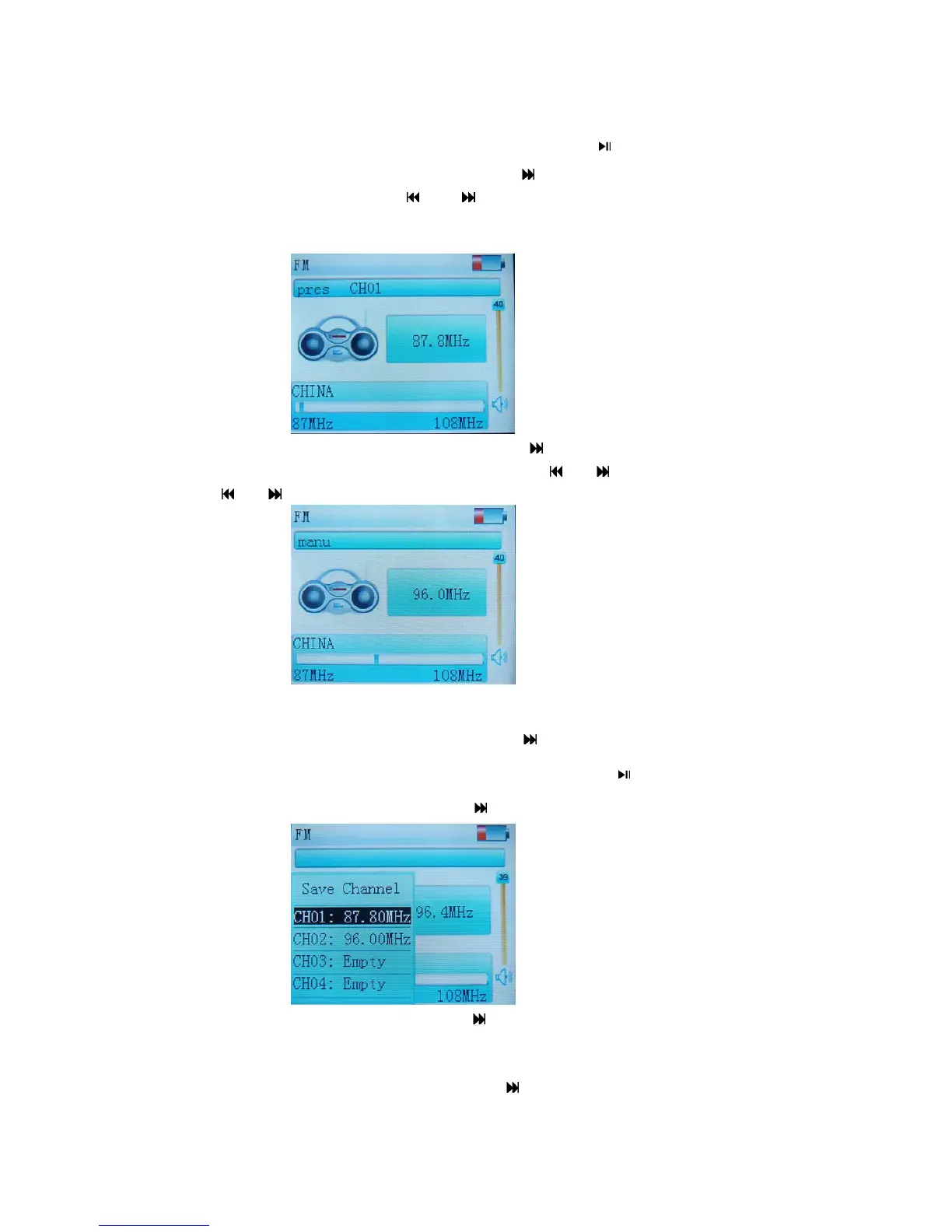
Enter the Radio:Under the main MENU to select “FM” and press to enter.
Listen to the Radio:
Under the FM MENU, short press to select the ”Preset” and short
press “MENU” to start, and short press
or to select last/next station that already been
stored. During listening, short press + or - to adjust the volume ,Long press + or - to
open or close the speaker.
Manual Scan:Under the FM radio MENU, short
press to select the ”Manual”, then short
press “MENU” to enter the “Manual” status, then short press
or to search the FM station.
Long press
or to auto scan the stations until the certain station has been locked and
search stops.
Save station: Under the manual search, when confirm to save the certain station, short press
“MENU” to enter FM main MENU, and short press
to select “Mem” and short press
“MENU” to confirm. Select the label“CH01,CH02……”;short press
,there will be a dialog
box for save, select“confirm ” and short press
to save.
Auto Search: Under the FM menu, short press
key to select the “AUTO”, and short press
“MENU”to begin auto search, and the stations searched are saved as“CH01,CH02,……”
automatically. You can enter the “Preset” to listen to the stored stations.
Delete station: Under the FM MENU, short press
key to select “Delete”, short press
“MENU” to enter the station deletion interface, short press Volume + or Volume - to select



 To Next Page