2
ACCESS MY BLUETOOTH PLACES
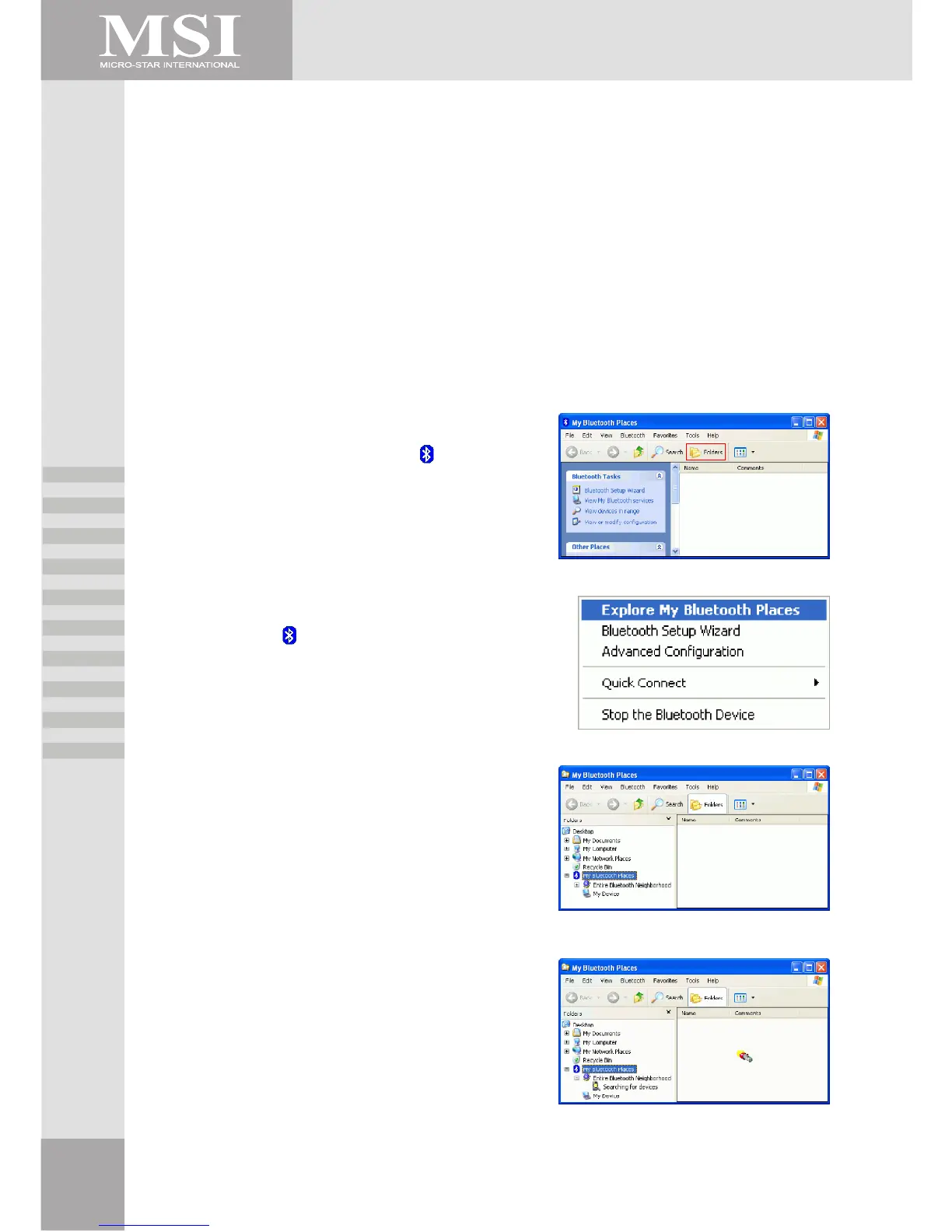
My Bluetooth Places is part of Windows Explorer.
There are multiple ways to access My Bluetooth Places:
• In the Notification area, at the far right of the taskbar
• Right-click the Bluetooth icon and select Explore My Bluetooth Places
or
• Double-click the Bluetooth icon
• On the desktop
• Double-click the Bluetooth icon
• From Windows Explorer, select My Bluetooth Places in the Folders pane or from the Address
shortcut menu.
Example 1 :
Double click My Bluetooth Place icon on your
desktop.
Click Folder on the toolbar. Folder window will appear
on left side of your screen.
Example 2 :
Right click on the lower right hand corner of your
screen.
Select Explore My Bluetooth Places.
Two folders appear on the window. They are :
Entire Bluetooth Neighborhood and My Device.
Click Entire Bluetooth Neighborhood to search for
devices available to you. Once Bluetooth devices are
detected, their icons together with device names will
be displayed on the screen.



 To Next Page