2. DESCRIPTION
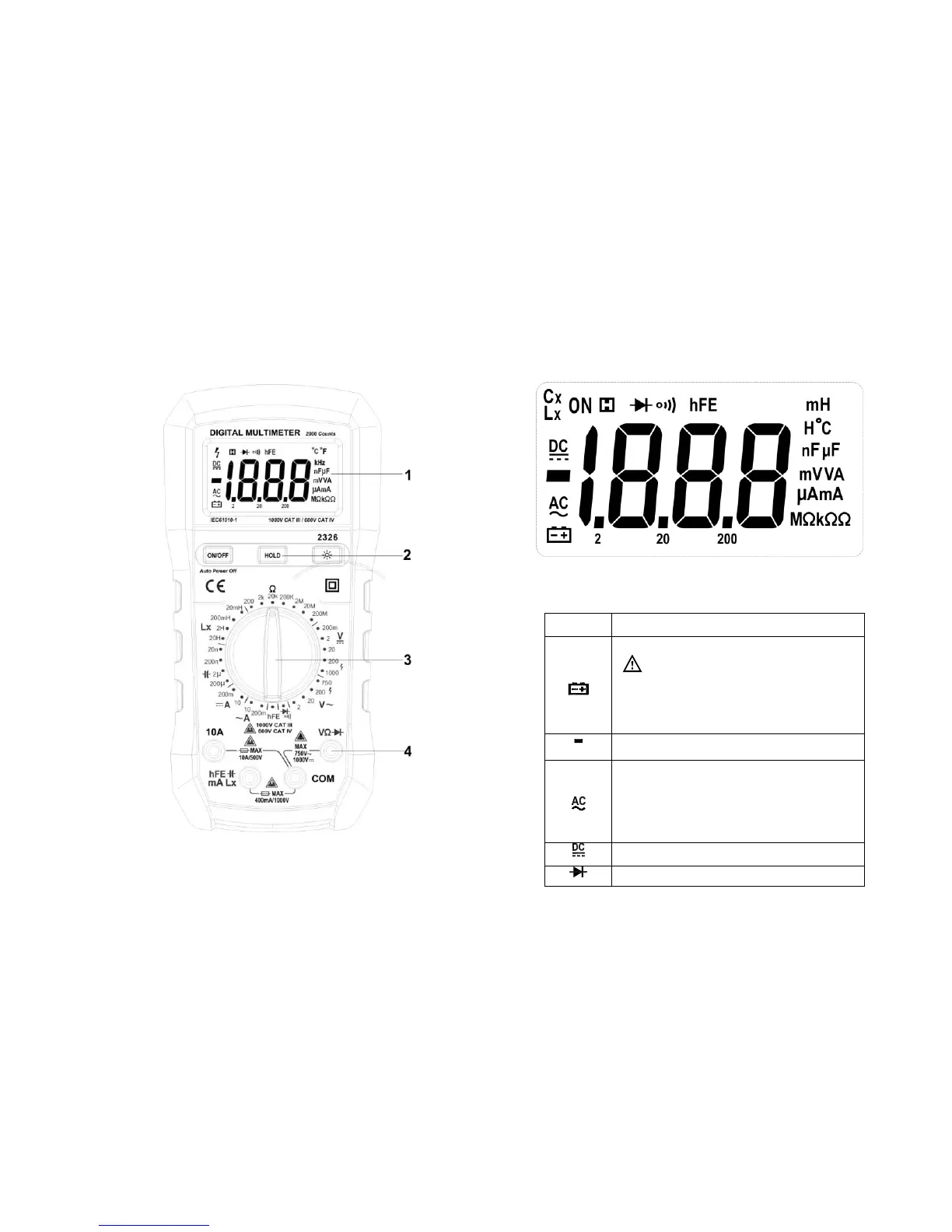
2.1 Instrument Familiarization
1 LCD display 2. Keypad 3. Rotary switch 4. Terminals
2.2 LCD Display
See Table 1 indicated for information about the LCD display.
Figure 1.Display
Table 1. Display Symbols
The battery is low.
Warning: To avoid false readings,
which could lead to possible electric shock
or personal injury, replace the battery as
soon as the battery indicator appears.
Indicates negative readings.
Indicator for ac voltage or current.
AC voltage and current are displayed as the
average of the absolute value of the input,
calibrated to indicate the equivalent rms
value of a sine wave.
Indicator for dc voltage or current.
The Meter is in the Diode Test mode


 To Next Page