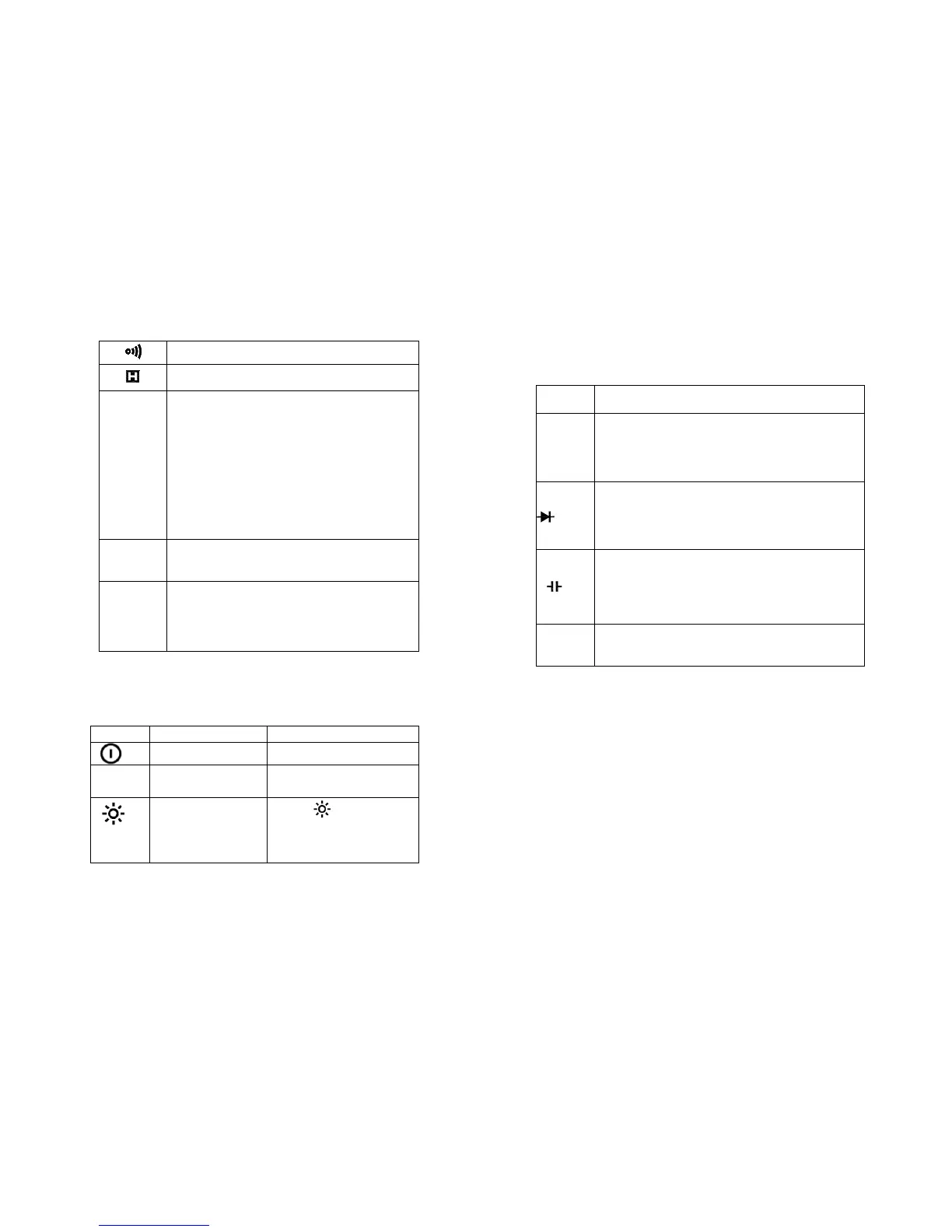
Table 1. Display Symbols (continued)
The Meter is in the Continuity Check mode.
The Meter is in the Data Hold mode
Volts. The unit of voltage.
Millivolt. 1x10
-3
or 0.001 volts.
Amperes (amps). The unit of current.
Milliamp. 1x10
-3
or 0.001 amperes.
Microamp. 1x10
-6
or 0.000001 amperes
Ohm. The unit of resistance.
Kilohm. 1x10
3
or 1000 ohms.
Megohm. 1x10
6
or 1,000,000 ohms.
The unit of Inductance 1H=1000mH
Farad. The unit of capacitance.
Microfarad.1x10
-6
or 0.000001 farads.
Nanofarad. 1x10
-9
or 0.000000001
farads.
2.3 Keypad
See Table 2 indicated for information about the keypad
operations.
Table 2. Keypad
Press HOLD to enter and
exit the Data Hold mode.
Press to turn the
backlight on. After about
5 seconds, the backlight
is auto-off.
2.4 Terminals
See Table 3 indicated for information about the terminals.
Table 3. Terminals
Return terminal for all measurements.
(Receiving the black test lead or the “com”
plug of the special multi-function socket)
Input for voltage, resistance, frequency, diode
and continuity measurements. (Receiving the
red test lead)
Input for capacitance, Inductance, hFE and mA
current measurements. (Receiving the red test
lead or the “+” plug of the special multi-function
socket)
Input for 200mA to 10A current measurements.
(Receiving the red test lead)
2.5 Accessories
Delivered with the multimeter:
Special Multi-function socket


 To Next Page