8.19.2 Fan drive – Drive belt replacement
Preconditions
☑ Engine is stopped and starting disabled.
Special tools, Material, Spare parts
Designation / Use Part No. Qty.
Drive belt
(→ Spare Parts Catalog)
Preparatory steps
1. Remove protective cover from cooler.
2. Remove fan.
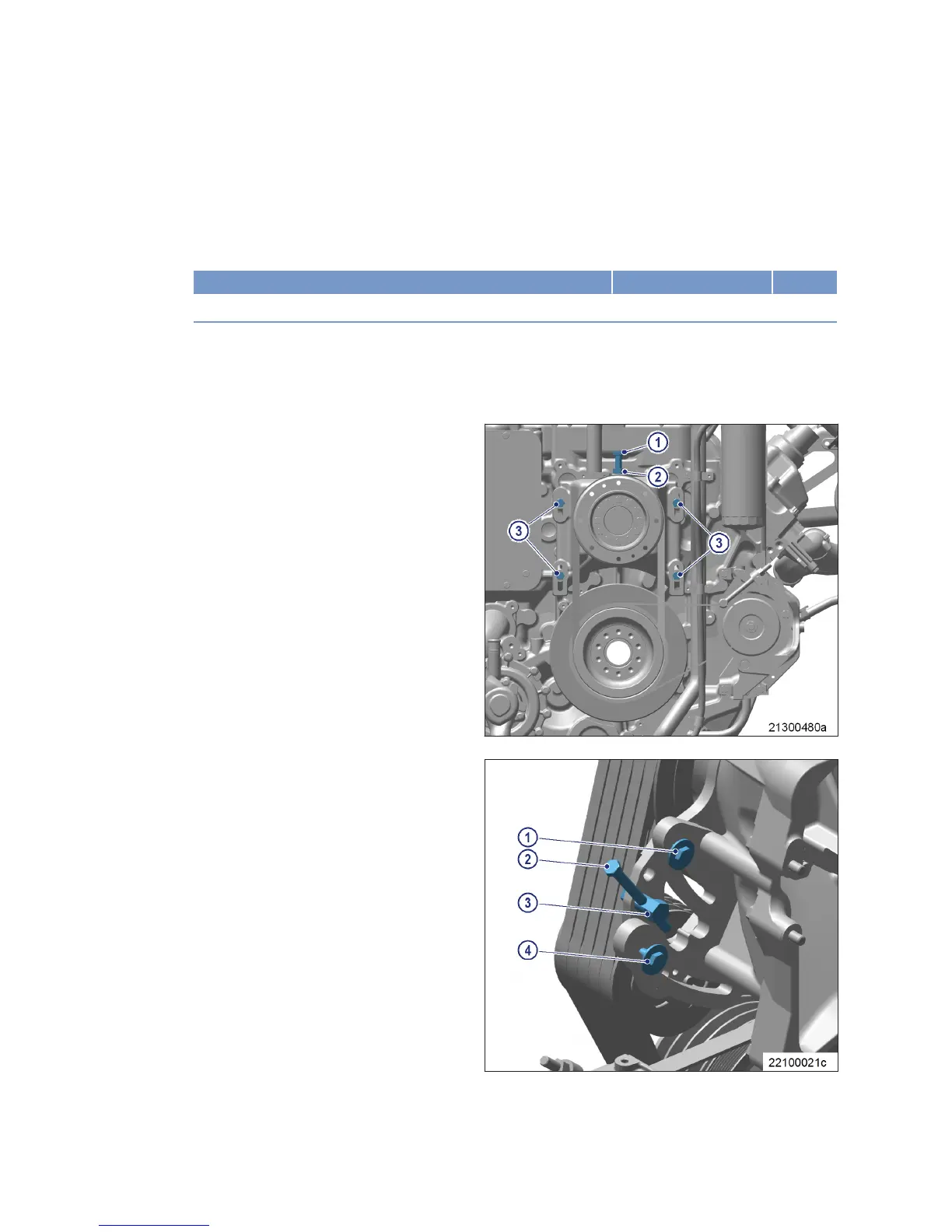
Drive belt replacement, variant
A
1. Loosen securing screwsBelt replacement (3).
2. Release locknut (2).
3. Screw out tensioning screw (1) until drive
belts can be removed.
4. Check belt pulley on fan bearing pedestal and
crankshaft for contamination, clean if neces-
sary.
Note: Drive belts must only be fitted in the grooves
as a set and without applying any force.
5. Fit new set of drive belts.
6. To check drive tension, the fan bearing ped-
estal must rest against the gearcase.
7. Adjust and check drive belt tension
(→ Page 135).
Drive belt replacement, variant
B
1. Release securing screws (1, 4).
2. Unscrew tensioning screw (2) with bolt (3)
until the drive belts can be removed.
3. Check belt pulley on fan bearing pedestal and
crankshaft for contamination, clean if neces-
sary.
Note: Drive belts must only be fitted in the grooves
as a set and without applying any force.
4. Fit new set of drive belts.
5. To check drive tension, the fan bearing ped-
estal must rest against the gearcase.
6. Adjust and check drive belt tension
(→ Page 135).
Final steps
1. Install fan.
2. Install protective cover.
138 | Fan Drive |
MS15018/03E 2016-02
TIM-ID: 0000000046 - 004



 To Next Page