6
IF USING AA - CELL
BATTERIES
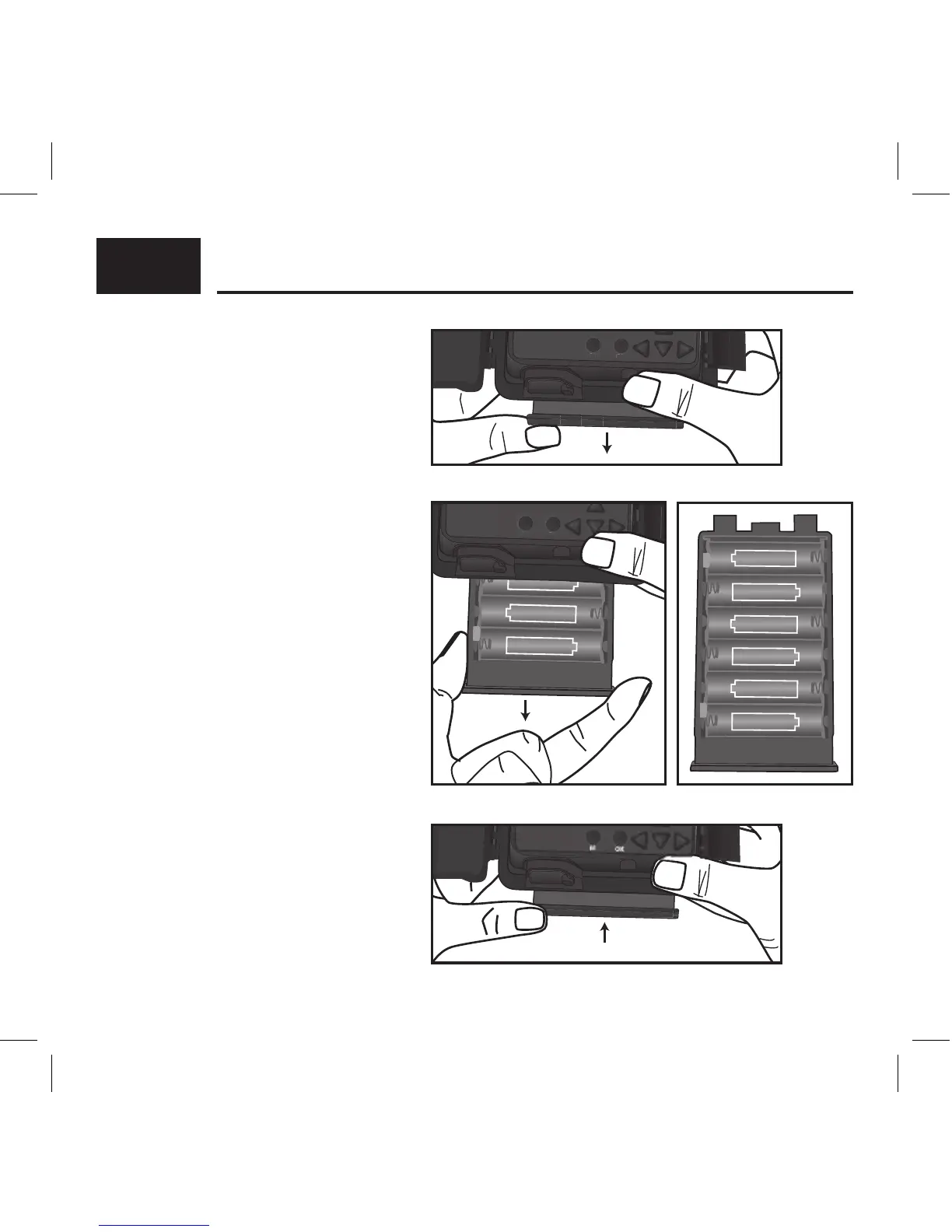
1. To remove the internal AA battery
pack, press chamber lightly and
slide the eject/open button inside
camera cover (Fig. 1). Next, pull
rmly to remove chamber and
insert batteries (Fig. 2).
2. Reference the battery icons located
on the inside of the chamber
compartment. Insert the batteries
accordingly as indicated by the
positive and negative battery icons
(Fig. 3).
3. Slide the battery compartment back
into the camera housing until it is
completely engaged in the slot in
the bottom of the housing (Fig. 4).
NOTE: Installing any of the 6-AA
batteries in the wrong direction
may cause the batteries to leak acid
and could possibly explode, causing
camera failure and damage to the
battery compartment.
INSTALLING BATTERIES:



 To Next Page