3MUDITA HARMONY - USER GUIDE
1. INTRODUCTION
Thank you for your purchase of Mudita Harmony and making
our minimalist alarm clock part of your journey to better
sleep.
Mudita Harmony is an alarm clock which provides you the
tools to enhance your sleep quality and bring a sense of
calm. With Mudita Harmony you can make your bedroom a
phone-free oasis. Mudita Harmony can help you develop
healthy bedtime habits and wake up to carefully crafted
sounds to experience the natural restorative power of sleep.
Research and technology have finally met with zen design in
Mudita Harmony.
2. GETTING STARTED
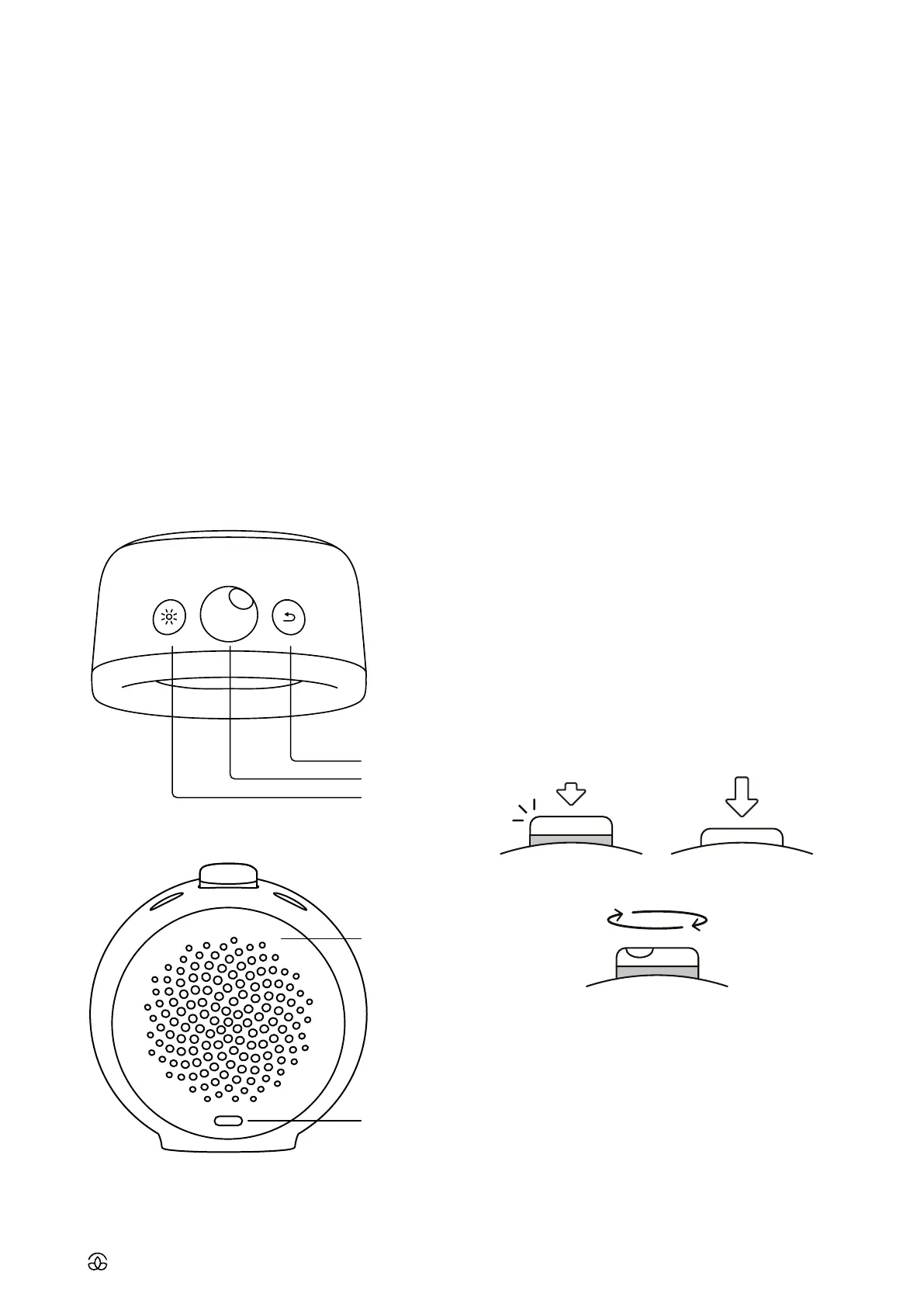
2.1 Product description
2.2 Navigating the device
Use the main knob to navigate the settings of your Mudita
Harmony, it has three functionalities: light click, deep press
and rotation.
Light click
• Use a slight push and feel the gentle click sound
• The knob does NOT change position after light click
• Light click accepts the selection and moves forward
around the interface
Deep press
• For deep press, use a bit more pressure than for light click
• The knob DOES change position after deep press - result-
ing in the orange band being visible or not
• Deep press activates the alarm (when the orange band is
visible) and deactivates the alarm (when the orange band
is NOT visible)
Rotate
• Rotate the knob in both directions to move around the
interface
Back button
• Press back button to return to the previous screen or step
• When you are on the home screen, long-press the back
button to check the battery status
• When you are in any other point in the menu, long-press
the back button to go back to the home screen
Light button
• Press the light button to turn the frontlight ON on demand
3. INF0RMATION ABOUT THE E INK
The E ink display imitates the look of ink on paper. Apart
from a great analogue feel, it has many great advantages
when compared to regular displays. It doesn’t emit blue
light, which is essential for an alarm clock. Blue light emis-
sion disrupts healthy sleep, it is advised to limit exposure to
blue light before bed. That is why it is better to leave your
smartphone outside your bedroom and use an alarm clock
instead. Mudita Harmony uses soft back light to illuminate
BACK BUTTON
LOUDSPEAKER
USB-C
MAIN BUTTON
FRONTLIGHT BUTTON
ROTATE



 To Next Page