12
MultiModem ISDN User Guide
Assembling the MTA128ST-USB
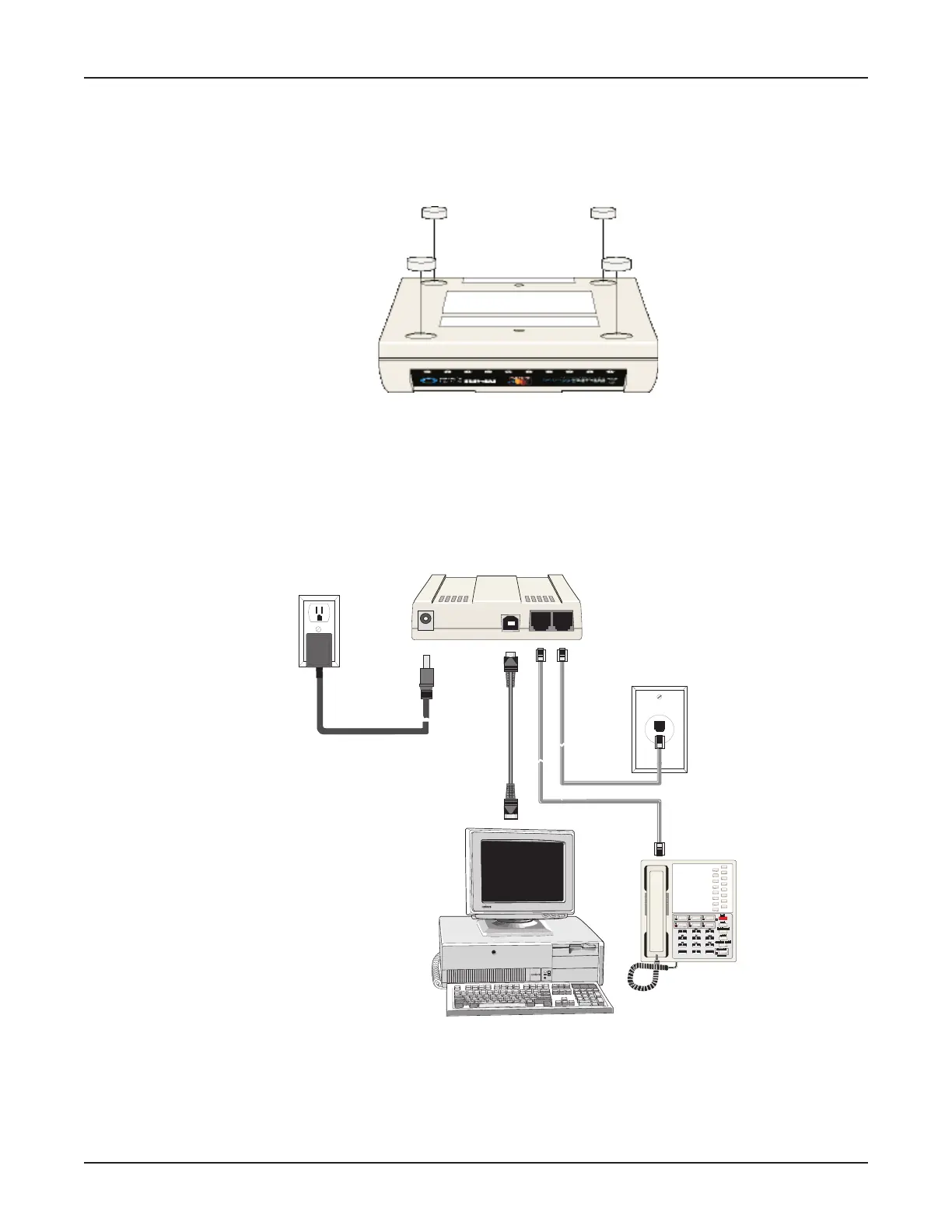
The only assembly required is to mount the feet on the bottom of your unit (See Figure 2-2). Peel the
four self-adhesive plastic feet off the backing strip and press them into the recesses on the bottom of
the MTA128ST-USB.
Figure 2-2. Mounting the Feet
Connecting the MTA128ST-USB to Your System
Place the MTA128ST-USB terminal adapter in a convenient location. In a typical configuration, you will
need to connect your MTA128ST-USB to your computer’s USB port, to its own power supply, to the
ISDN network terminator, and to any optional analog equipment you are using (e.g., a telephone). Each
cabling procedure is shown in Figure 2-3.
PHONE
ISDN
USB
POWER
Figure 2-3. MTA128ST-USB Connections



 To Next Page