31
Chapter 3 - Software Installation and Configuration
Changing the Modem Descriptor (Windows 95/98)
The following procedure describes how you can change the description of the terminal adapter. The
default descriptor is MTA128ST-USB ML-PPP.
Note: If you need assistance, contact Multi-Tech’s Technical Support group.
1. Click Start | Settings | Control Panel | System to display the System Properties dialog box.
2. Select the Device Manager option to display the Device Manager screen.
3. Expand the modem list and highlight the default descriptor - MTA128ST-USB ML-PPP.
4. With the MTA128ST-USB ML-PPP entry still highlighted, right-click and select the Properties
button.
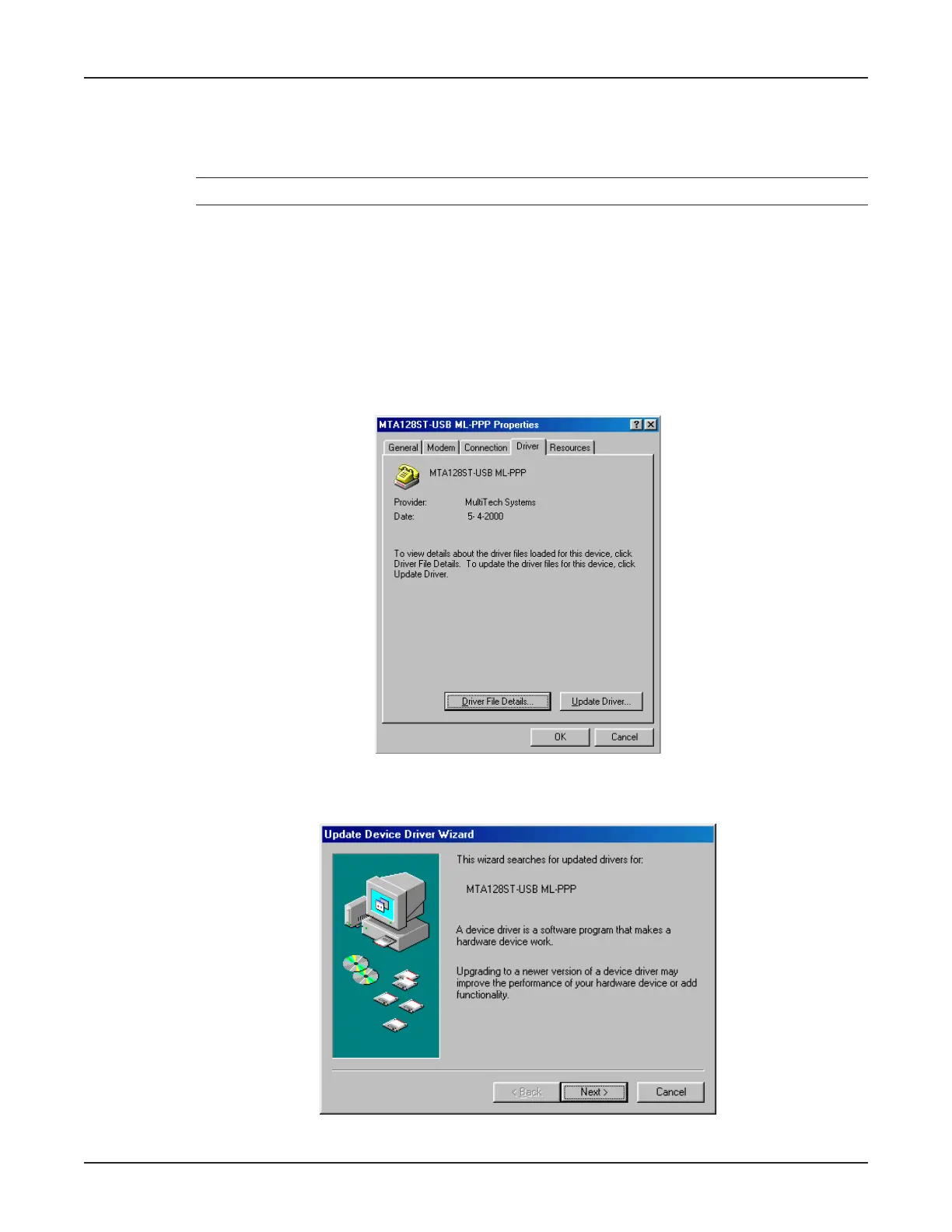
5. Click the Driver tab.
6. The MTA128ST-USB ML-PPP Properties dialog box displays.
Click the Update Driver button.
7. The Update Device Driver Wizard dialog box displays.
Click Next >.



 To Next Page