39
Chapter 3 - Software Installation and Configuration
Windows 2000 Dial-Up Networking
The following instructions describe all Dial-Up Networking connection options under Windows 2000 as
well as guide you through setting up a Dial-up Networking connection to an Internet Service Provider
(ISP).
Note: If you are connecting to the Internet, make sure TCP/IP is installed on your computer and that
you’ve set up an access account with an Internet Service Provider.
1. To set up a Dial-Up Networking connection within Windows 2000, select
Start | Settings | Network and Dial-up Connections.
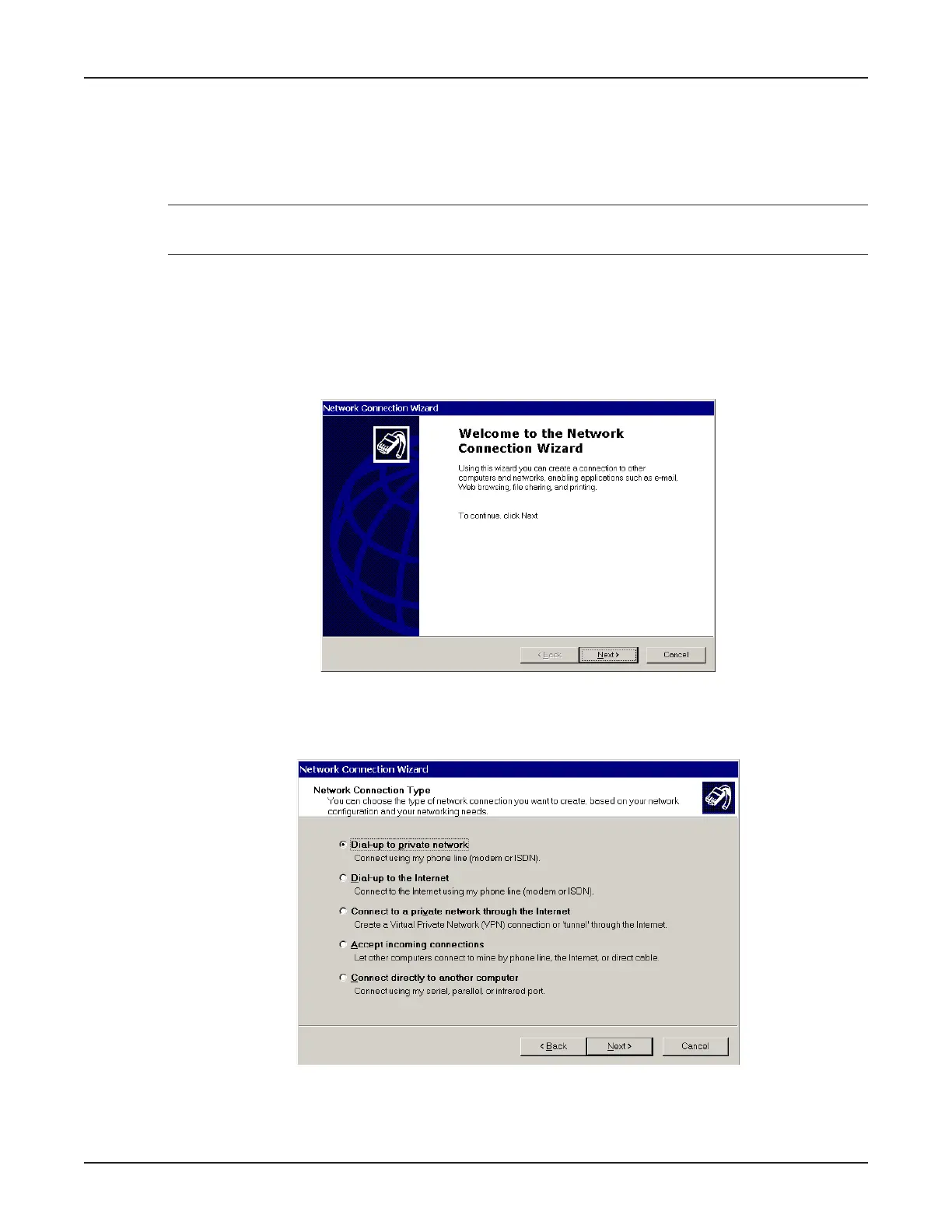
2. In the Network and Dial-up Connections dialog box, double-click the Make New Connection
icon. The Network Connection Wizard dialog box is displayed indicating the Wizard will help in
creating a connection to other computers and networks enabling applications such as e-mail, web
browsing, file sharing and printing.
Click Next>.
3. The Network Connection Type dialog box is displayed offering several connection options.
Select the option which best describes the type of connection you are creating with this definition.
Click Next>.
The process for completing your Dial-Up Networking connection will vary based on the connection type
selected in the previous step.



 To Next Page