30
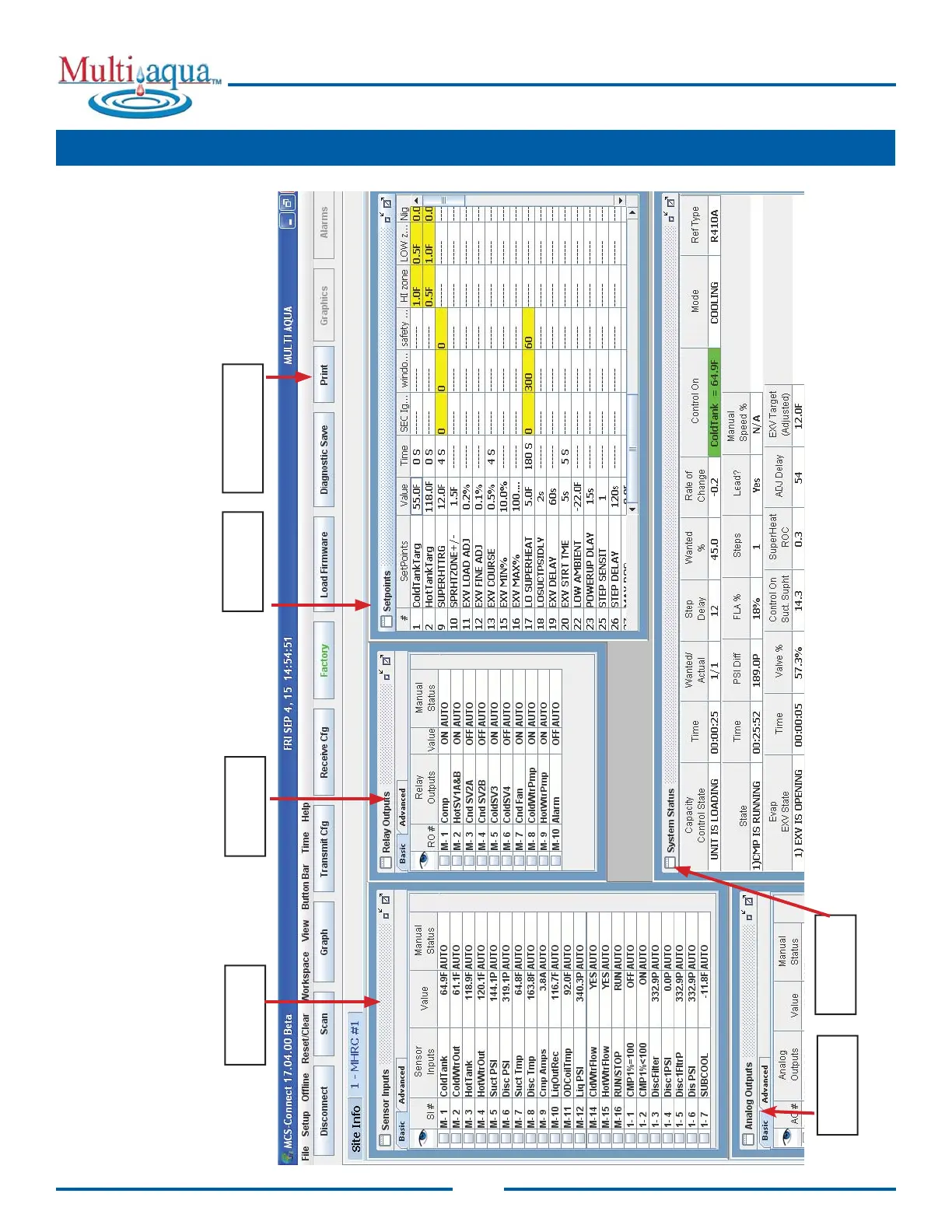
MCS-CONNECT screen shown here has been setup to display critical information as to the status of Relay Outputs, Analog
Outputs, Set Points, Sensor Inputs and the system status of the unit. Clicking on ‘Advanced’ will allow the user to see addtional
information. The user can setup different ‘Workspaces’ and save them for quick viewing (see section on ‘setting up custom work-
spaces in MCS-CONNECT manual.
SENSOR
INPUTS
RELAY
OUTPUTS
SETPOINTS
SYSTEM
STATUS
PRINT BUTTON*
*NOTE: USE PRINT BUTTON ON STATUS SCREEN TO CAPTURE A SNAP SHOT OF ALL
DATA.
Reference MCS-CONNECT Manual for additional information.
ANALOG
OUTPUTS
19. "MCS-CONNECT" - CONTROL STATUS DISPLAY



 To Next Page