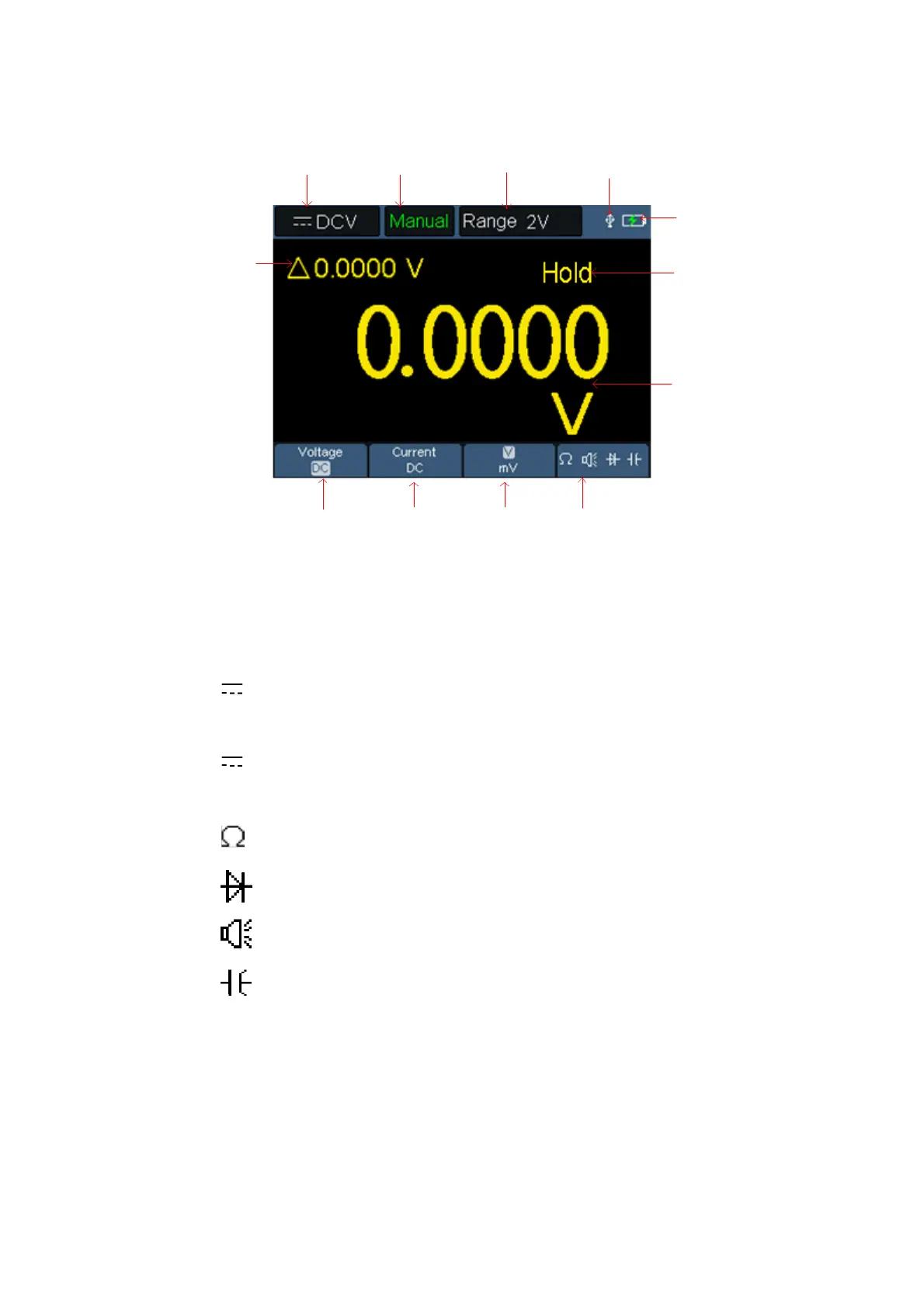
Multimeter interface:
Multimeter Interface
Description:
1. Measurement type indication:
DCV ------ DC voltage measurement
~ ACV ------ AC voltage measurement
DCA ------ DC current measurement
~ ACA ------ AC current measurement
Resist ------ Resistance measurement
Diode ------ Diode measurement
Cont ------ On/Off measurement
Cap ------ Capacitance measurement
2.Range indication: Manual means manual range; Auto means automatic
range.
3. Current measurement range.
4. Indicating that there is a USB cable inserted.
5. Battery power indication.



 To Next Page