
 Need help?
Do you have a question about the multicomp pro MP780050 and is the answer not in the manual?
Set function switch, clamp jaws around conductor, and read measured value on LCD.
Freeze current reading on LCD by pressing HOLD key. HOLD icon appears.
Turn on LCD backlight by holding HOLD key for 2+ seconds. Activates Data Hold too.
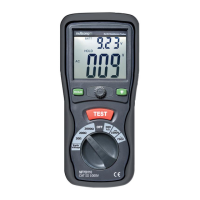
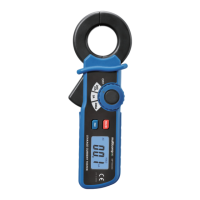
This document describes the Multicomp Pro Mini AC Current Leakage Tester, Model No. MP780050, a portable device designed for measuring AC current leakage.
The Mini AC Current Leakage Tester is used to measure AC current, specifically leakage current, in electrical systems. It can also be used to measure load current. The device provides a digital readout of the measured current.
Display: The tester features a 3½ Digit (1999 count) LCD display. Resolution: It offers a resolution of 100µAAC. Batteries: The device is powered by two AAA 1.5V batteries. Jaw Opening: The clamp jaws have an opening of 30mm (1.2"). Auto Power Off: To conserve battery life, the tester automatically powers off after approximately 15 minutes of inactivity. Operating Conditions:
Accuracy (at 60Hz):
AC Current Measurement: To perform an AC current measurement, the user sets the rotary function switch to the desired current range (200mA, 2A, or 200A). The clamp jaws are opened using the jaw trigger and then clamped around the conductor to be tested, ensuring the conductor is centered within the jaws. The measured value is then displayed on the LCD screen.
Data HOLD Function: The tester includes a Data HOLD function, activated by pressing the "HOLD" key. This feature freezes the current reading on the LCD, indicated by "HOLD" on the display. To release the hold and return to normal operation, the "HOLD" key is pressed momentarily again.
Backlight Function: For improved visibility in low-light conditions, the LCD backlight can be activated by pressing and holding the "HOLD" key for more than 2 seconds. This action also simultaneously activates the Data Hold function. To turn off the backlight, the "HOLD" key is pressed and held for more than 2 seconds again.
Product Overview Components:
Safety Instructions:
Battery Replacement: When the low battery symbol appears on the LCD, the two AAA (1.5V) batteries must be replaced. To do this, the tester should be powered down, the rear battery compartment screw removed, and the cover lifted off. The old batteries are then replaced with new ones, ensuring correct polarity. Finally, the compartment cover is secured with the screw.
Cleaning: The tester should be cleaned with a clean, soft cloth. Harsh chemicals, abrasives, or solvents that could damage the tester should not be used.
Waste Disposal Information: The device is marked with symbols indicating that Waste Electrical and Electronic Equipment (WEEE) and waste batteries require separate collection. These items should not be disposed of with general household waste but should be taken to designated recycling points for treatment, recovery, and recycling of materials. Information on local battery and WEEE recycling schemes can be obtained from the local authority or battery retailers.
 General
| Brand | multicomp pro |
|---|---|
| Model | MP780050 |
| Category | Test Equipment |
| Language | English |


 To Next Page