10 - English
6. Hardware Installation
6-4. Front panel LEDs
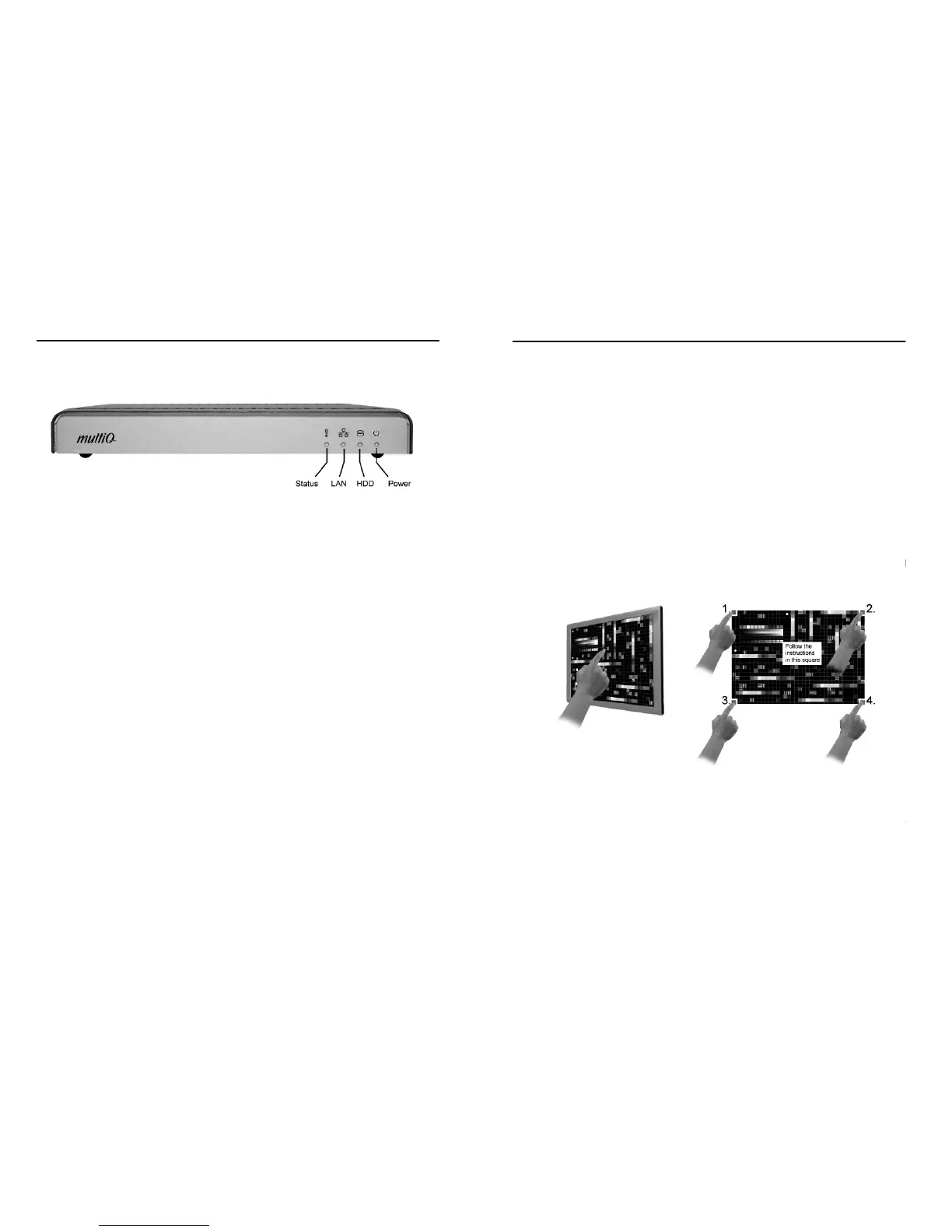
On the front of the media player there are 4 LEDs.
Figure 2. Front panel with indication LEDs.
Power – This led will be lit when the media player is on (Blue).
Status – This led indicates activities and result of activities
• Flashing between red and green: ongoing activity as starting up, shutting down or
download in progress.
• Green: download succeeded
• Red: communication with the digital signage management server failed or download
failed
HDD – Hard drive activity (Yellow).
LAN – Flashes when there is activity on the LAN port.
• Not lit: no network access
• Constantly lit in green: Link up at 100 Mb/s or 1000 Mb/s
• Flashing in green: Network activity at 100 Mb/s or 1000 Mb/s
• Constantly lit in red: Link up at 10 Mb/s
• Flashing in red: Network activity at 10 Mb/s
11 - English
7. Configuration and connection check
7-1. Configuration
To perform initial setup of a media player either use a separate monitor that includes a
touch panel or use an attached mouse if there is no touch panel.
At first start up the media player will automatically present the configuration menu. If you
wish to enter the configuration menu again you will need a USB keyboard attached to
the unit. By pressing “Ctrl + Alt + c” you can make the player reboot after which the
configuration menu will appear.
Note that the media player will automatically leave the configuration menu after a few
minutes if no further input is made.
7-2. Touch Calibration
If a monitor including a touch panel is connected to the media player, follow these
instructions. Initialize the calibration procedure by rebooting the unit. While booting up,
the media player will show the picture below. Tap anywhere on the screen to start the
calibration process.
Figure 3. The touch calibration procedure.
Follow the instructions on the screen and press the red marking in one of the corners.
When pressed, the red marking will move to another corner. Press the red marking until
all four corners have been calibrated. The calibration is now completed and the media
player will continue to boot.


 To Next Page