www.multispanindia.com
Procedure
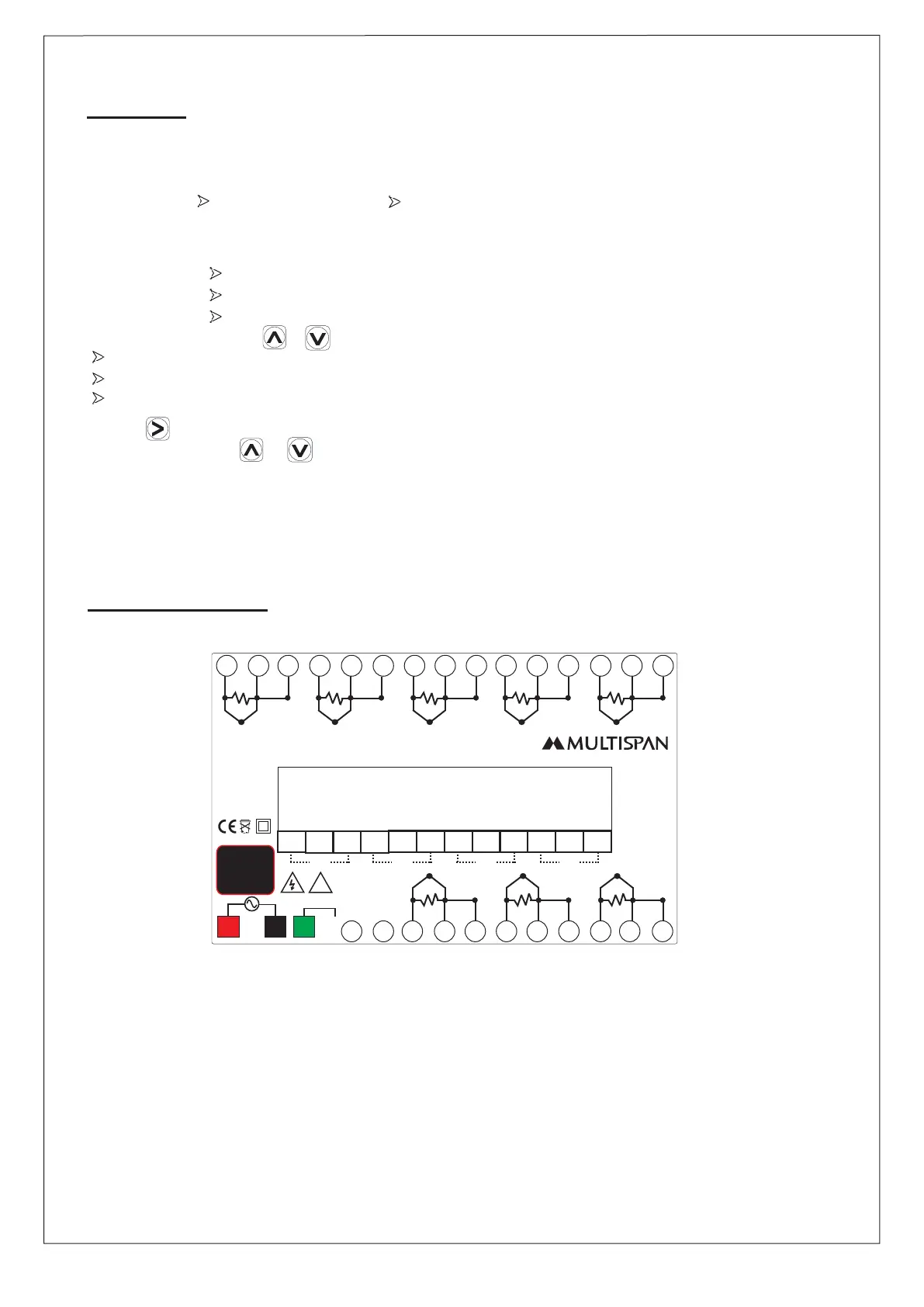
Terminal Diagram
Page-2
1) Do all connections as per the wiring diagram.
To Configure: 1. Input Selection (J, K, PT-100, PT.1 )
2. Relay mode
- If 1 Relay per group - If 2 Relay per group
LOW LOW / HIGH
HIGH HIGH / TRIP
HIGH / LOW
3. Set point selection.
5. Offset factor selection.
6. Communications parameter.
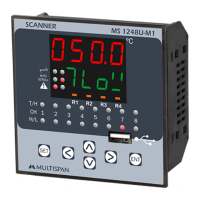
2) To add offset , press + keys together.
Set offset for each channel if required.
Off set range will be ±25°C for J, K, PT-100 temperature input.
Off set range will be ±25.0°C for PT.1 temperature input.
4) Press key for 3 Sec to Change continuous scrolling or manual scrolling.
5) In Hold mode use & key to select next channel.
.
MS-1248-M1
- - -- -
-- -
18
14
19
13
20
12
21
11
22
10
23
24
1 2 3 4
5 6 7 8 9
16
17
15
+++
+ + +++
T/C T/C T/CT/CT/C
PT-100/3W PT-100/3W PT-100/3WPT-100/3WPT-100/3W
T/CT/C T/C
PT-100/3WPT-100/3W PT-100/3W
CH-1 CH-4 CH-5CH-3CH-2
CH-6CH-8 CH-7
NC
NC
NC
NC
C
C
C
C
NO
NO
NO
NO
R1 R3 R4R2
50/60 HZ
4VA
~
50/60 Hz
4VA
!
100
270V AC
L
N
26
25
RS-485
MODBUS
O/P
D+
D
-
Made in India
www.multispanindia.com
E
E


 To Next Page