Need help?
Do you have a question about the MULTISPAN PID 4201-1C and is the answer not in the manual?
Explains operational steps, display messages for sensor issues, and power-on patterns.
Details how to navigate parameter settings, change values, and save configurations using keys.
Instructions for accessing and entering the basic configuration mode with a password.
Guides users on how to set the desired setpoint value for the controller.
Explains the procedure to start or stop the PID auto-tuning function.
Details how to enter and configure PID control parameters like PB, IT, and DT.
Emphasizes following all safety codes, symbols, and instructions for safe operation.
Provides warnings and guidelines for safe wiring to prevent electric shock and interference.
Covers mechanical installation, panel cutout, fitting, and placement advice.
Outlines regular cleaning, maintenance, and replacement procedures for the instrument.
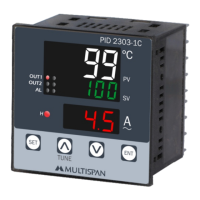
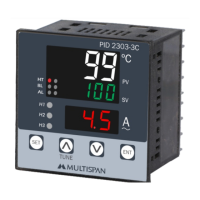
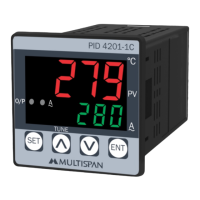
The Multispan PID 4201-1C is a PID controller designed for precise temperature and current control, featuring a compact design and user-friendly interface.
The PID 4201-1C operates as a PID (Proportional-Integral-Derivative) or ON-OFF controller, selectable by the user. It is capable of measuring and controlling temperature using various sensor types (J, K, PT, PT.1) and current up to 30.0 A via a Current Transformer (CT). The device provides a clear digital display for both process value and setpoint, along with an output for control action. Key functionalities include:
SET key: Used to enter parameter settings, save changes, and in combination with other keys, access advanced functions.UP/DOWN keys: Used to change values or select options.SET + UP keys (6 seconds): Initiates/stops PID auto-tuning.SET + DOWN keys (3 seconds): Accesses factory setting mode.SET key for 5 seconds, the lower display scrolls through the set temperature and actual current, providing a quick overview of key operational values. General
| Brand | MULTISPAN |
|---|---|
| Model | PID 4201-1C |
| Category | Controller |
| Language | English |

 To Next Page