25
Chapter 2 - Installation
Installation in Windows 98
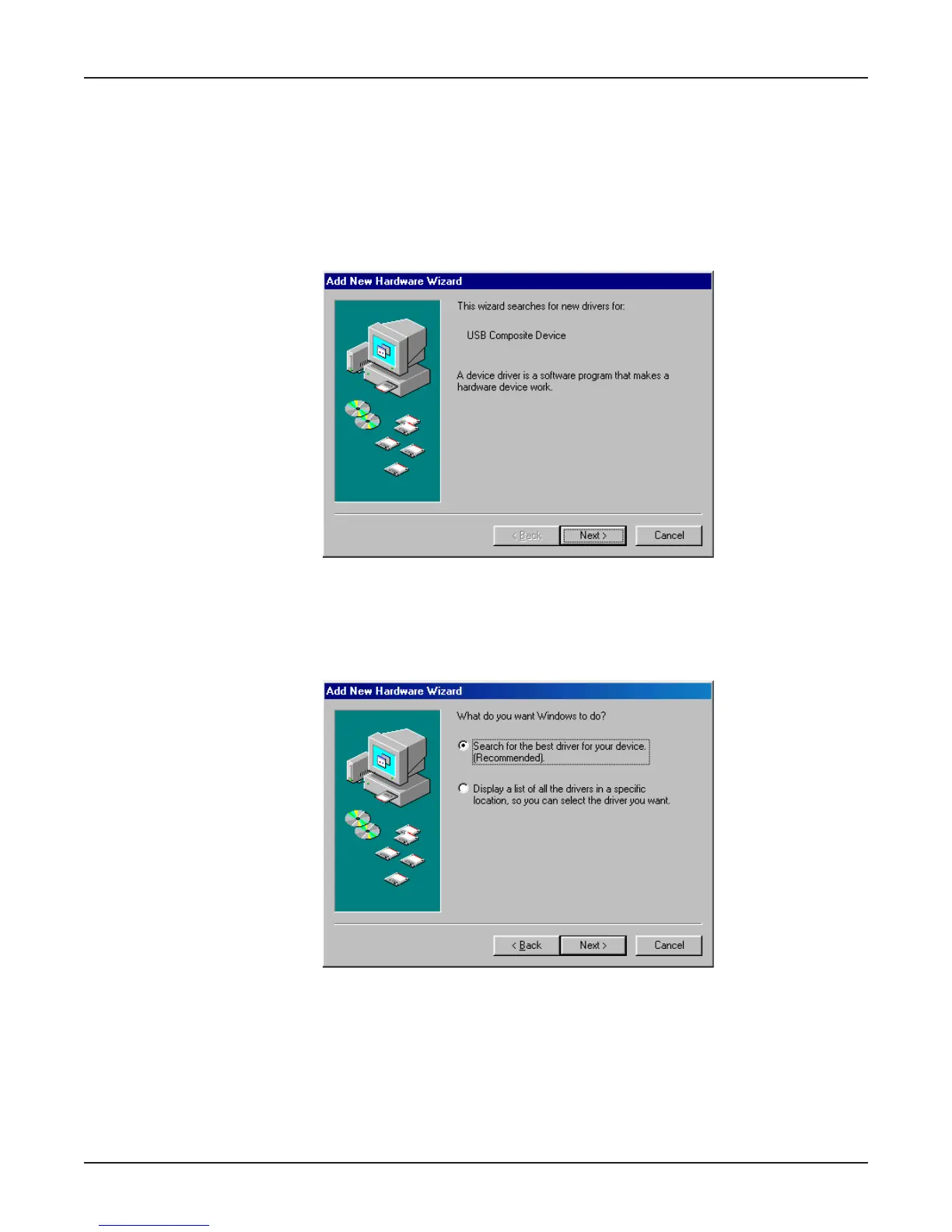
1. Power up your Windows 98 system.
2. If you have not already done so, connect the MT5634MU to your computer’s USB port and connect
the telephone line to your MT5634MU and a telephone wall jack.
3. Windows will detect that the new modem is present and launch the Add New Hardware Wizard
dialog box.
4. Place the MT5634MU CD into your CD drive and click Next to proceed with the installation.
5. The Add New Hardware Wizard dialog box is displayed with the message “What do you want
Windows to do?” Verify that the “Search for the best driver for your device (Recommended).”
option is selected and click Next.















 To Next Page