INSTALLING THE DEVICE
MultiConnect
®
rCell 100 Series Router LTE Cat 4 MTR-L4G1 Hardware Guide 19
Chapter 4 – Installing the Device
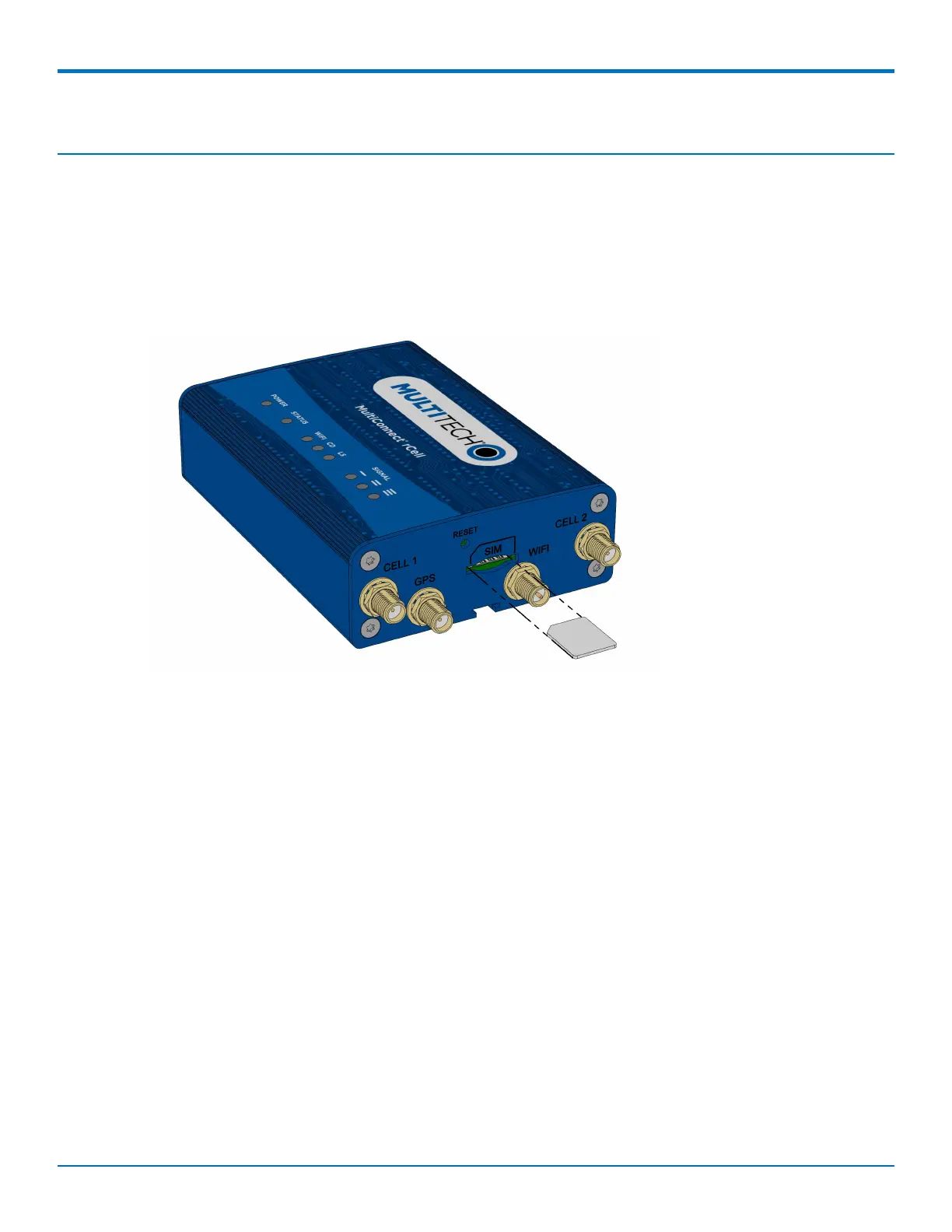
Installing the SIM Card
If you want to operate the device on a particular network, install a SIM card (Subscriber Identity Module).
To install the SIM:
1. Locate the SIM card slot on the side of the device. The slot is labeled SIM.
2. Push the SIM card into the slot until it snaps into place.
3. To remove the SIM, push the edge of the card in. When released, the card pops out of the device.
Installing the Device
1. To use the device ’s cellular features, connect a suitable antenna to the CELL connector.
To use the device’s cellular features, connect two suitable antennas to both the CELL and AUX
connectors.
2. If your device is capable of supporting antenna diversity, see the section about diversity.
You must use diversity because this device requires two antennas.
3. Some devices support Wi-Fi. To use the device’s Wi-Fi access point features, install a suitable antenna to
the Wi-Fi antenna connector on the device.
The Wi-Fi antenna connection is reverse polarity. If you use a standard antenna on the Wi-Fi connector,
you can damage the antenna and the connector.
Five Wi-Fi devices can concurrently use your Wi-Fi access point.
4. Using an Ethernet cable, connect one end of the cable to the E-NET connector on the back of the device
and the other end to your computer, either directly or through a switch or hub.
5. If you are connecting to a serial interface, connect the DE-9 connector (9-pin) of the RS-232 cable to the
RS-232 connector on the device. Then connect the other end to the serial port on the desired device.
6. Some devices support the use of a GPS receiver. If you are using a GPS receiver with the device, attach
the GPS cable to the GPS connector on the device.



 To Next Page