PRODUCT OVERVIEW
MultiConnect
®
rCell 100 Series Router LTE Cat 4 MTR-L4G1 Hardware Guide 9
Side Panel Connectors
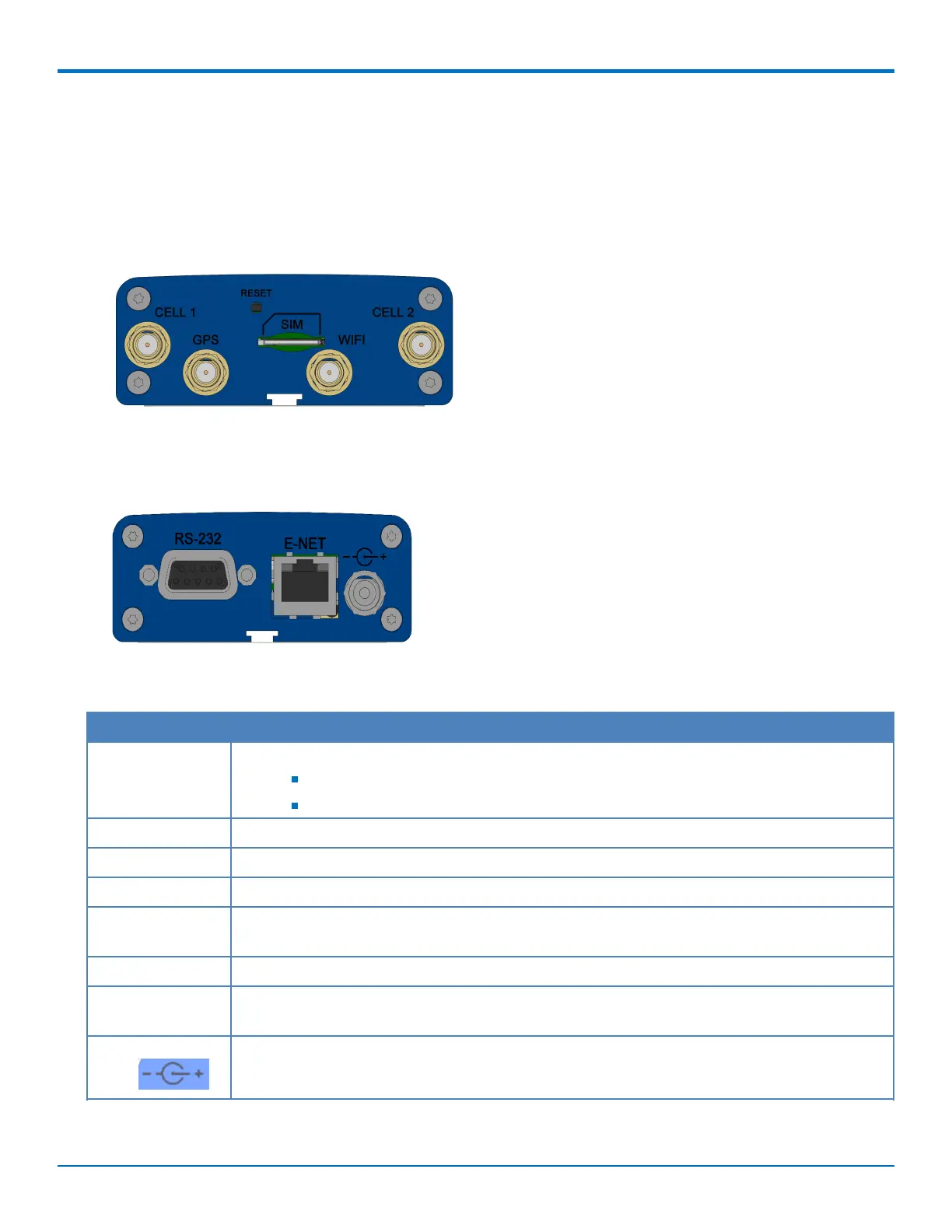
The device has connectors on both sides of the housing. The right side of the device contains a SIM card holder, a
reset button, a Wi-Fi/Bluetooth, GPS, and cellular antenna connector. Depending on the model of your device, the
GPS and/or Wi-Fi connectors may or may not be present.
The following shows the right side panel of the device:
The following shows the left side panel of the device. It includes an RS-232 connector, an Ethernet connector, and
the power receptacle.
The following table describes the items on the two side panels:
Label Description
CELL, CELL 2 Cellular antenna inputs. Use with 2 Cat 4 LTE antennas.
CELL - Primary.
CELL 2 – Diversity.
GPS GPS antenna input. Use with 1 GPS antenna (varies with model).
WIFI Wi-Fi/Bluetooth antenna input. Use with 1 Wi-Fi/Bluetooth antenna (varies with model).
SIM Receptacle for a SIM card (Subscriber Identity Module).
RESET Resets the device. Refer to Resetting the Device or Resetting User Defined Settings to the
Device.
RS-232 DE 9-pin, female-D Sub through-hole connector.
E-NET RJ-45 receptacle for standard Ethernet 10/100 Base-T (RJ-45 connecter has two Ethernet
LEDs).
Power 7-32 VDC power receptacle for provided power cord. The device uses a minimum 7V 1.0A
power supply.



 To Next Page